---
title: "Automatic Event Tracking in HitKeep | HitKeep"
description: "HitKeep can automatically track outbound links, file downloads, and form submissions from hk.js without changing your backend event schema."
canonical: "https://hitkeep.com/guides/tracking/automatic-events/"
---
# Automatic Event Tracking in HitKeep
HitKeep’s browser tracker emits a small set of built-in events automatically after you install the default `hk.js` snippet:
- `outbound_click`
- `file_download`
- `form_submit`
These events use the same `hk.js -> /ingest/event -> Events page` pipeline as manual custom events, so you do not need a new API, schema migration, or separate dashboard.

## Default behavior
Automatic tracking is enabled by default once you install `hk.js`.
The tracker captures only privacy-safe metadata:
- `outbound_click`: `target_host`, `target_path`, `target_protocol`
- `file_download`: `file_host`, `file_path`, `file_ext`
- `form_submit`: `action_host`, `action_path`, `method`, `same_origin`, optional `form_id`
HitKeep strips query strings and hashes before storing these properties. The tracker does not capture link text, form field values, or request bodies.
| Event | Captured properties | Explicitly not captured |
| --- | --- | --- |
| outbound_click | target_host, target_path, target_protocol | Query strings, hashes, link text |
| file_download | file_host, file_path, file_ext | Query strings, hashes, file contents |
| form_submit | action_host, action_path, method, same_origin, optional form_id | Form field values, request bodies |
For broader runtime, privacy, and export facts, see [Facts and Limits](https://hitkeep.com/reference/facts-and-limits/).
## Install the default snippet
```
```
That snippet records page views plus the automatic events above.
## Disable specific automatic events
Use the **Site settings -> Tracking** drawer in the dashboard, or add opt-out attributes manually:
```
```
Available attributes:
- `data-disable-outbound-tracking="true"`
- `data-disable-download-tracking="true"`
- `data-disable-form-tracking="true"`
These attributes only disable the matching automatic event class. Manual `window.hk.event()` calls and server-side events keep working.
Existing tracker options still work the same way:
- `data-collect-dnt="true"`
- `data-disable-beacon="true"`
- `data-disable-spa-tracking="true"`
For delivery behavior, retry handling, SPA tracking, and browser storage boundaries, see [Tracker Architecture](https://hitkeep.com/guides/tracking/tracker-architecture/).
## Event rules
HitKeep applies a few precedence rules so one user action maps to one event:
1. Manual `window.hk.event(...)` calls stay independent and unchanged.
2. Elements marked with `data-hk-event` or `data-hitkeep-event` are reserved for explicit tracking and are ignored by generic auto-tracking.
3. If a clicked link is both outbound and a download, HitKeep records `outbound_click`.
4. Clicks inside forms are ignored for link auto-tracking; only the actual `submit` event records `form_submit`.
## Analyze automatic events in the dashboard
Open **Events** for your site and choose one of the automatic event quick picks when data is available.
You can then:
- break the event down by its properties
- filter the timeseries by a property value
- inspect the audience panels for pages, sources, devices, countries, city, provider, and ASN context
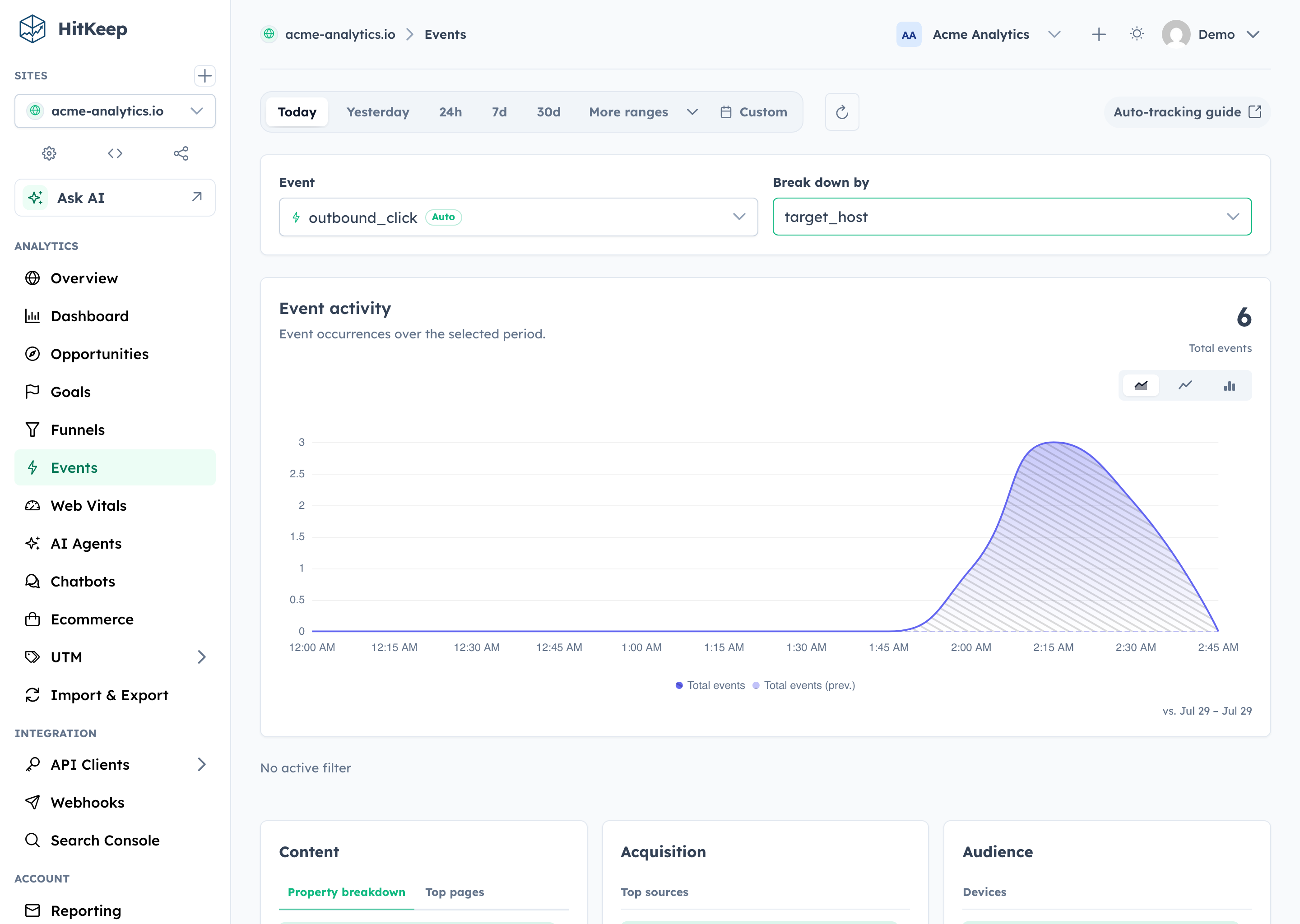
City, provider, and ASN are derived from the same transient IP metadata path used for pageviews. Automatic event properties still stay limited to the event-specific fields listed above.
## When to use manual events instead
Use `window.hk.event()` when you need domain-specific business semantics such as:
- product onboarding steps
- pricing CTA variants
- plan upgrades
- chatbot milestones
Automatic events are best for baseline interaction coverage. Manual events are still the right tool for custom product analytics and conversion tracking.
## Related
- [Google Analytics Alternative for WordPress](https://hitkeep.com/use-cases/google-analytics-alternative-wordpress/)
- [Custom Events](https://hitkeep.com/guides/tracking/custom-events/)
- [Cookieless Event Tracking](https://hitkeep.com/use-cases/cookieless-event-tracking/)
- [Tracker Architecture](https://hitkeep.com/guides/tracking/tracker-architecture/)
- [HitKeep Agent Skills](https://hitkeep.com/guides/integrations/hitkeep-agent-skills/)
- [Facts and Limits](https://hitkeep.com/reference/facts-and-limits/)
- [Event Analytics](https://hitkeep.com/guides/analytics/events/)
- [Goals](https://hitkeep.com/guides/analytics/goals/)
- [REST API Reference](https://hitkeep.com/api/)
[Previous Custom tracking domains](https://hitkeep.com/guides/tracking/custom-tracking-domains/)[Next Custom events](https://hitkeep.com/guides/tracking/custom-events/)