
HitKeep Traffic Exclusions and IP Filtering
Esta página aún no está disponible en tu idioma.
Your own visits, synthetic checks, known bots, internal routes, or traffic from countries you do not serve can skew analytics. HitKeep drops matching traffic before queue publication or direct storage. A rule can apply to one site, every site currently owned by a team, or every site in the instance.
Traffic exclusions are additive and forward-only. There are no allow overrides: HitKeep evaluates instance rules, then the site’s current team rules, then site rules, and drops the record when any rule matches. Existing analytics rows are not changed when a rule is created or deleted.
Rule types and matching
Section titled “Rule types and matching”Each rule uses exactly one value:
| Rule type | Matching behavior |
|---|---|
| IP/CIDR | Matches the resolved client IP against one address or network. Plain addresses are normalized to /32 for IPv4 or /128 for IPv6. |
| Country | Matches an ISO 3166-1 alpha-2 country code after trusted-header or IP-metadata resolution. |
| User agent | Case-insensitive substring match. HealthCheck also matches acme-healthcheck/2.0. |
| Path | Case-sensitive segment-boundary match after removing query strings and fragments and cleaning duplicate slashes, trailing slashes, and dot segments. /admin matches /admin and /admin/users, but not /administrator. / matches every path. |
User-agent and path values are used only during filtering. Adding these rules does not add persisted visitor fields.
Per-site exclusions
Section titled “Per-site exclusions”Use a site rule when traffic should be excluded for one site only. Site owners and site admins can manage these rules for their assigned sites. Instance admins also have the narrow site-exclusion override, which does not grant broader site data mutation rights.
In the dashboard, open Site settings → Filtering, then choose a rule type and add its value. The table also shows inherited instance and current-team rules with scope labels. Inherited rows are read-only at the site scope.
API reference:
By default, GET /api/sites/{id}/exclusions returns only rules owned by the site. Add ?effective=true to receive rules in instance → team → site order, newest-first within each scope. Inherited rows set inherited: true and omit cross-scope creator IDs.
Team exclusions
Section titled “Team exclusions”Team owners and admins with team.manage_settings can manage rules at Administration → Team → Traffic Filters. A team rule applies to every site currently owned by that team.
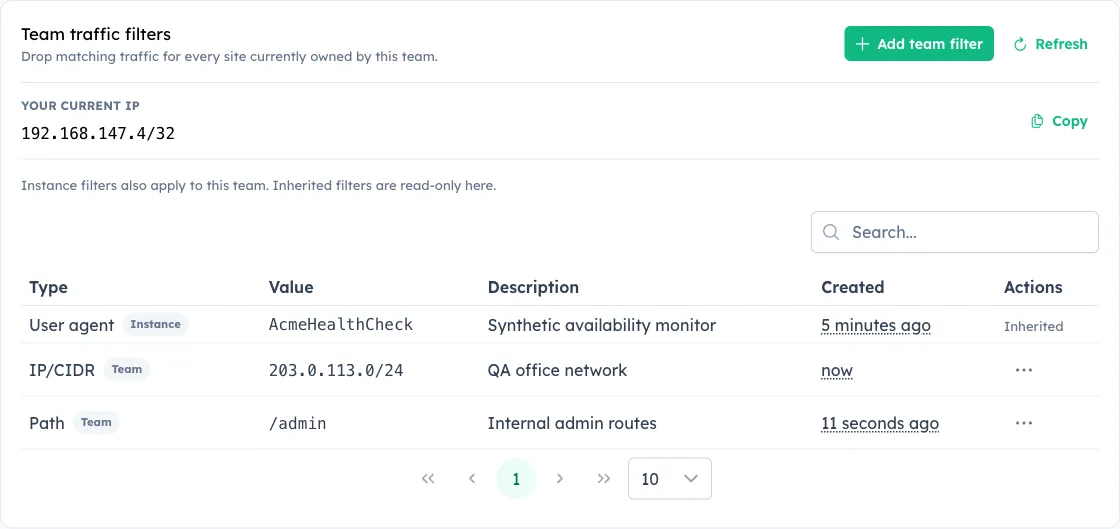
API reference:
By default, the team list returns only team-owned rules. ?effective=true prepends inherited instance rules. A team route cannot delete an inherited instance rule.
Site transfer changes which team rules apply immediately. Site-owned rules remain attached to the site. Deleting a site removes its site rules; purging a team removes its team rules.
Instance-wide exclusions
Section titled “Instance-wide exclusions”Instance administrators with instance.manage_site_exclusions can add global rules that apply across all sites. Use them for known datacenter ranges, monitoring user agents, internal paths, an office subnet, or countries that should be excluded everywhere.
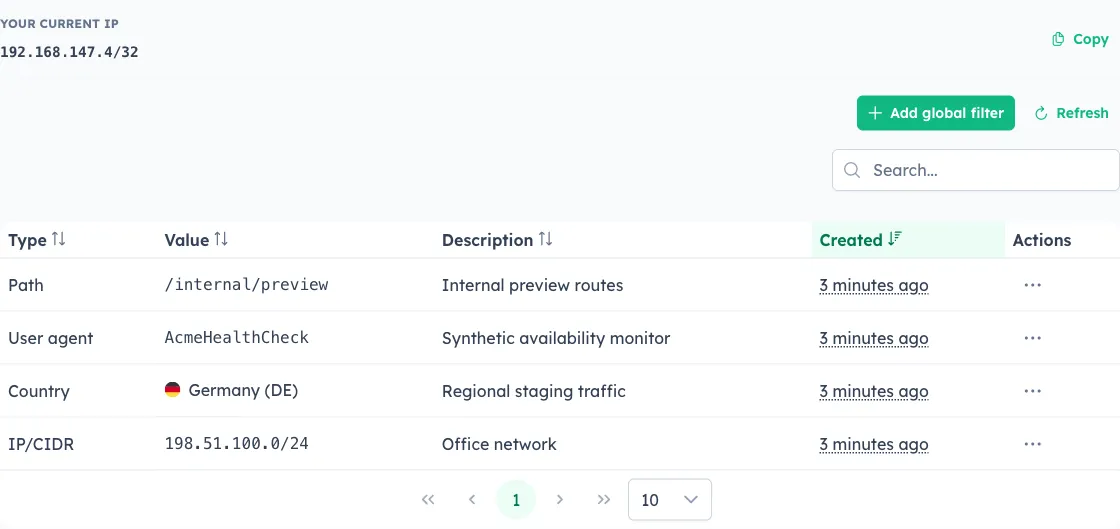
API reference:
For generated-client compatibility, the API schema keeps the IPExclusion and IPExclusionCreateRequest names. Legacy creation payloads that omit type and provide cidr continue to create CIDR rules.
Ingest coverage and response behavior
Section titled “Ingest coverage and response behavior”Filtering runs before NSQ publication or direct storage for:
- browser pageviews and custom events;
- opt-in browser Web Vitals;
- trusted server-side pageviews and events;
- AI-fetch records;
- dynamic QR opens.
Browser events and Web Vitals send optional transient context, with the HTTP User-Agent header used as a compatibility fallback for older trackers. Trusted server ingest uses the submitted URL and user agent. AI fetch uses its submitted path and user agent. QR opens use the resolved destination pathname and the request user agent.
Matching requests keep their normal accepted response. A browser or server ingest request is accepted but creates no analytics record. A matching QR open still redirects to its resolved destination without recording the open. Responses and logs do not reveal which rule matched.
Network rules retain their early suppression behavior. This means malformed traffic already blocked by CIDR or country policy keeps its existing accepted response instead of exposing payload validation details. The full path and user-agent check runs after decoding when that context is available.
Excluded records do not store derived country, region, city, provider, or ASN metadata, and HitKeep never stores the raw visitor IP for analytics.
Finding your current IP
Section titled “Finding your current IP”API reference:
This endpoint returns the IP address HitKeep sees for your current connection, accounting for trusted proxy headers if configured. The instance, team, and site editors provide the same current-IP CIDR helper.