
You run paid ads, newsletters, and social campaigns across multiple channels and need to attribute traffic correctly. HitKeep automatically captures all five standard UTM parameters from incoming requests — no plugin, no configuration, no extra code required.
Supported Parameters
Section titled “Supported Parameters”| Parameter | Example | What it tracks |
|---|---|---|
utm_source |
google, newsletter |
Where the traffic came from |
utm_medium |
cpc, email |
The marketing channel |
utm_campaign |
spring-launch |
The specific campaign name |
utm_content |
hero-cta, sidebar-link |
Which ad or link was clicked |
utm_term |
web analytics |
The paid keyword |
How it Works
Section titled “How it Works”The browser tracker reads the five UTM fields from the landing URL. It sends them as individual fields alongside the page path. The page path excludes the query string and fragment.
For single-page applications, the tracker also keeps the initial UTM values in JavaScript memory for the current page runtime. That preserves campaign attribution across client-side route changes without writing UTM values to cookies, localStorage, IndexedDB, or a persistent retry queue.
No configuration is needed. UTM capture is active by default.
https://your-site.com/pricing?utm_source=google&utm_medium=cpc&utm_campaign=spring-launchHitKeep stores each parameter on the hit record and makes them available in the UTM view of the dashboard.
Use stable lowercase values where possible. For example, prefer newsletter over a mix of Newsletter, email-newsletter, and mailing_list. HitKeep reports the values it receives, so naming discipline makes campaign comparison cleaner.
Measure paid-click signals
Section titled “Measure paid-click signals”Enable paid signals in the tracking snippet options and install the updated snippet, or pass enablePaidSignals: true to the npm tracker. Collection is off by default. The tracker checks whether the landing URL contains a nonempty gclid or msclkid. It sends one boolean with the existing pageview. The marker name, click ID and other query parameters are excluded from the signal.
If you maintain the script tag by hand, add both data-enable-paid-signals="true" and referrerpolicy="no-referrer". The latter keeps the landing URL out of the browser’s request for the tracker script itself.
In the UTM dashboard, the paid-click count answers “How many measured sessions had a paid-click marker?” The denominator counts distinct sessions with at least one measured pageview matching the selected dates and filters. A session with several matching pageviews counts once. A session with a marker and a UTM campaign appears in both reports. A marker also counts on an untagged landing page.
A measured session without a marker can still come from an ad. For example, a redirect can remove the click ID. Older trackers, disabled measurement and imported totals contribute no measured sessions. A period with zero measured sessions has no coverage.
Naming Examples
Section titled “Naming Examples”| Channel | Source | Medium | Campaign |
|---|---|---|---|
| Google Ads | google |
cpc |
spring-launch |
| Newsletter | newsletter |
email |
product-update |
| LinkedIn organic | linkedin |
social |
founder-post |
| Partner link | partner-name |
referral |
integration-launch |
| QR code flyer | print |
qr |
conference-2026 |
The UTM Dashboard
Section titled “The UTM Dashboard”Each ranking in UTM shows the ten most-used values for that parameter. A pageview tagged only with utm_source=newsletter counts toward the source ranking. Its other four parameters are empty. Each percentage uses all pageviews with a value for that parameter, including values outside the top ten.
The traffic chart includes untagged pageviews. Select a ranked value to filter the chart and other rankings to that value.
When comparing periods across a migration, use an unfiltered daily or monthly report. Each period counts tagged pageviews from complete UTC days in the import when the export supplies that UTM dimension. For example, a Simple Analytics export with utm_source contributes to the source total. Filtered and intraday reports use native hits.
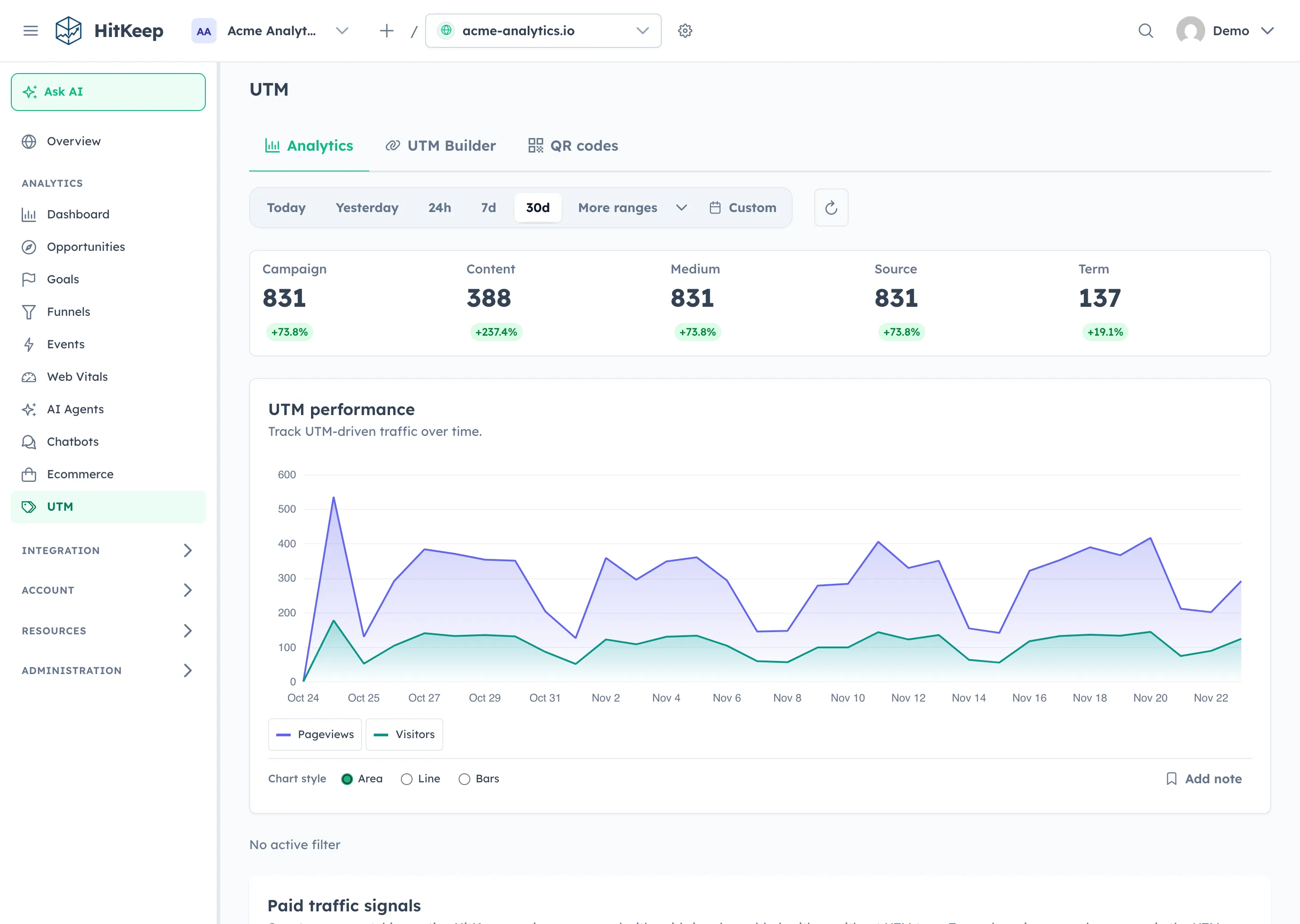
Combine with Goals to measure which campaigns drive conversions, not just clicks.
For campaign reporting, pair the UTM dashboard with:
- Goals for conversion counts and conversion rates
- Funnels for drop-off after campaign landing
- QR Campaigns when offline material needs a trackable redirect
- Period-over-Period Comparison when a campaign replaces or repeats an earlier campaign
Built-in UTM Link Builder
Section titled “Built-in UTM Link Builder”HitKeep includes a UTM link builder directly in the dashboard — no need for external tools. Navigate to UTM → UTM Builder to generate tagged campaign URLs.
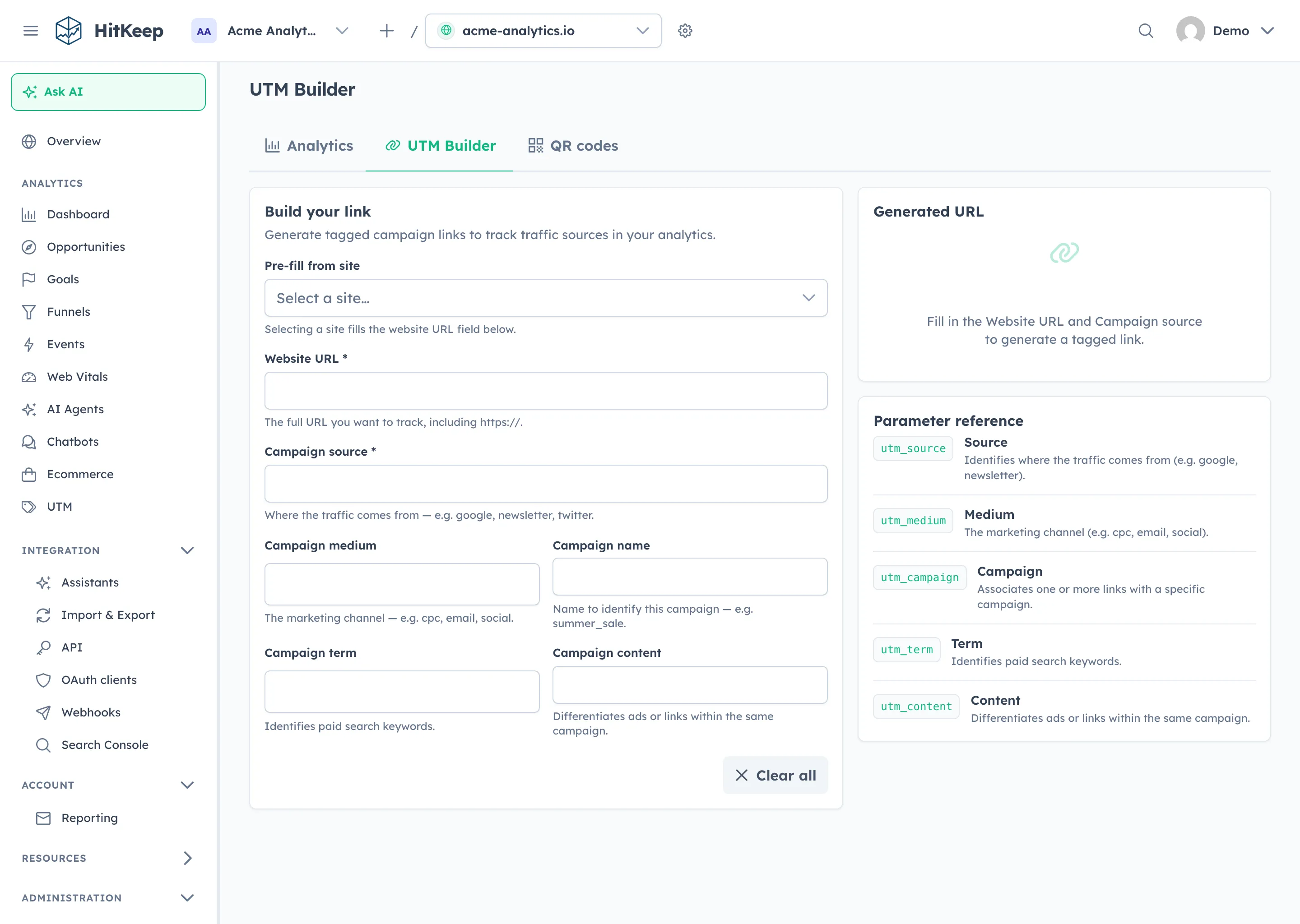
The builder:
- Pre-fills the website URL from any of your tracked sites
- Generates the tagged URL in real time as you type
- Copies the final URL to your clipboard with one click
Dashboard Workflow
Section titled “Dashboard Workflow”- Open UTM → UTM Builder and fill in your campaign details.
- Copy the generated URL and use it in your ad, email, or social post.
- Traffic will appear in the UTM tab, broken down by source, medium, and campaign.
- Combine with Goals to measure which campaigns drive conversions.
API Access
Section titled “API Access”UTM data is included in the raw hits endpoint:
curl "https://your-hitkeep.example/api/sites/{site_id}/hits?from=2025-01-01T00:00:00Z&to=2025-01-31T23:59:59Z" \ -b "hk_token=YOUR_SESSION_COOKIE"Each hit record includes utm_source, utm_medium, utm_campaign, utm_content, and utm_term fields when present. For paid signals, paid_click is true when a marker was observed and false when a measured pageview had no marker. The field is omitted for an unmeasured pageview.
Related
Section titled “Related”- Measure a WordPress newsletter campaign
- Google Analytics Alternative for WordPress
- Goals
- Custom Events
- Tracker Architecture
- REST API Reference
Running multiple brands or ad accounts? HitKeep Cloud → offers multi-site management with unified UTM reporting.