
Google Analytics Alternative for WordPress
Section titled “Google Analytics Alternative for WordPress”HitKeep can replace Google Analytics for WordPress sites that need pageviews, automatic events, goals, funnels, UTM and source reporting, Web Vitals, and privacy-conscious tracking. Keep GA4 if you depend on Google Ads attribution, BigQuery export, predictive audiences, app analytics, or GA4 Explorations.
The WordPress path is simple: install the first-party HitKeep Analytics plugin, choose EU Cloud, US Cloud, or your self-hosted HitKeep URL, then use the HitKeep dashboard outside WordPress for traffic, events, conversions, campaigns, and performance reports.
When HitKeep fits
Section titled “When HitKeep fits”Use HitKeep as a Google Analytics alternative for WordPress when you want:
- WordPress analytics without editing a theme template
- pageviews, referrers, landing pages, exit pages, devices, countries, cities, providers, ASNs, browsers, and languages
- automatic events for outbound links, file downloads, and form submissions
- optional redirect and affiliate link events when WordPress resolves the final outbound target
- goals and funnels for conversion paths
- UTM campaign reporting and optional Google Search Console aggregate import
- opt-in Web Vitals analytics for LCP, INP, CLS, FCP, and TTFB
- managed EU or US cloud, or a self-hosted analytics backend you control
Choose GA4 instead, or run both tools, when Google Ads attribution, app streams, BigQuery export, predictive audiences, or deep exploration reports are still required.
Install the WordPress plugin
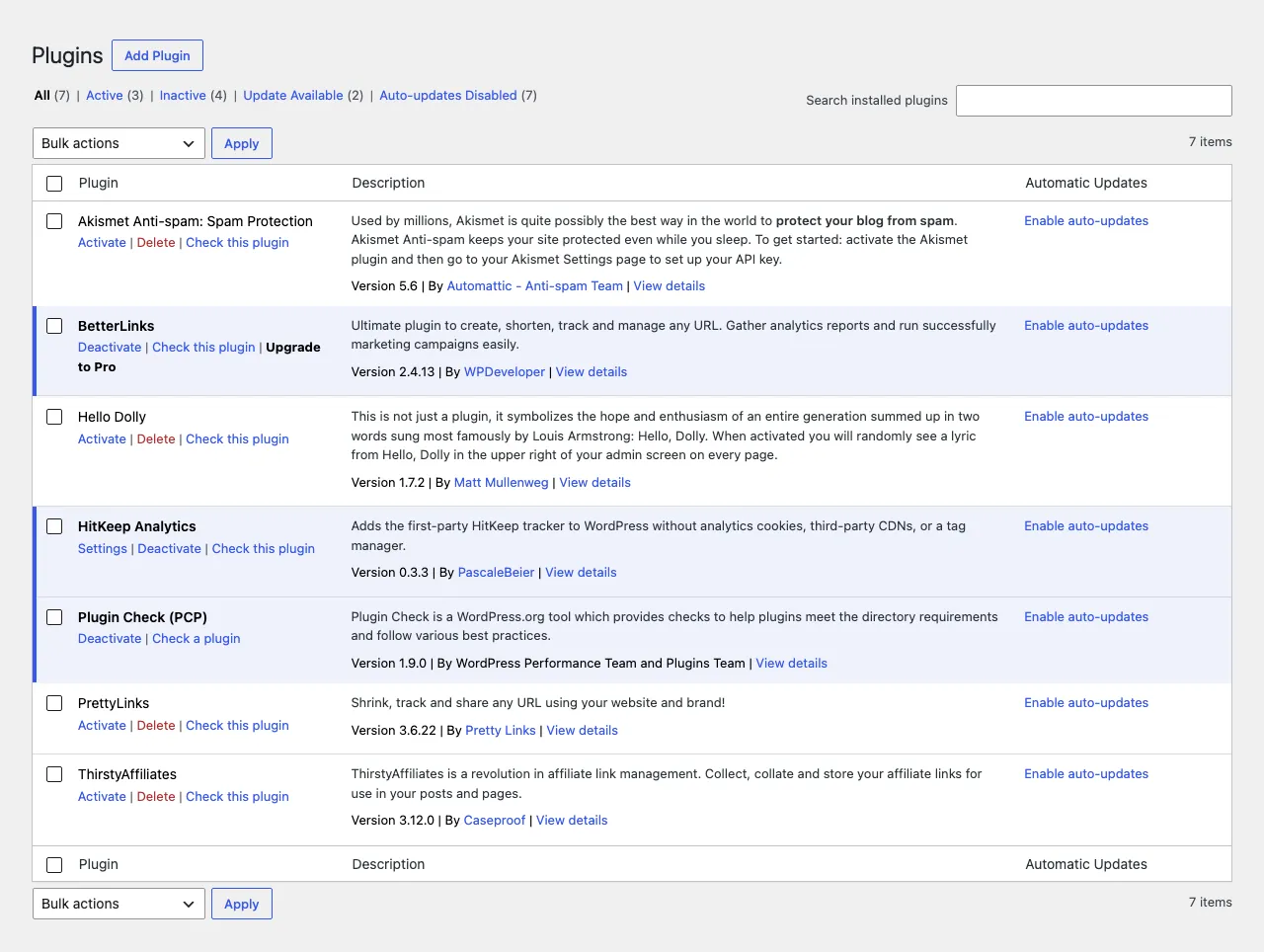
Section titled “Install the WordPress plugin”Install the plugin through the normal WordPress admin flow:
- Open Plugins -> Add New Plugin.
- Search for HitKeep Analytics.
- Install and activate the plugin.
- Open Settings -> HitKeep.
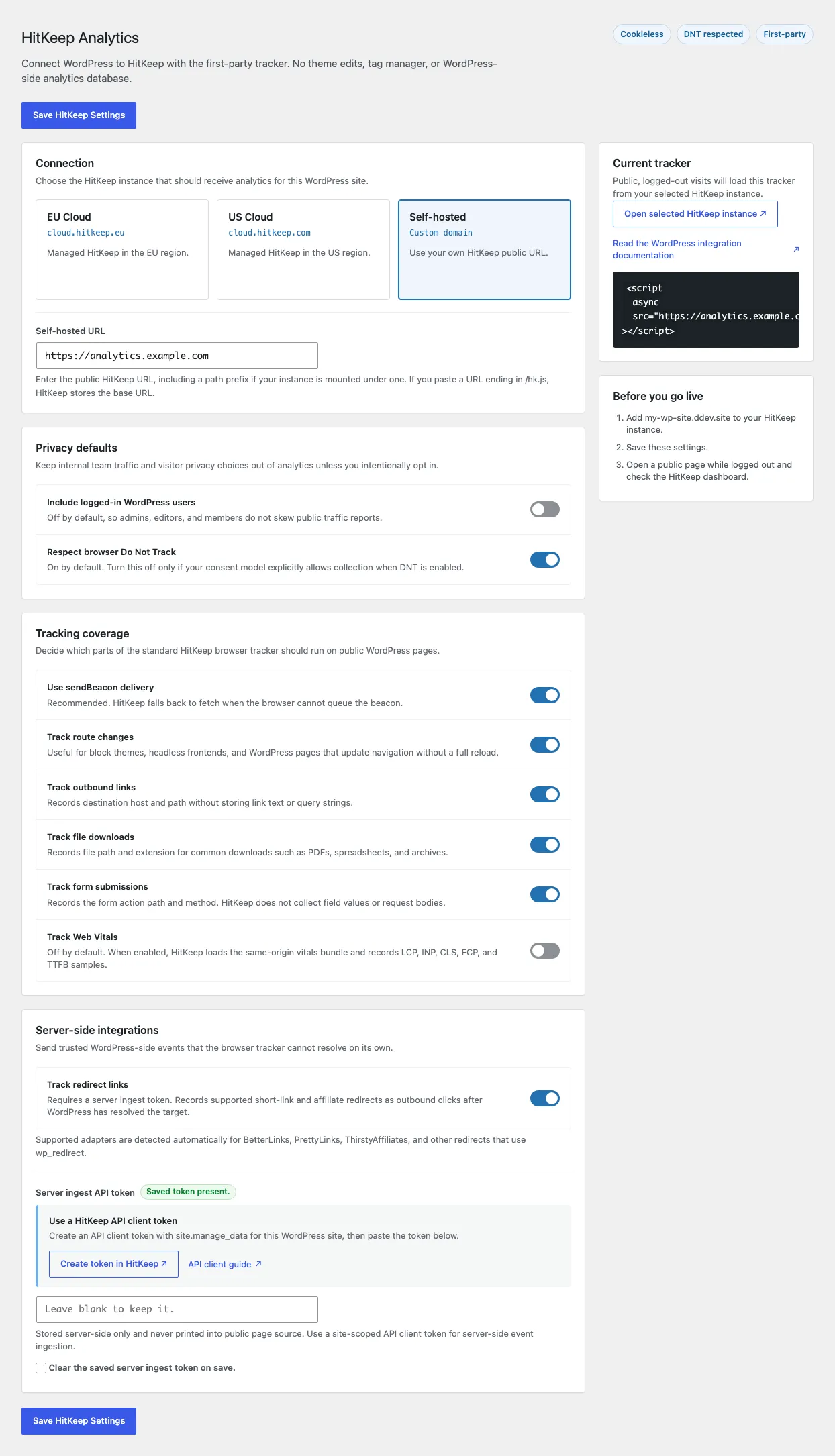
In Settings -> HitKeep, choose where WordPress should send analytics:
- EU Cloud:
https://cloud.hitkeep.eu - US Cloud:
https://cloud.hitkeep.com - Self-hosted or custom domain: your public HitKeep URL
Do not paste /hk.js. The plugin appends the tracker path automatically.
What the plugin tracks
Section titled “What the plugin tracks”The plugin loads the normal HitKeep browser tracker for public WordPress pages:
WordPress page -> hk.js -> HitKeep /ingest and /ingest/event -> DuckDB| Tracking surface | WordPress behavior |
|---|---|
| Pageviews | Tracked by default for public visitors |
| SPA route changes | Tracked by default |
| Outbound links | Tracked as outbound_click by default |
| File downloads | Tracked as file_download by default |
| Form submissions | Tracked as form_submit by default |
| Web Vitals | Off by default, enabled from Settings -> HitKeep |
| Redirect links | Off by default, enabled with a server-side API client token |
| Logged-in WordPress users | Not tracked by default |
The plugin does not create WordPress analytics tables, set analytics cookies, or send traffic to a third-party analytics CDN. HitKeep remains the analytics backend. For short-link and affiliate redirects, use the WordPress integration guide to create a site-scoped API client token and enable redirect tracking safely.
Verify tracking
Section titled “Verify tracking”After saving the WordPress settings, open the site in HitKeep and confirm that recent visits arrive. The tracking verifier and site tracking views are the fastest way to check whether the WordPress domain, tracker URL, and ingest path are correct.
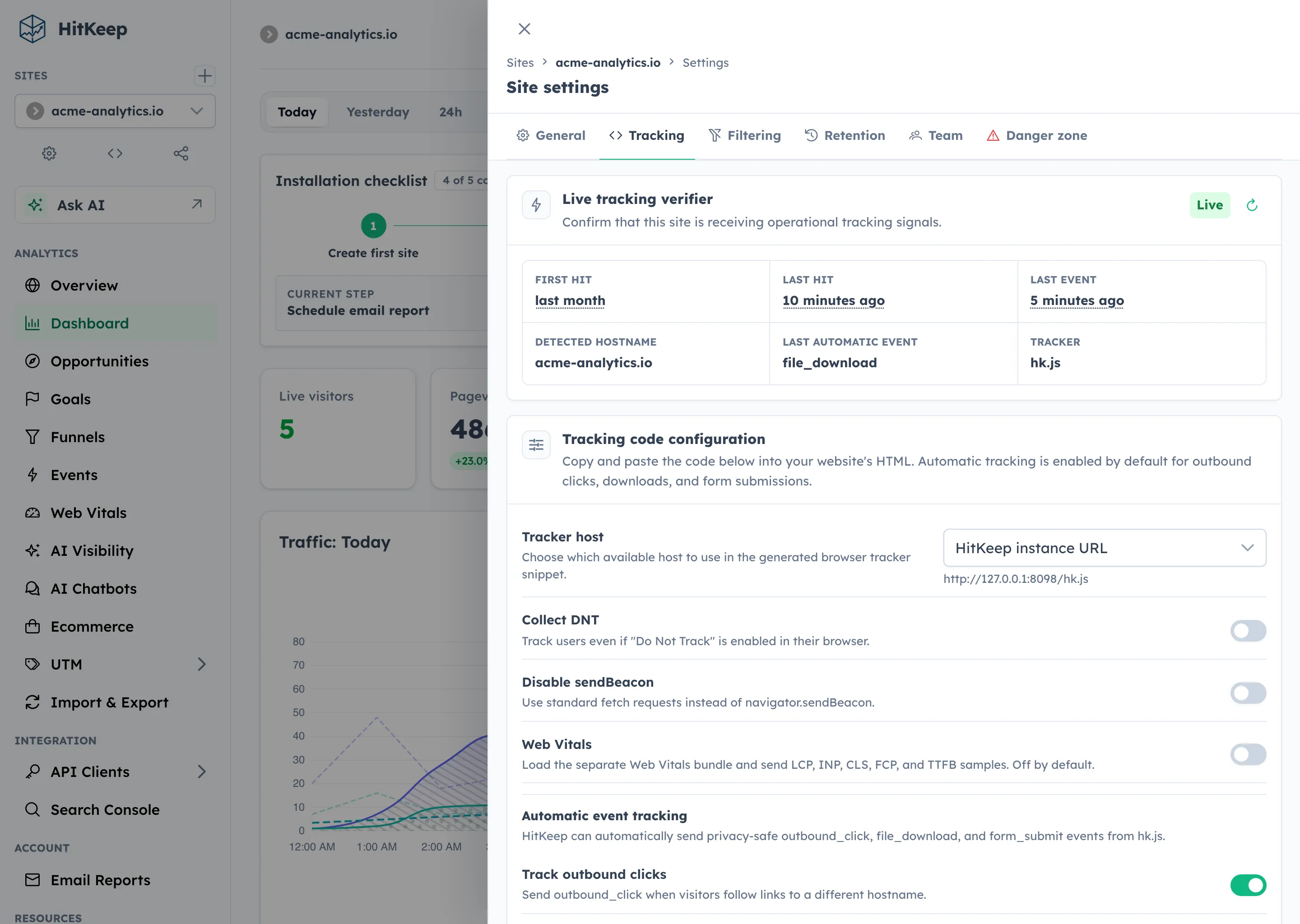
hk.js and that HitKeep can receive browser events for the site.What you see in the dashboard
Section titled “What you see in the dashboard”The main dashboard gives a compact WordPress traffic report: visitors, pageviews, sources, pages, countries, cities, providers, ASNs, goals, and trends.
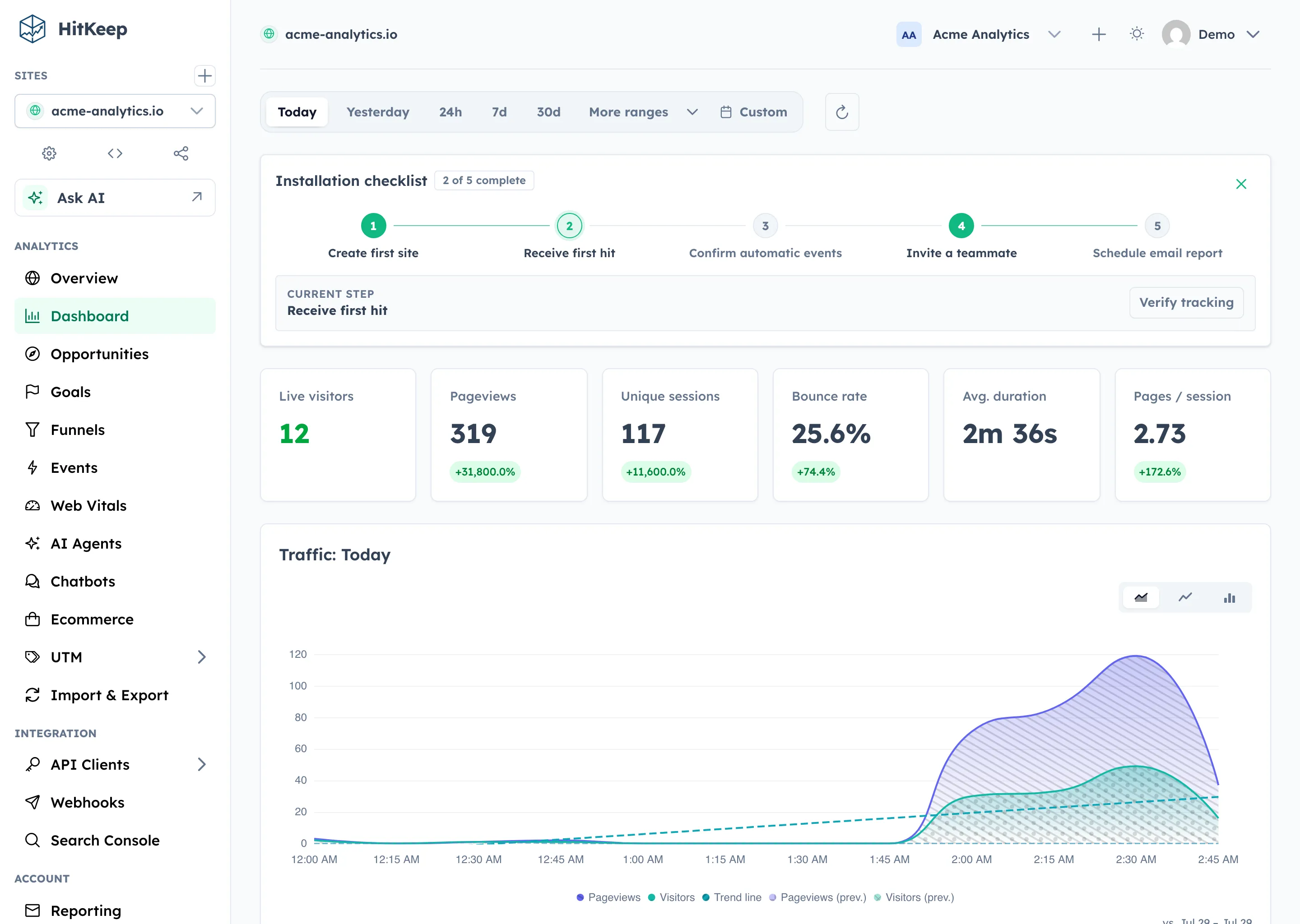
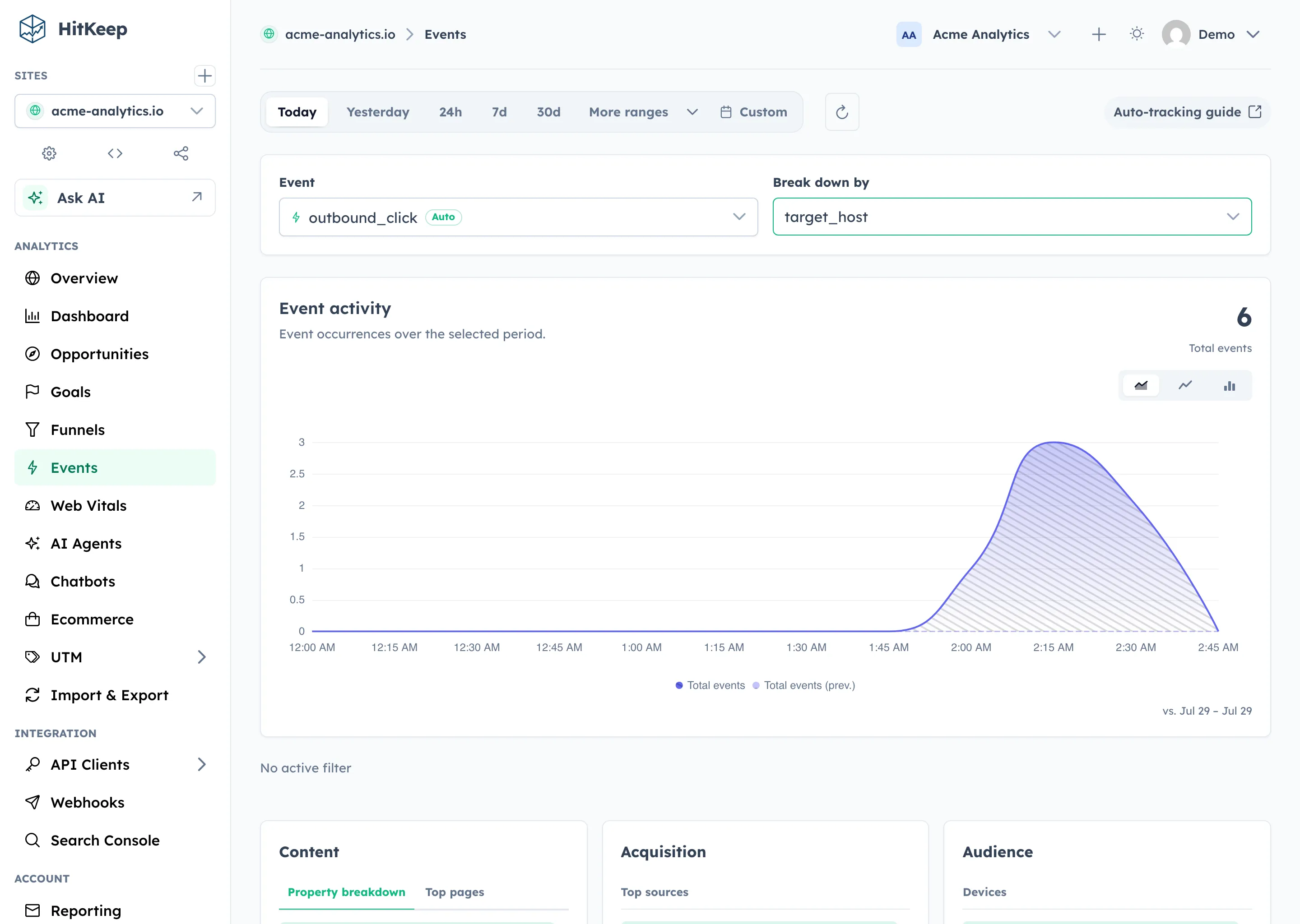
Automatic WordPress interactions appear in Events. Use it to inspect outbound links, downloads, forms, and custom events you add later.
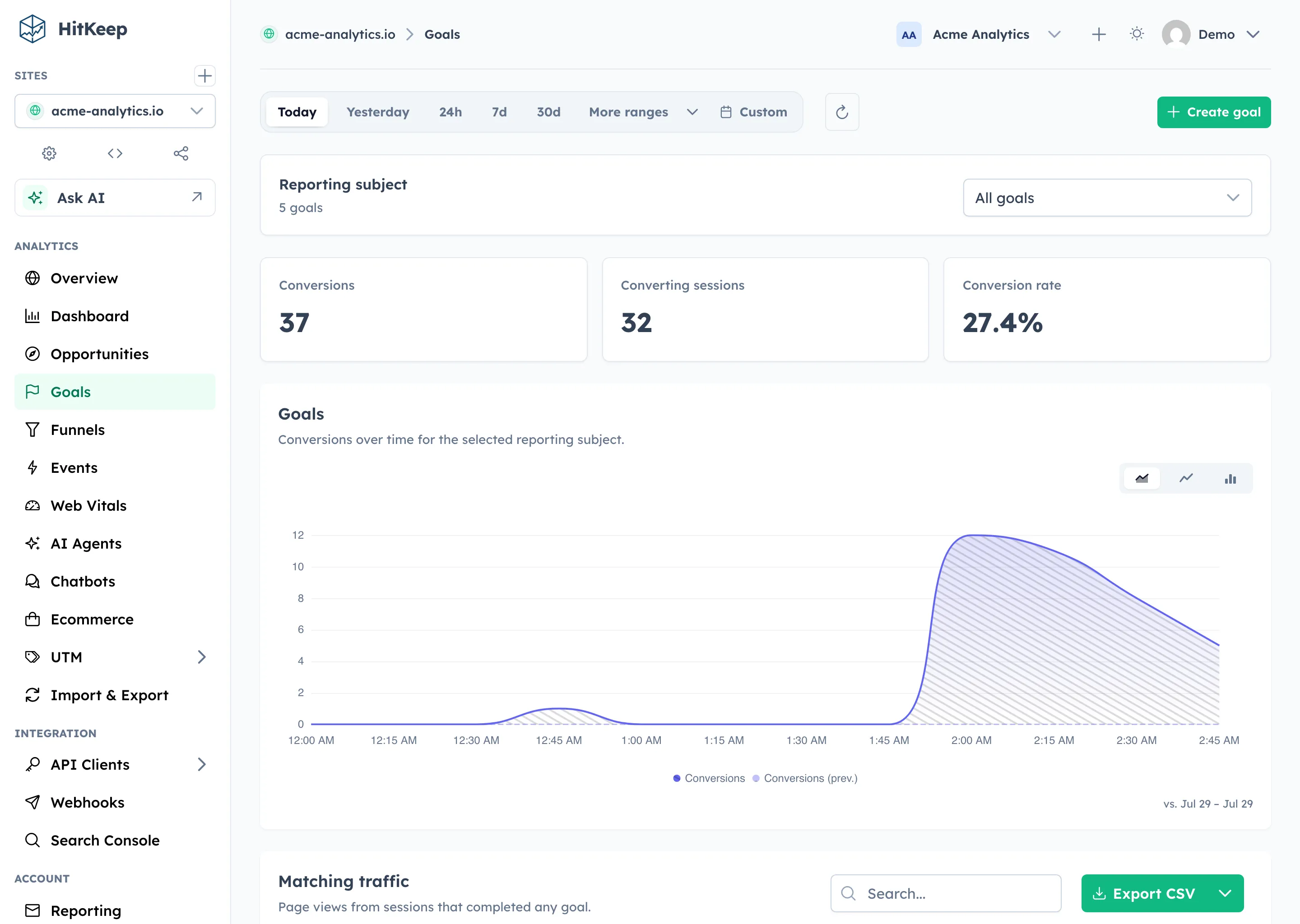
Use Goals for important WordPress outcomes such as a thank-you page, pricing visit, form submission, or signup event.
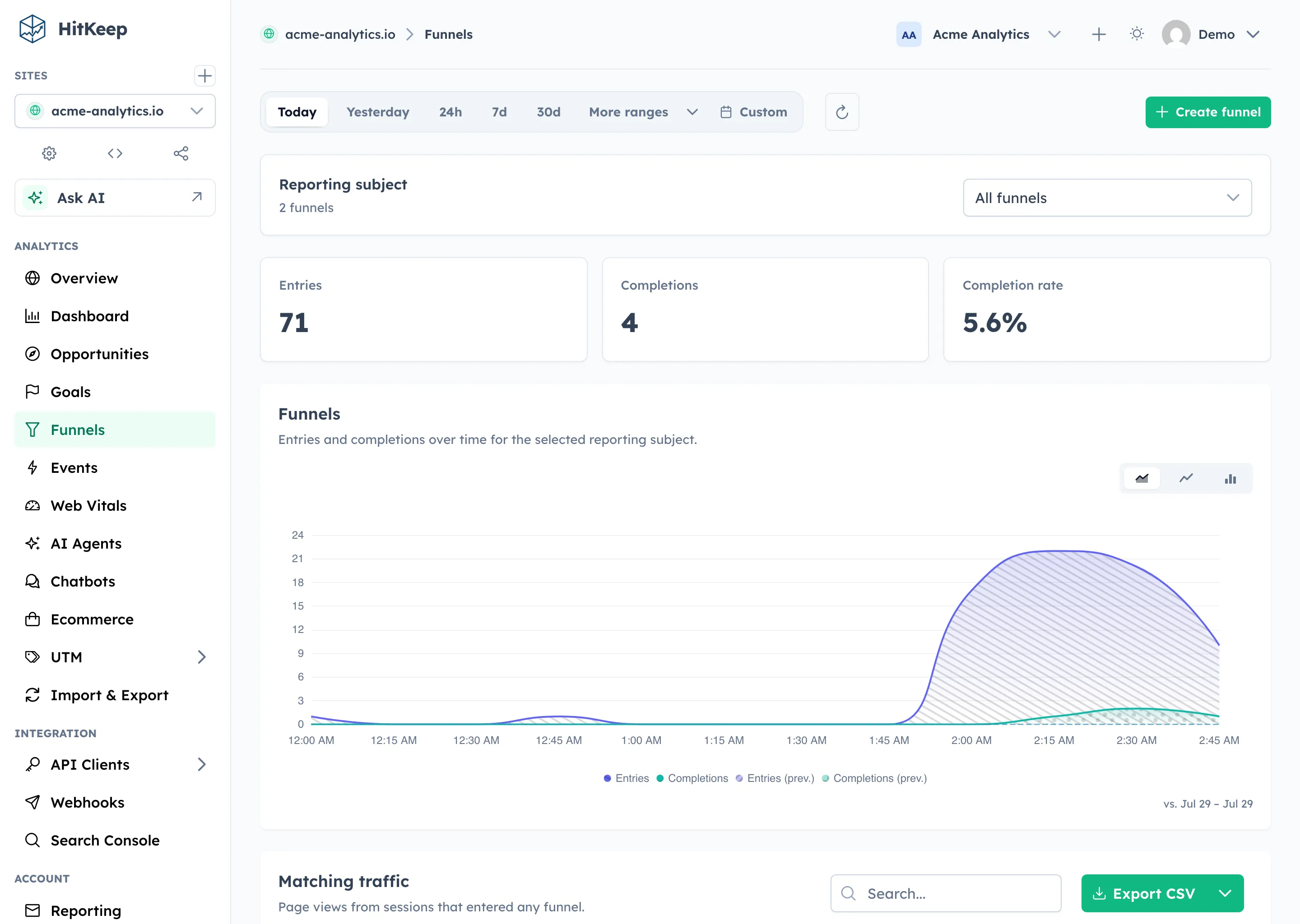
Use Funnels when the site has a multi-step journey, such as landing page -> pricing page -> contact form -> thank-you page.
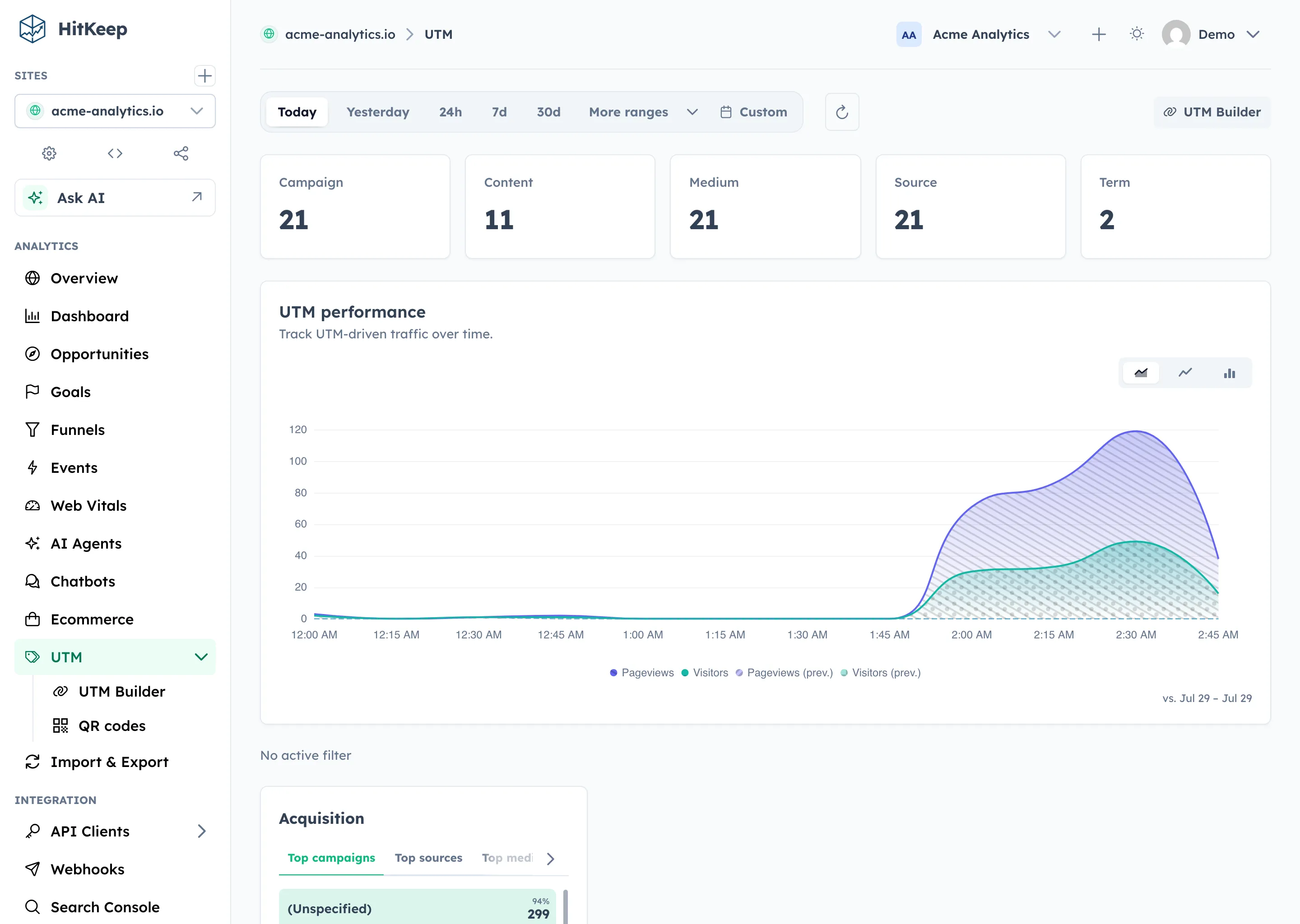
Campaign links with UTM parameters appear in the UTM report. Use this for newsletters, paid links, partner links, and social posts.
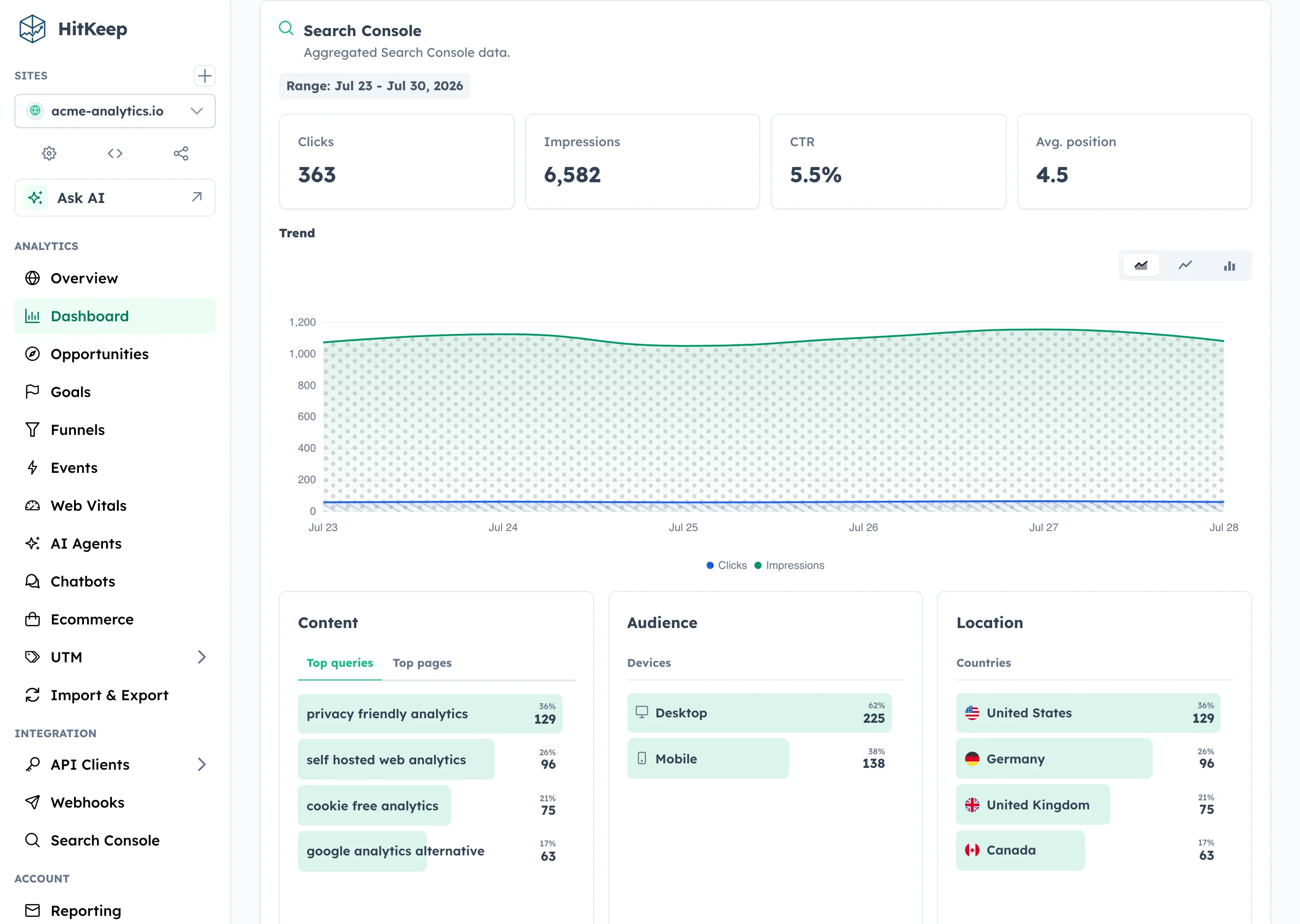
If you connect Google Search Console, HitKeep imports finalized aggregate rows for queries, pages, countries, and devices. It does not connect individual search queries to individual WordPress sessions.
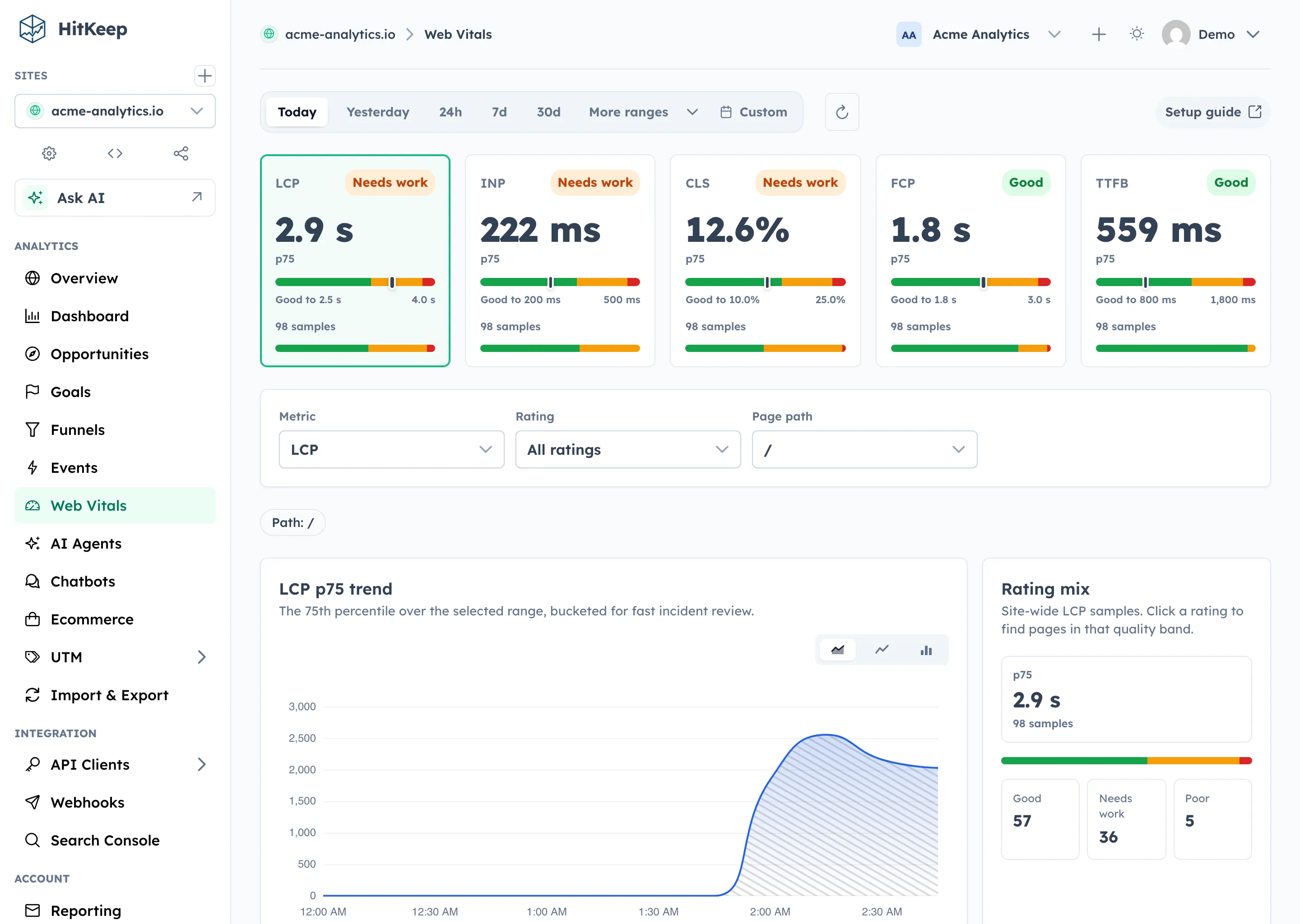
When Web Vitals are enabled, HitKeep reports p75 LCP, INP, CLS, FCP, and TTFB by page.
Privacy defaults
Section titled “Privacy defaults”HitKeep starts with conservative WordPress defaults:
| Concern | HitKeep WordPress default |
|---|---|
| Analytics cookies | Not set by hk.js |
| Do Not Track | Respected by default |
| Logged-in WordPress users | Not tracked by default |
| Form field values | Not captured |
| Link text | Not captured |
| Query strings and hashes | Stripped from automatic event URLs |
| Web Vitals | Off until enabled |
Cookie-free does not automatically mean consent-free in every jurisdiction. Review PECR and ePrivacy before deciding when to load the tracker.
Migrate from GA4
Section titled “Migrate from GA4”Run HitKeep beside GA4 for 2-4 weeks before removing the GA4 tag.
Use that period to check:
- whether WordPress page, source, and campaign reports match expected traffic patterns
- whether automatic events cover the interactions you used GA4 events for
- whether goals and funnels answer the conversion questions the site owner needs
- whether share links and email reports cover stakeholder reporting
- whether open exports and takeout give you the portability you wanted from leaving GA4
Remove the GA4 tag only when the people who use the reports agree that HitKeep covers the WordPress site’s weekly decisions.