
AI Visibility Analytics
Show clients what AI systems actually find.
Run a 14-day pilot for one content-heavy client site. HitKeep separates AI crawler fetches, AI-referred visits, Search Console context, and goal outcomes so the first report shows discovery, traffic, and work to do.
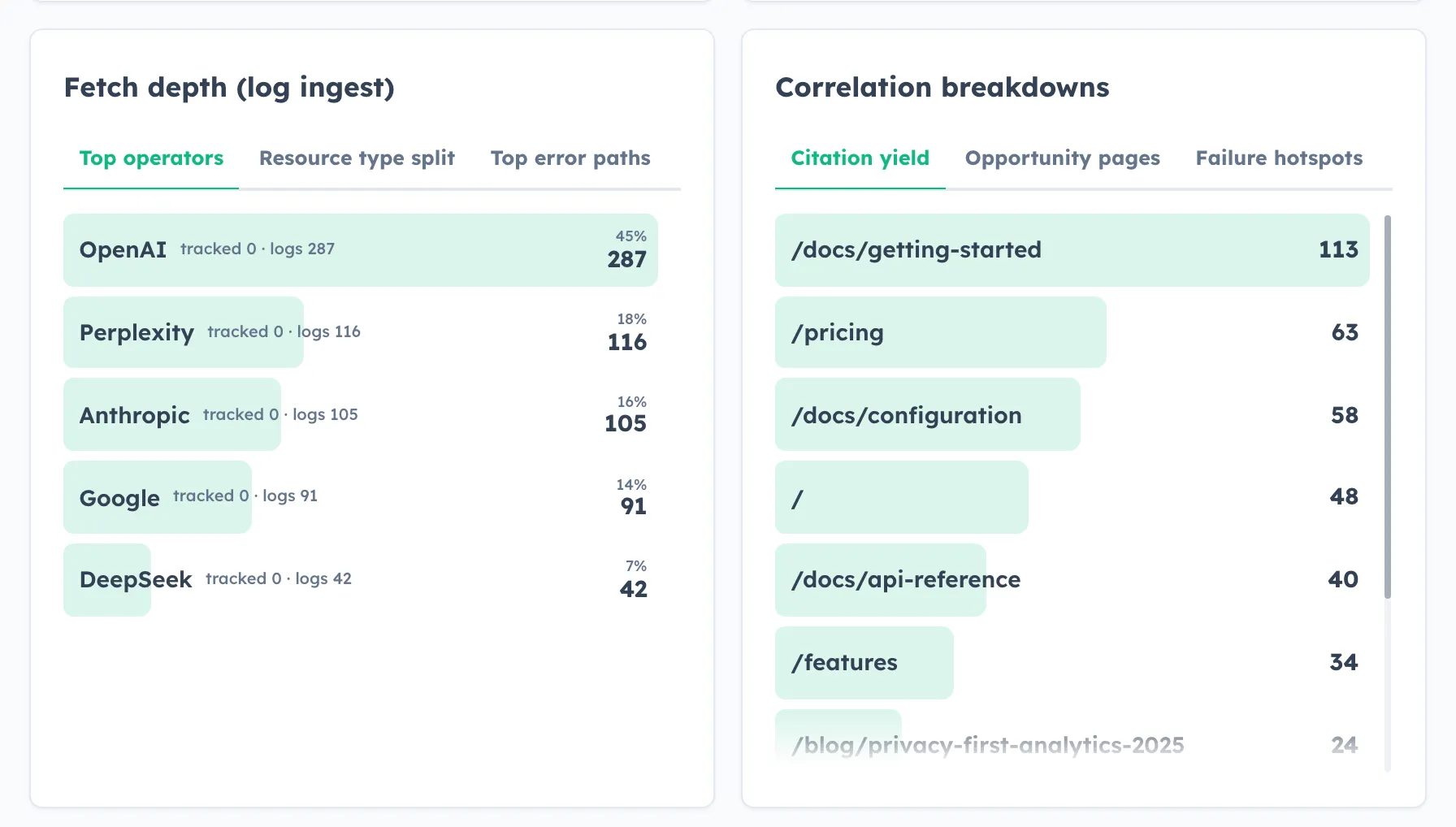
One analytics system for AI discovery, AI traffic, and conversion outcomes.
Use one cloud workspace for the pilot instead of stitching crawler logs, referral reports, event data, and client screenshots together by hand.
- Discovery
- Which AI systems fetch your content
- Referral
- Which pages later attract AI visits
- Conversion
- Which assistant flows help close outcomes
Problem
AI traffic is not the same as AI performance.
A crawl from GPTBot is not a customer. A chatbot conversation is not a conversion. HitKeep keeps those signals separate so you can see what AI discovered, what AI actually sent, and what produced business value.
- 1. Discovery
- Forward server-side crawler fetches from CloudFront, nginx, Caddy, an app server, or another edge layer. That is how HitKeep sees requests from GPTBot, ClaudeBot, PerplexityBot, and similar crawlers.
- 2. Referral
- Correlate fetched pages with later AI-referred human visits so you can see whether AI visibility creates real traffic instead of just crawl noise.
- 3. Conversion
- Connect AI-referred visits and on-site assistant usage with goals, funnels, automatic events, and assisted conversions so reporting moves from curiosity to revenue.
AI visibility analytics
The AI Agents page is one page with one number. AI requests merge the AI agent hits your tracking already sees with the server-side fetch records you forward, and every breakdown row shows the split as tracked N · logs M. Tracked hits alone need no setup; forwarded logs extend coverage and unlock fetch-only depth such as status codes, resource types, and fetch-to-visit correlation.
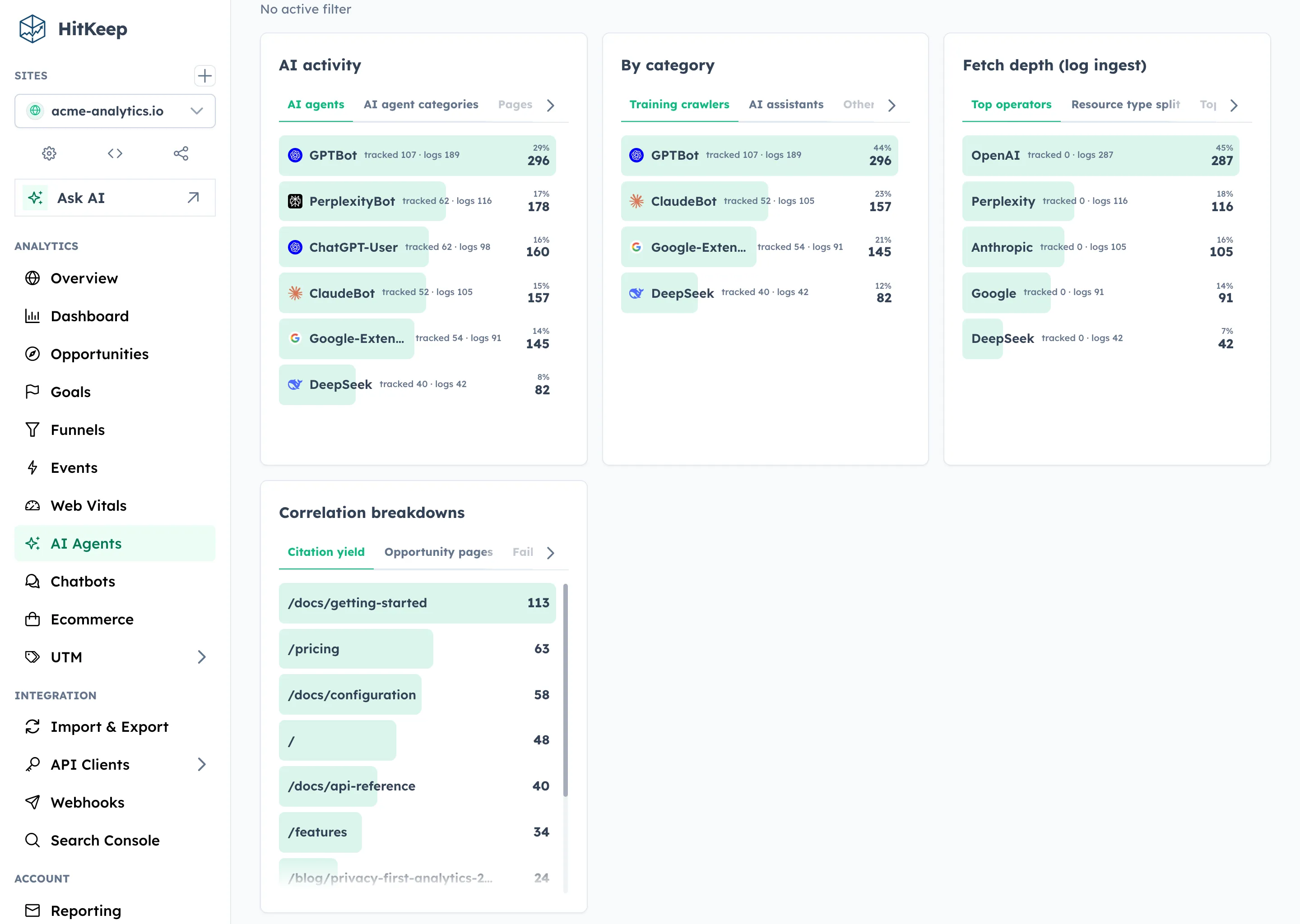
- Assistant family and operator breakdowns
- Fetch-to-visit correlation instead of vanity crawl counts
- Failure hotspots for pages AI wants but cannot use cleanly
AI chatbot analytics
A separate Chatbots page measures prompts, responses, citations, handoffs, and assisted conversions for your own on-site AI assistant. That makes it possible to see whether the bot helps users move forward or just burns tokens.
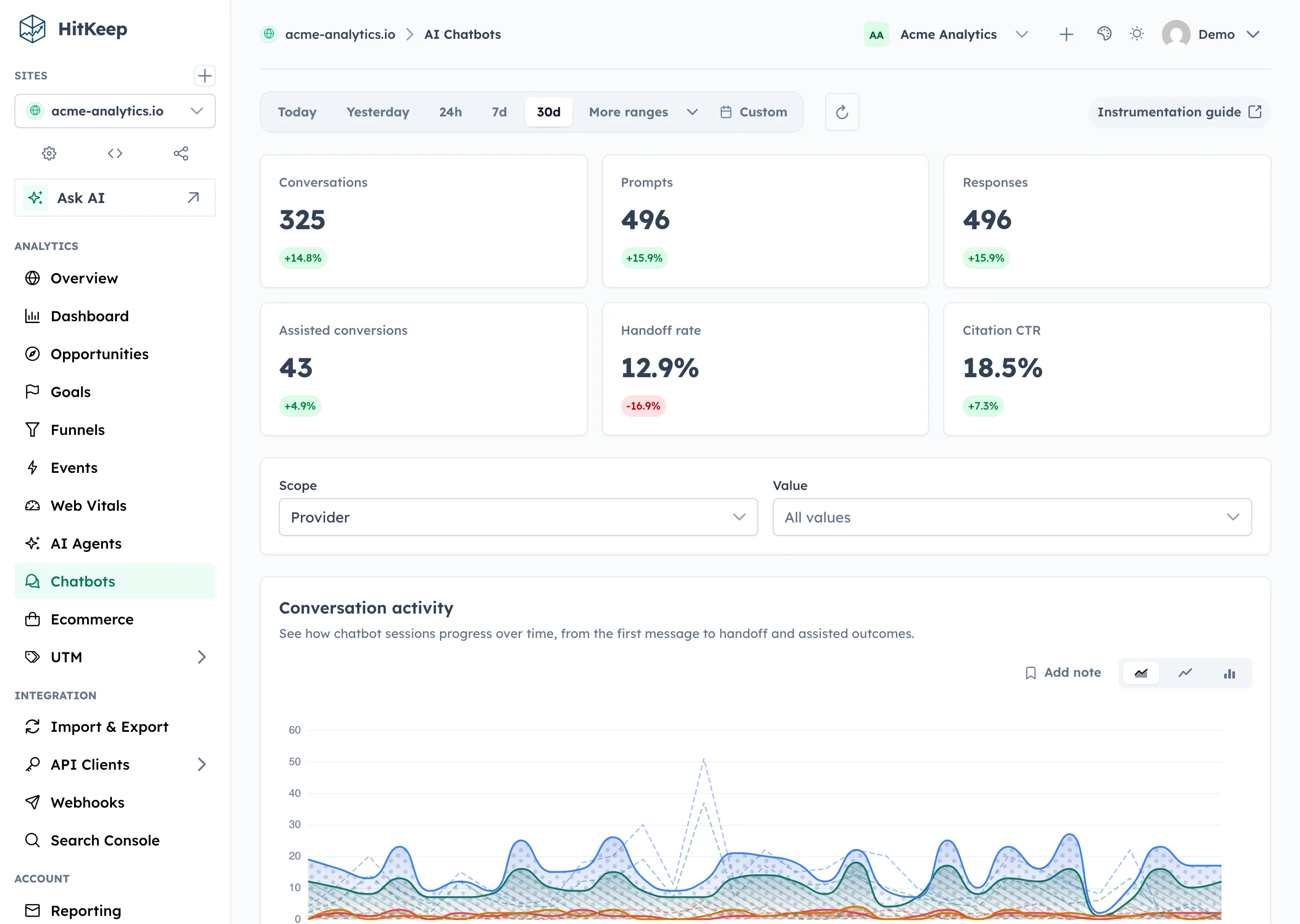
- Conversation, citation, and handoff reporting
- Assisted conversions tied to real outcome events
- Useful for support bots, docs bots, and shopping assistants
Who This Is For
Built for SEO agencies that need a client-ready AI story.
Agencies already sell reporting, technical fixes, and content priorities. HitKeep gives them a way to show AI crawler discovery, AI-referred visits, and page-level work in one report.
- Show clients whether ChatGPT, Claude, or Perplexity are creating useful traffic
- Show which pages are fetched by AI systems and which pages need work
- Report on AI assistant outcomes without building a separate event pipeline
- Use scoped API clients and optional MCP access for internal reporting automation
- Use HitKeep Cloud for the pilot instead of asking the client to self-host first
Start
Run one client pilot before you sell a new reporting package.
Start in HitKeep Cloud, add one site, wire the server-side crawler feed, and review the first AI visibility report after 14 days.
FAQ
Questions commercial teams will ask immediately.
These are the objections that usually show up in the first conversation. The page answers them directly instead of forcing people into a docs maze.
Is this just bot traffic monitoring?
No. HitKeep separates server-side AI crawler fetches from later AI-referred human visits, then lets you tie those visits to goals and funnel outcomes.
Does the browser tracker capture AI crawler fetches?
No. The browser tracker captures normal pageviews and AI-referred human visits. AI crawler fetches require server-side ingest from logs, middleware, or an edge pipeline.
Do I need to self-host this first?
No. HitKeep Cloud is the fastest path if you want to onboard customers quickly. Self-hosting stays available when operator control matters more than speed.
Who is this strongest for right now?
SEO agencies with content-heavy client sites are the clearest near-term fit. B2B teams, docs-heavy products, and companies with on-site AI assistants are also good pilots.
Why use cloud instead of starting with self-hosting?
Because the first commercial goal is not perfect infrastructure. It is getting to paying customers faster. HitKeep Cloud removes the SMTP, backup, and deployment work that slows down onboarding.
Is the cloud version a different product?
No. The cloud version keeps the same AI visibility, chatbot analytics, automatic events, API clients, exports, and reporting surface. There is no separate edition story to explain in a sales call.
Which Cloud region should I use?
Choose EU (Frankfurt) or US (Virginia) before creating the account. The reporting surface is the same in both regions; use the jurisdiction that fits the client’s data-location and procurement requirements.