
Import Plausible Analytics Data into HitKeep
HitKeep imports Plausible history from Plausible’s CSV export ZIP. In Plausible, open the site settings, go to Imports & exports, then download the ZIP from Export data. In HitKeep, use the Imports page for the destination site.
Before You Export
Section titled “Before You Export”You need access to the Plausible site and site.manage_data access for the destination HitKeep site.
The normal Plausible export is a ZIP file that contains CSV files with schemas for traffic, pages, sources, UTM data, devices, locations, custom events, and custom properties. Plausible usually names those files like:
imported_visitors.csvimported_pages.csvimported_sources.csvimported_custom_events.csvimported_custom_props.csvHitKeep accepts either the ZIP file directly or loose .csv files from an unpacked archive. Loose CSV filenames do not have to start with imported_. HitKeep reads the header row and imports the file when the columns match a supported Plausible export schema.
Export From Plausible
Section titled “Export From Plausible”- Open Plausible and select the site.
- Go to Settings.
- Open Imports & exports in the sidebar.
- Find Export data.
- Download the generated
.zipfile.
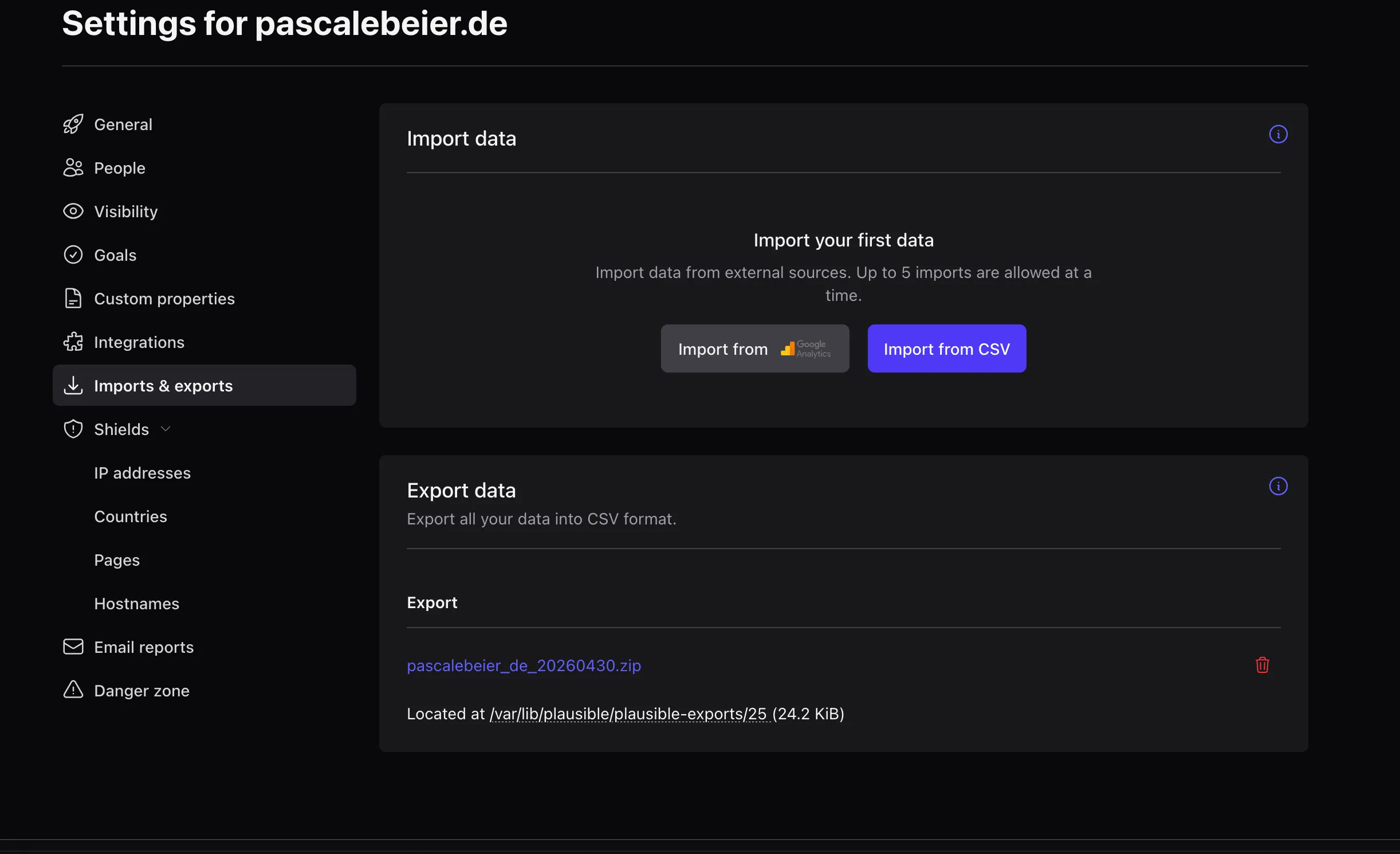
Use the ZIP from Export data rather than a dashboard table export. HitKeep expects Plausible’s import/export CSV schemas, including daily aggregate rows and event files when they exist. Keep the ZIP intact for the highest-quality import, or keep all of the CSV files together if you unpack it.
Import Into HitKeep
Section titled “Import Into HitKeep”- In HitKeep, select the destination site.
- Open Imports from the left navigation.
- Choose Plausible as the importer.
- Upload the Plausible ZIP, or upload all loose
.csvfiles from the export. - Run validation and review the manifest.
- Start the import after the summary matches the data you expect.
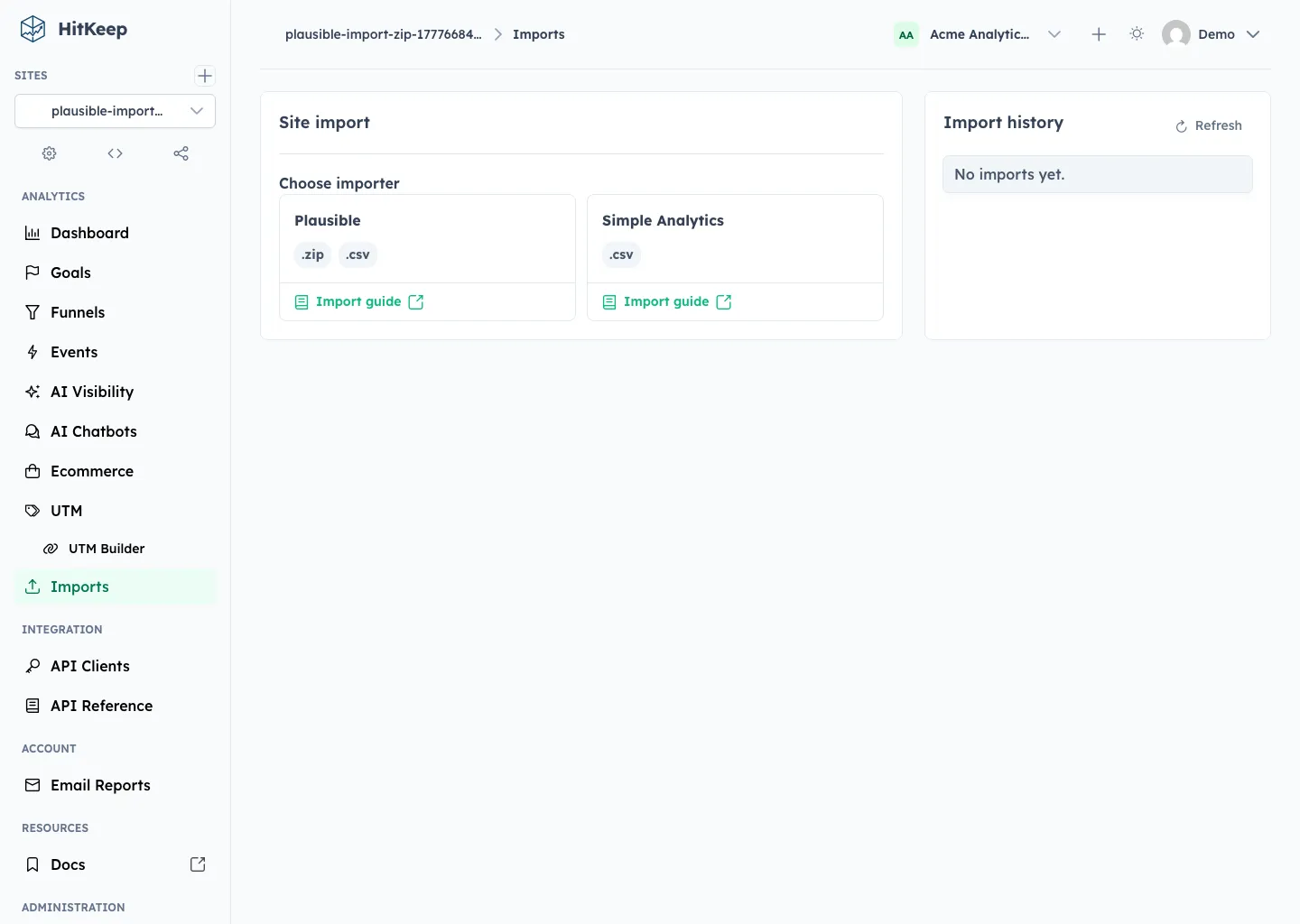
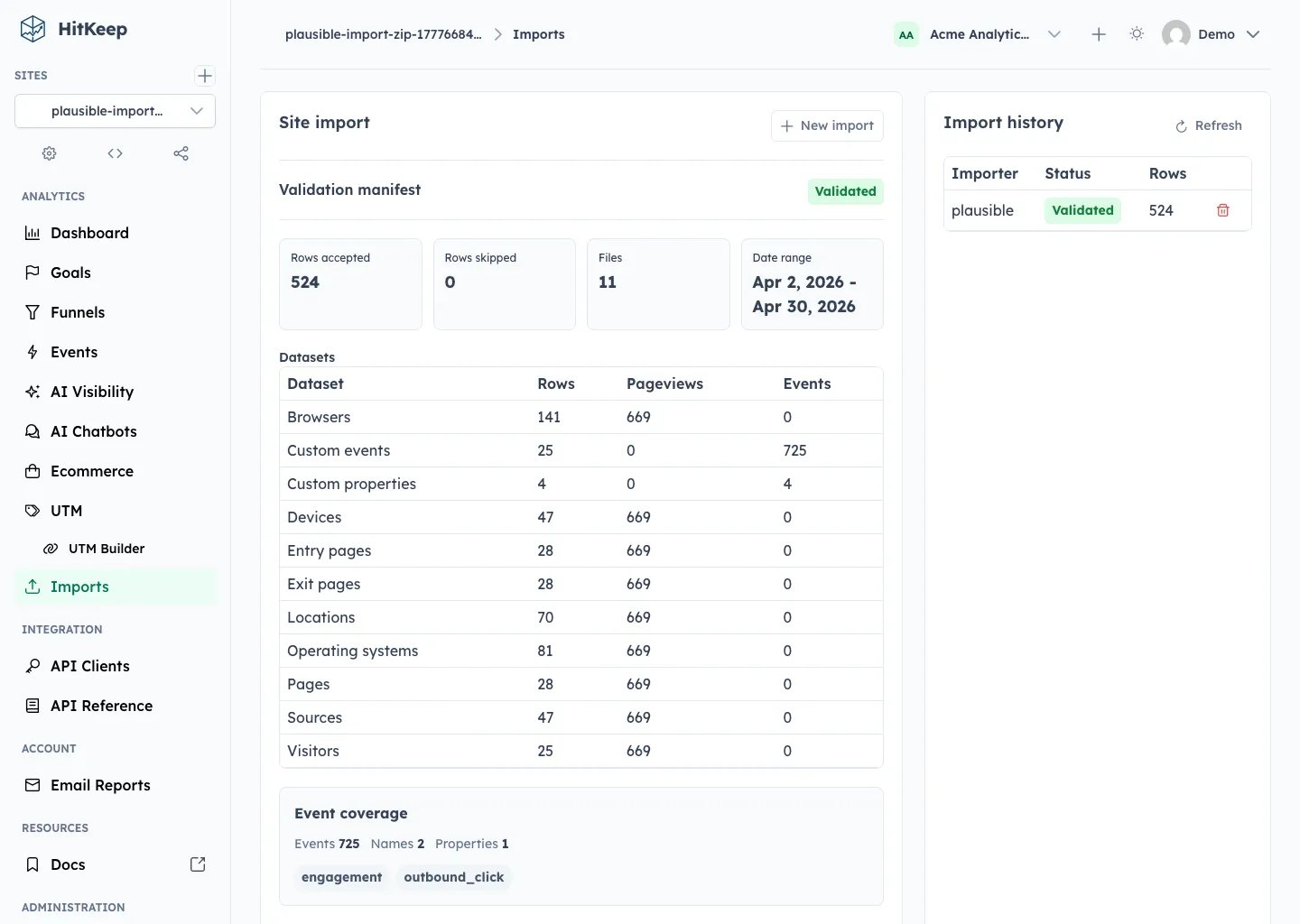
The import writes to the currently selected HitKeep site. If you manage multiple sites, check the site switcher before uploading the ZIP.
Unsupported CSV schemas are ignored with a warning when the upload also contains recognized Plausible files. Validation fails when none of the uploaded CSV headers match a supported Plausible schema.
CLI Import
Section titled “CLI Import”The CLI reuses HITKEEP_PUBLIC_URL when it is already set, and otherwise talks to http://localhost:8080. Pass --url only when running the command from a different machine.
Validate the Plausible ZIP before importing:
hitkeep import validate plausible --site <site-id> --file plausible-export.zipStart the import after reviewing the manifest:
hitkeep import plausible --site <site-id> --file plausible-export.zip --waitIf the export has already been unpacked, import the whole directory so HitKeep can scan every exported CSV:
hitkeep import validate plausible --site <site-id> --dir ./plausible-exporthitkeep import plausible --site <site-id> --dir ./plausible-export --waitWhat HitKeep Imports
Section titled “What HitKeep Imports”HitKeep imports compatible Plausible aggregate data into historical reports:
| Plausible data | HitKeep report data |
|---|---|
| Visitors and visits | Daily visitors, visits, pageviews, bounces, and visit duration |
| Pages | Top pages and page-level aggregates |
| Sources and UTM files | Sources and campaign-style breakdowns |
| Devices, browsers, OS, locations | Compatible dashboard dimensions |
| Custom events | Event names, totals, visitors, and timeseries |
| Event URL/path properties | Event property breakdowns where the export proves the relationship |
Plausible exports are aggregate CSV files. They do not contain raw sessions, hourly events, or event-level source/browser/device/country/language relationships. HitKeep shows imported data in compatible reports and reports an exclusion reason when a view needs relationships the export cannot prove.
After Import
Section titled “After Import”Open the destination site’s dashboard and select the imported date range. Imported Plausible traffic appears in compatible historical dashboard views. Imported custom events appear in the Events dashboard when the export includes custom event rows.
For API automation, use the import endpoints under the Imports API reference.