
Funnel Analytics and Drop-Off Tracking in HitKeep
Ce contenu n’est pas encore disponible dans votre langue.
You need to understand where users abandon your signup flow, purchase process, or onboarding sequence — without sending that behavior data to a third-party analytics cloud. HitKeep’s funnel analytics run entirely on your server. Conversion intelligence stays in your database.
Funnel REST API Reference
Section titled “Funnel REST API Reference”Define a funnel with an ordered list of path and event steps through the generated API reference:
Steps are evaluated in order. A session must complete each step before being counted toward the next.
Common funnel examples:
| Funnel | Step 1 | Step 2 | Step 3 |
|---|---|---|---|
| Trial signup | /pricing | /signup | trial_start |
| Contact request | /services | /contact | form_submit |
| Ecommerce checkout | view_item | begin_checkout | purchase |
| Documentation adoption | /guides/installation/ | /reference/configuration/ | outbound_click |
Use path steps for page visits and event steps for actions that happen without a full navigation. A funnel can mix both.
Dashboard Workflow
Section titled “Dashboard Workflow”- Open your site in the dashboard.
- Navigate to Funnels.
- Click Create funnel, add at least two path or event steps, and order them by dragging or with the keyboard move controls.
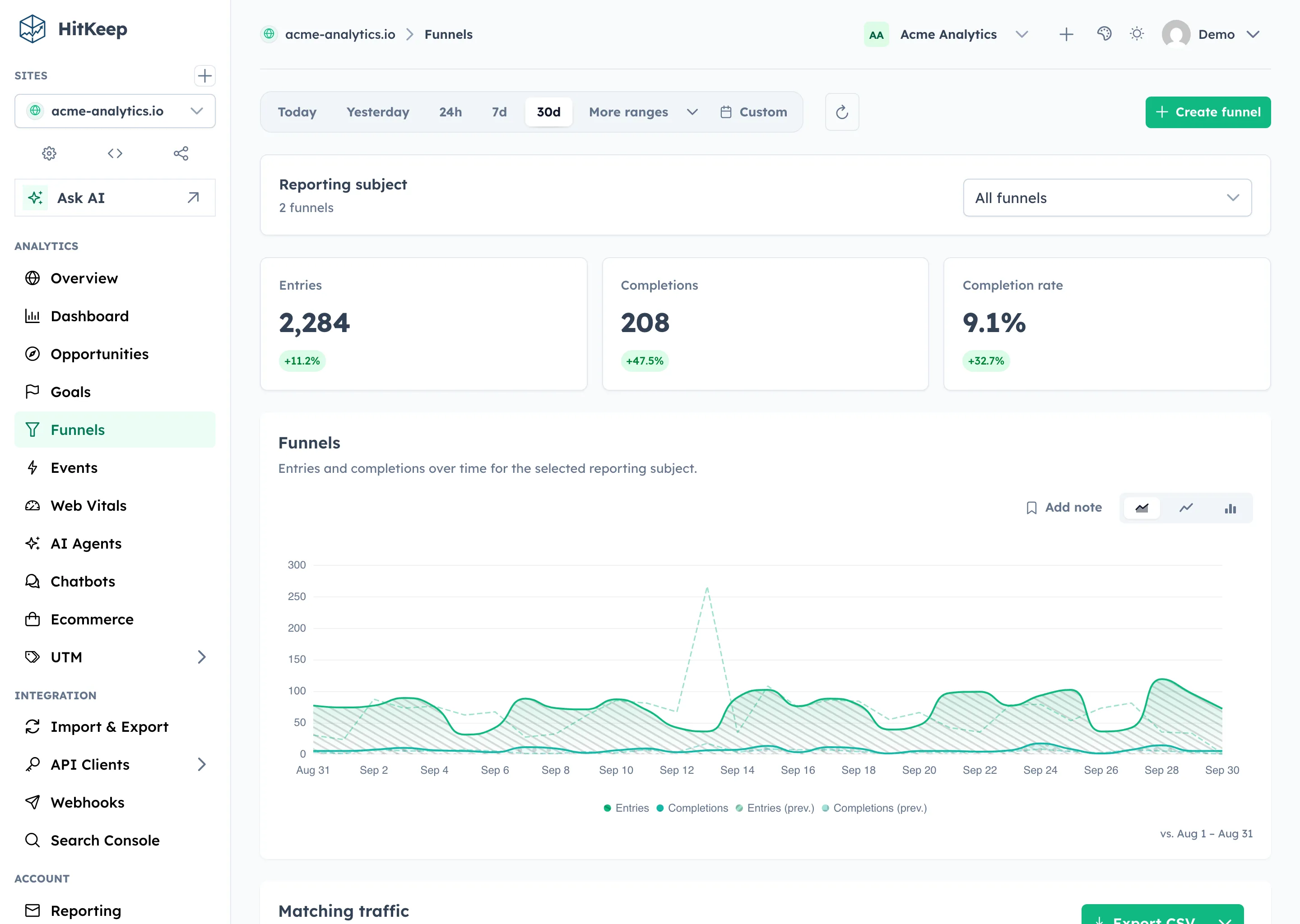
- Select All funnels or one funnel to update entries, completions, completion rate, and the trend chart.
- For one selected funnel, review inline step counts, retention, and drop-off below the chart.
- Review and export Matching traffic below the funnel evidence. One selected funnel shows page hits from sessions that entered it; All funnels shows the union of sessions that entered any funnel.
The Funnels report keeps analysis and definition management together. Search, sorting, pagination, date changes, and exports retain the selected funnel cohort. Matching traffic is not restricted to funnel step paths, so event-only funnels retain their complete session traffic.
For cross-dimensional investigation, select a funnel from the Dashboard’s Conversions card. The funnel chip filters Dashboard KPIs, charts, dimensions, raw traffic, and exports to page hits from sessions that entered the selected funnel’s first step during the report window. Normal dimension filters intersect with the cohort.
Funnel definitions are managed inline in the searchable table. Editing a funnel keeps its ID and creation timestamp, while invalidating computed rollups for recalculation.
Deleting a funnel removes its definition and computed rollups. The underlying raw hit data is preserved — you can always define a new funnel over the same historical data.
How to read drop-off
Section titled “How to read drop-off”Start with the first step where the completion rate falls sharply. Then filter by source, device, country, city, provider, or ASN to see whether the drop-off is broad or concentrated in one traffic segment.
Good funnel fixes usually map to one of three causes:
- The page or event is not instrumented correctly.
- The user flow is confusing or technically broken.
- The traffic source is sending visitors who are not a good fit for the offer.
AI-referred visits and chatbot events can participate in funnels when they share the normal session/event model. Use this to compare whether assistant-origin traffic advances through pricing, signup, checkout, or support flows. AI crawler fetches are not human sessions, so they are reported in AI Visibility rather than funnel steps.
Related
Section titled “Related”- Google Analytics Alternative for WordPress
- Goals
- Custom Events
- AI Visibility Analytics
- AI Chatbot Analytics
- Data Takeout & Export
- REST API Reference
Funnel data is fully exportable at any time via the data takeout API. Query it with any analytics tool, migrate it to any platform — no lock-in. HitKeep Cloud → manages the infrastructure while keeping the same data portability.