
Automatic Event Tracking in HitKeep
Deze inhoud is nog niet vertaald.
HitKeep’s browser tracker emits a small set of built-in events automatically after you install the default hk.js snippet:
outbound_clickfile_downloadform_submit
These events use the same hk.js -> /ingest/event -> Events page pipeline as manual custom events, so you do not need a new API, schema migration, or separate dashboard.
Default behavior
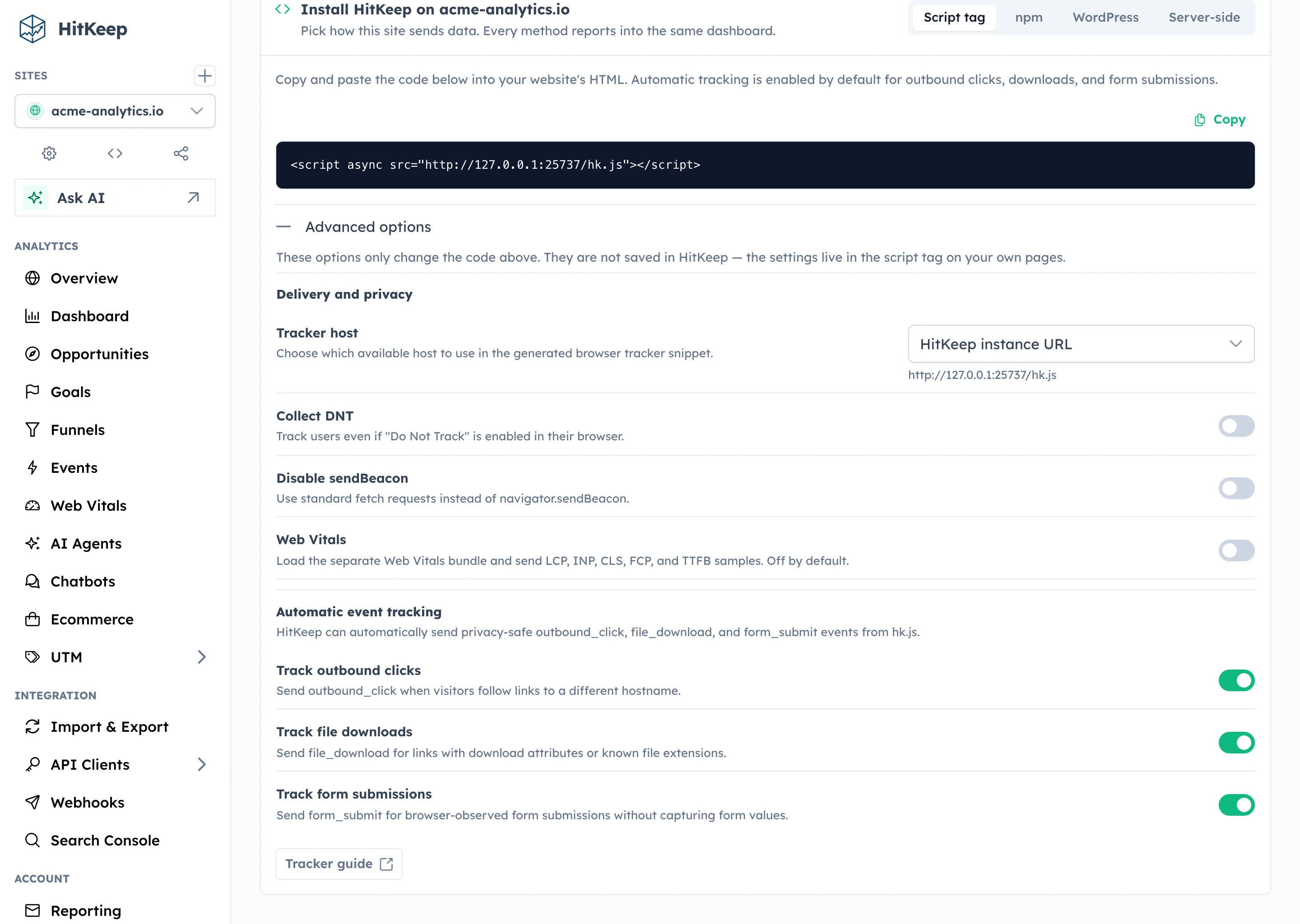
Section titled “Default behavior”Automatic tracking is enabled by default once you install hk.js.
The tracker captures only privacy-safe metadata:
outbound_click:target_host,target_path,target_protocolfile_download:file_host,file_path,file_extform_submit:action_host,action_path,method,same_origin, optionalform_id
HitKeep strips query strings and hashes before storing these properties. The tracker does not capture link text, form field values, or request bodies.
| Event | Captured properties | Explicitly not captured |
|---|---|---|
outbound_click | target_host, target_path, target_protocol | Query strings, hashes, link text |
file_download | file_host, file_path, file_ext | Query strings, hashes, file contents |
form_submit | action_host, action_path, method, same_origin, optional form_id | Form field values, request bodies |
For broader runtime, privacy, and export facts, see Facts and Limits.
Install the default snippet
Section titled “Install the default snippet”<script async src="https://your-hitkeep.example/hk.js"></script>That snippet records page views plus the automatic events above.
Disable specific automatic events
Section titled “Disable specific automatic events”Use the Site settings -> Tracking drawer in the dashboard, or add opt-out attributes manually:
<script async src="https://your-hitkeep.example/hk.js" data-disable-outbound-tracking="true" data-disable-download-tracking="true" data-disable-form-tracking="true"></script>Available attributes:
data-disable-outbound-tracking="true"data-disable-download-tracking="true"data-disable-form-tracking="true"
These attributes only disable the matching automatic event class. Manual window.hk.event() calls and server-side events keep working.
Existing tracker options still work the same way:
data-collect-dnt="true"data-disable-beacon="true"data-disable-spa-tracking="true"
For delivery behavior, retry handling, SPA tracking, and browser storage boundaries, see Tracker Architecture.
Event rules
Section titled “Event rules”HitKeep applies a few precedence rules so one user action maps to one event:
- Manual
window.hk.event(...)calls stay independent and unchanged. - Elements marked with
data-hk-eventordata-hitkeep-eventare reserved for explicit tracking and are ignored by generic auto-tracking. - If a clicked link is both outbound and a download, HitKeep records
outbound_click. - Clicks inside forms are ignored for link auto-tracking; only the actual
submitevent recordsform_submit.
Analyze automatic events in the dashboard
Section titled “Analyze automatic events in the dashboard”Open Events for your site and choose one of the automatic event quick picks when data is available.
You can then:
- break the event down by its properties
- filter the timeseries by a property value
- inspect the audience panels for pages, sources, devices, countries, city, provider, and ASN context
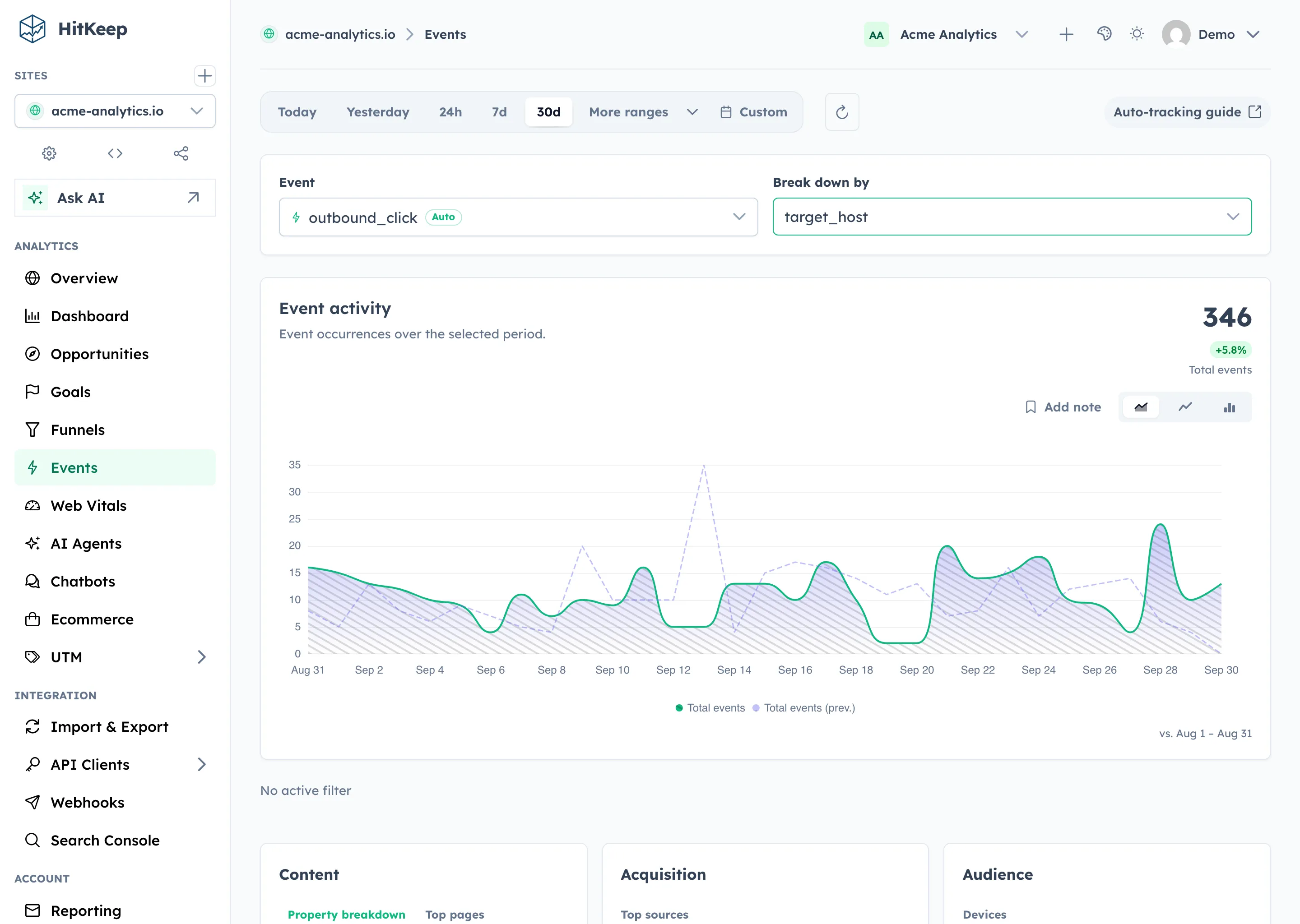
City, provider, and ASN are derived from the same transient IP metadata path used for pageviews. Automatic event properties still stay limited to the event-specific fields listed above.
When to use manual events instead
Section titled “When to use manual events instead”Use window.hk.event() when you need domain-specific business semantics such as:
- product onboarding steps
- pricing CTA variants
- plan upgrades
- chatbot milestones
Automatic events are best for baseline interaction coverage. Manual events are still the right tool for custom product analytics and conversion tracking.