
Ask AI Analytics Assistant
Deze inhoud is nog niet vertaald.
Ask AI is an optional dashboard drawer for asking questions about the active site. It can stream an answer, show which aggregate analytics tools it is reading, cite those tool results, render small charts or tables, and offer safe actions such as opening another dashboard page or starting an export download.
Ask AI is off by default. Self-hosted instances need to enable both the shared AI provider route and the Ask AI feature flag:
HITKEEP_AI_ENABLED=trueHITKEEP_ASK_AI_ENABLED=trueHITKEEP_AI_PROVIDER=openai-compatibleHITKEEP_AI_MODEL=your-model-or-gateway-routeSee AI Model Configuration for provider setup, credentials, budgets, and status checks. See the Configuration Reference for the HITKEEP_ASK_AI_ENABLED flag and environment variable.
Choosing A Model
Section titled “Choosing A Model”Ask AI needs a model that supports tool calling. HitKeep keeps a local evaluation that asks each model ten questions with known answers against seeded analytics, such as the period’s total, the top page, a month-over-month comparison, what drove a change, a filtered breakdown, a team note, and an off-topic request it should decline.
In HitKeep’s September 2026 run, claude-haiku-4.5, deepseek-v4-flash, gpt-6-luna, and gpt-oss-120b answered all ten correctly, gemini-3.1-flash-lite answered nine, and gpt-5-nano answered seven, mostly because it ran past the time limit. Treat these results as a starting point, not a guarantee for your data and questions.
Where It Appears
Section titled “Where It Appears”Ask AI appears in the dashboard only when:
- the active deployment enables
HITKEEP_ASK_AI_ENABLED - the shared AI route is enabled and configured
- the user has a dashboard session
- the user can view the active site
API clients and MCP tokens cannot use Ask AI. MCP remains read-only aggregate/tool access and does not get a dashboard-session assistant surface.
Context And Date Scope
Section titled “Context And Date Scope”Ask AI is site-scoped. It does not use a fixed “last 7 days”, “last 30 days”, or “last 90 days” assistant context.
When the current dashboard route carries explicit date parameters, Ask AI passes that concrete range to the server. When no explicit dates are present, the server resolves context from the site’s observed analytics data bounds. If the observed span exceeds the server’s analytics range safety limit, Ask AI trims to the most recent allowed span instead of failing the question.
This keeps the drawer aligned with the current dashboard view without hardcoding a generic preset window into every question.
Before the model answers, HitKeep reads the site overview and the team’s annotations for that range itself, so every answer starts from real numbers instead of the model’s guesses. These reads appear as tool-call progress and as sources.
That range is the default, not a wall. From HitKeep 2.14.0, Ask AI can read another period when the question needs it, such as the previous month for a comparison. Each read stays within the server’s analytics range limit and the active site.
Shared Analytics Procedures
Section titled “Shared Analytics Procedures”Ask AI uses the same transport-neutral traffic, AI visibility, ecommerce, tracking-verification, and general analytics procedures published with the HitKeep Analytics Agent Skills.
The adapters remain separate:
- external assistants use each public skill’s
SKILL.mdwith production HitKeep MCP; - Ask AI receives only the shared procedure references and calls the same read-only tools as MCP, bound to the active site and your dashboard session;
- MCP connection setup, API client tokens, contributor skills, and local
hktooling are not included in the Ask AI prompt.
This shares evidence and interpretation rules without implying that Ask AI uses MCP.
What Users Can Ask
Section titled “What Users Can Ask”Ask questions that can be answered from aggregate site analytics, such as:
- what changed in traffic
- which events drove conversions
- which referrers, pages, devices, countries, or campaigns stood out
- whether ecommerce, Web Vitals, AI visibility, or AI chatbot signals need attention
- which chart annotations (releases, campaigns, outages) the team recorded for the period, from HitKeep 2.14.0
- why a metric moved: which pages, referrers, countries, or campaigns drove the change, from HitKeep 2.14.0
- how this period compares with the previous one, how a funnel converts, how QR campaigns perform, what imported Google Search Console data shows, or which saved Opportunities exist, from HitKeep 2.14.0
- how a HitKeep feature or metric works, answered from the official docs when the instance keeps
HITKEEP_MCP_DOCS_ENABLEDon
Write your question in the multiline input at the bottom of the drawer, or choose a suggested question and edit it before sending. The input grows as you type. The conversation scrolls above it so you can review an answer while preparing a follow-up.
Ask AI uses follow-up context from the current drawer session. Recent completed answers keep their citations, charts, and actions in the conversation. This is temporary session context, not a saved chat archive. Starting a new chat or switching sites clears the conversation; closing and reopening the drawer keeps the current session.
Use Stop to cancel an answer that is still being generated. You can then ask another question or start a new chat.
Use Your Own AI Agent
Section titled “Use Your Own AI Agent”To ask questions from an AI agent you already use, connect it through HitKeep MCP. MCP provides a separate, read-only interface to aggregate analytics using an API client token and its permitted sites. Your agent supplies the AI connection; it does not use the dashboard’s Ask AI provider.
The Ask AI drawer includes a link to the MCP setup guide, including when Ask AI is unavailable.
Outputs
Section titled “Outputs”Ask AI can return:
- streamed answer text
- tool-call progress chips while it reads analytics
- sources: the analytics tools it actually read, listed by HitKeep rather than the model
- line, bar, or table charts
- dashboard navigation actions
- export-download actions
This example asks why pageviews rose compared with last month. HitKeep read the notes and site overview first, the model requested a traffic breakdown, and the answer names the referrer that drove the change, with a table of the biggest movers and a dashboard action. The figures shown are seeded demo data.
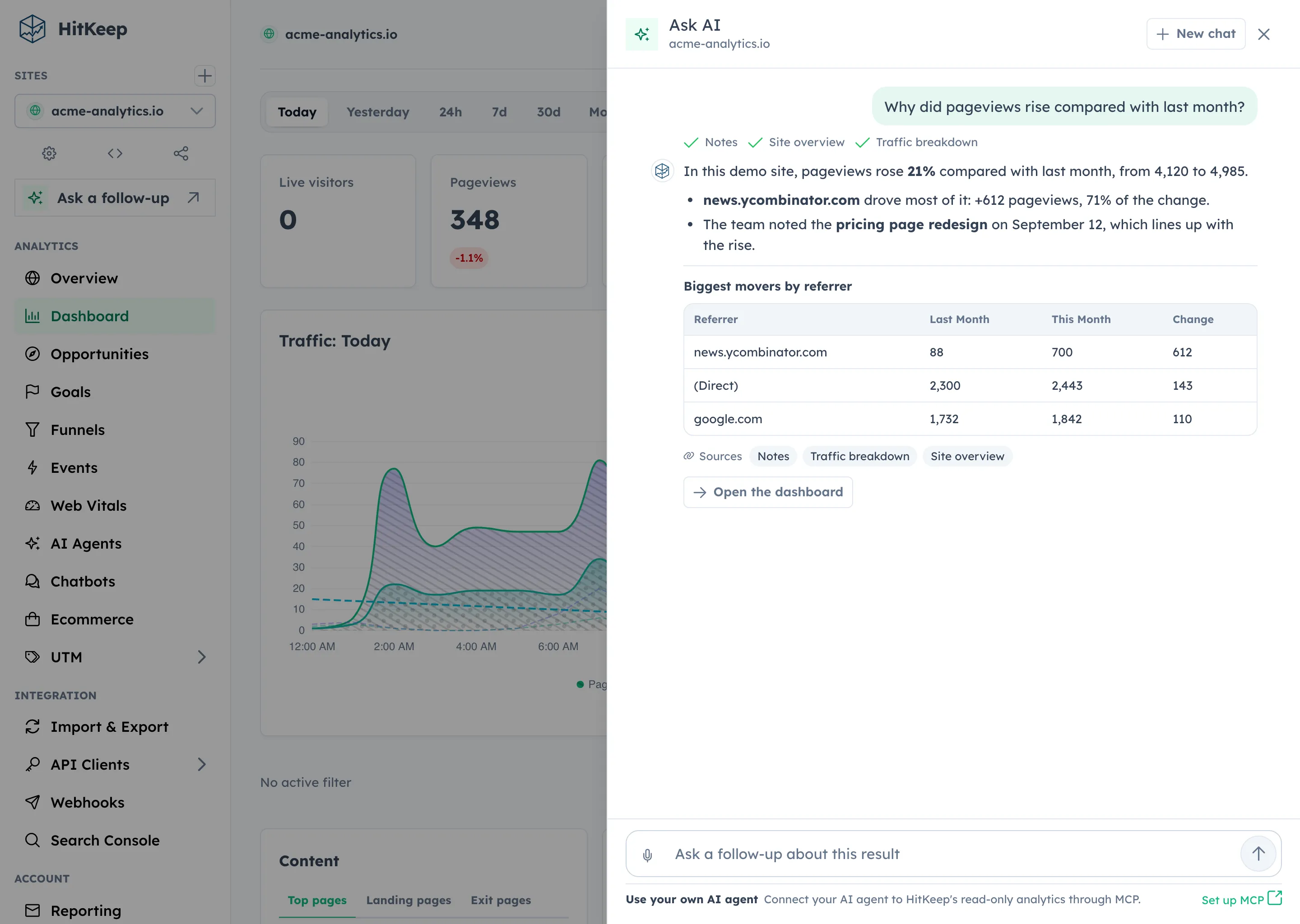
Navigation actions are limited to safe dashboard-relative paths. Export actions must point at safe HitKeep API export URLs. The broader export boundary is documented in Takeout.
Privacy And Audit Boundary
Section titled “Privacy And Audit Boundary”Ask AI is designed to keep model traffic out of user-facing history:
- the drawer is for one-off chat sessions, not a saved history workspace
- raw prompts are not shown in a history tab
- full model responses are not shown in a history tab
- provider credentials, headers, raw provider error bodies, and unrestricted tool payloads are not persisted
- saved audit entries use hashes, counts, statuses, tool names, usage, and safe metadata
- audit exports will cover Ask AI audit events, but not raw prompts or full model responses
Budget And Availability States
Section titled “Budget And Availability States”The Ask AI trigger stays visible when the feature is enabled but temporarily unavailable. The drawer shows whether the model is ready, not configured, budget exhausted, or unavailable.
Cloud Daily Allowance
Section titled “Cloud Daily Allowance”Cloud teams share a daily allowance across their members and sites:
| Plan | Questions per day |
|---|---|
| Free | 1 |
| Pro | 100 |
| Business | 500 |
Each completed, validated answer counts as one question, including follow-ups. Provider or validation failures and requests canceled before the answer completes do not consume the allowance. A completed answer still counts if the connection fails while delivering it. The allowance resets at midnight UTC. The drawer shows the team’s remaining allowance and reset time; reaching the limit disables new questions until the reset.
On Cloud Free, the drawer points team managers to the existing team plan comparison: Pro raises the shared allowance from 1 to 100 answers a day. Other team members can ask a team admin about upgrading. Pro and Business teams see their remaining allowance without a Pro upgrade prompt.
You can still review the current conversation and open the MCP setup guide when the daily allowance is exhausted.
Operator Limits
Section titled “Operator Limits”Self-hosted deployments keep their operator-configured AI limits. Cloud daily allowances also remain subject to provider availability and operator limits.
Local budgets come from the shared AI model settings:
HITKEEP_AI_REQUEST_LIMITHITKEEP_AI_TOKEN_LIMITHITKEEP_AI_BUDGET_WINDOW
The request and token caps are shared by AI features on the instance. They use a rolling window, not the Cloud team’s midnight UTC reset. When either cap is reached, Ask AI pauses provider calls until enough usage leaves that window or the operator changes the limit. The drawer keeps the conversation visible, explains the limit, and offers Check availability. Checking again does not consume a model request.
If you use a self-hosted instance, ask its operator to review AI usage in System Status. Operators can inspect the non-secret usage and configured caps there, then adjust HITKEEP_AI_REQUEST_LIMIT, HITKEEP_AI_TOKEN_LIMIT, or HITKEEP_AI_BUDGET_WINDOW in the deployment configuration if appropriate. The AI Model Configuration guide explains those settings. Increasing a limit is an operator decision; the drawer does not bypass it. A Cloud Pro upgrade does not resolve an instance provider budget.
The self-hosted budget notice keeps the setup guide and availability check accessible. Instance operators also get a direct Open System Status action; other users are prompted to contact their operator.
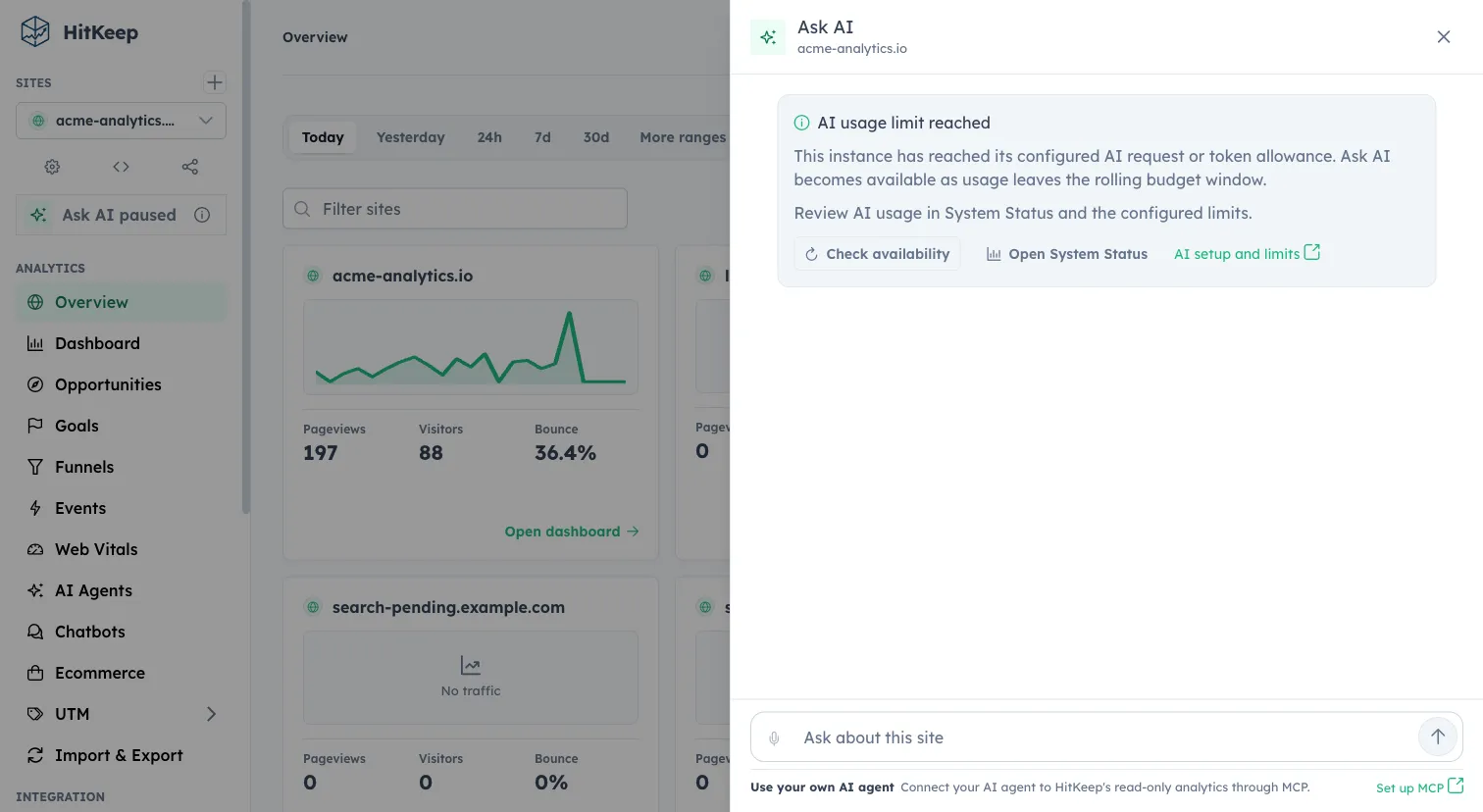
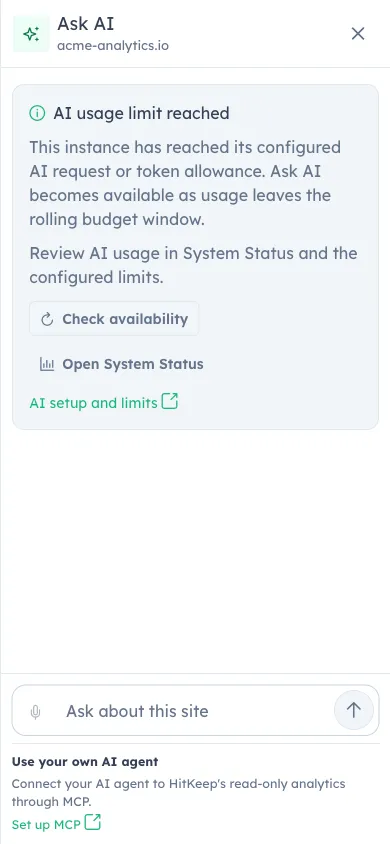
On a narrow screen, the same actions remain in the Ask AI drawer:
Frequently Asked Questions
Section titled “Frequently Asked Questions”Does Ask AI use MCP?
Section titled “Does Ask AI use MCP?”No. Ask AI is a dashboard-session feature. MCP remains a separate read-only aggregate API client surface.
Does Ask AI show a saved history tab?
Section titled “Does Ask AI show a saved history tab?”No. The drawer is for one-off chat sessions. Starting a new chat clears the visible conversation context.
What date range does Ask AI use?
Section titled “What date range does Ask AI use?”Ask AI starts from the dashboard route dates when they are present, or from the site’s observed analytics data bounds. It can read other periods, such as the previous one for a comparison, within the server’s analytics range limit.