HitKeep 2.3.0 is built around the Installation & Activation Center: HitKeep now tells you whether tracking is actually live, guides new users to their first value, and lets instance owners see which teams and sites are active.
The activation work ships with the rest of the 2.3.0 release: read-only MCP analytics access, a first-party WordPress plugin, automatic outbound click, file download, and form submit events, a dedicated System Status area for operations and audit visibility, and a warning before dashboard sessions expire. The release keeps to HitKeep’s existing shape: one tracker, one event pipeline, one permission model, and the same single-binary runtime for cloud and self-hosted deployments.
What shipped
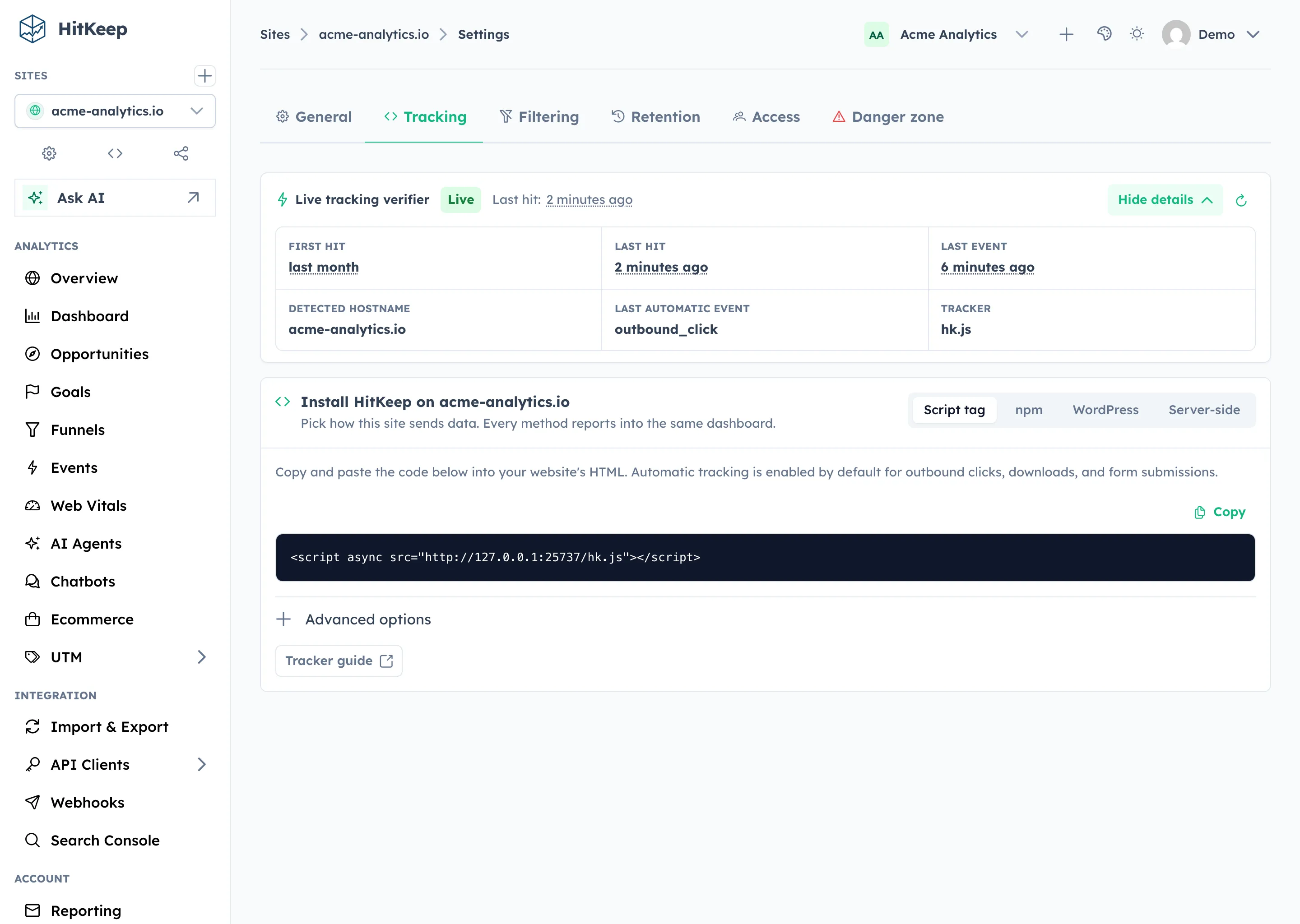
- Live Tracking Verifier: Site Settings now shows whether tracking is waiting, live, dormant, or receiving traffic from a mismatched hostname.
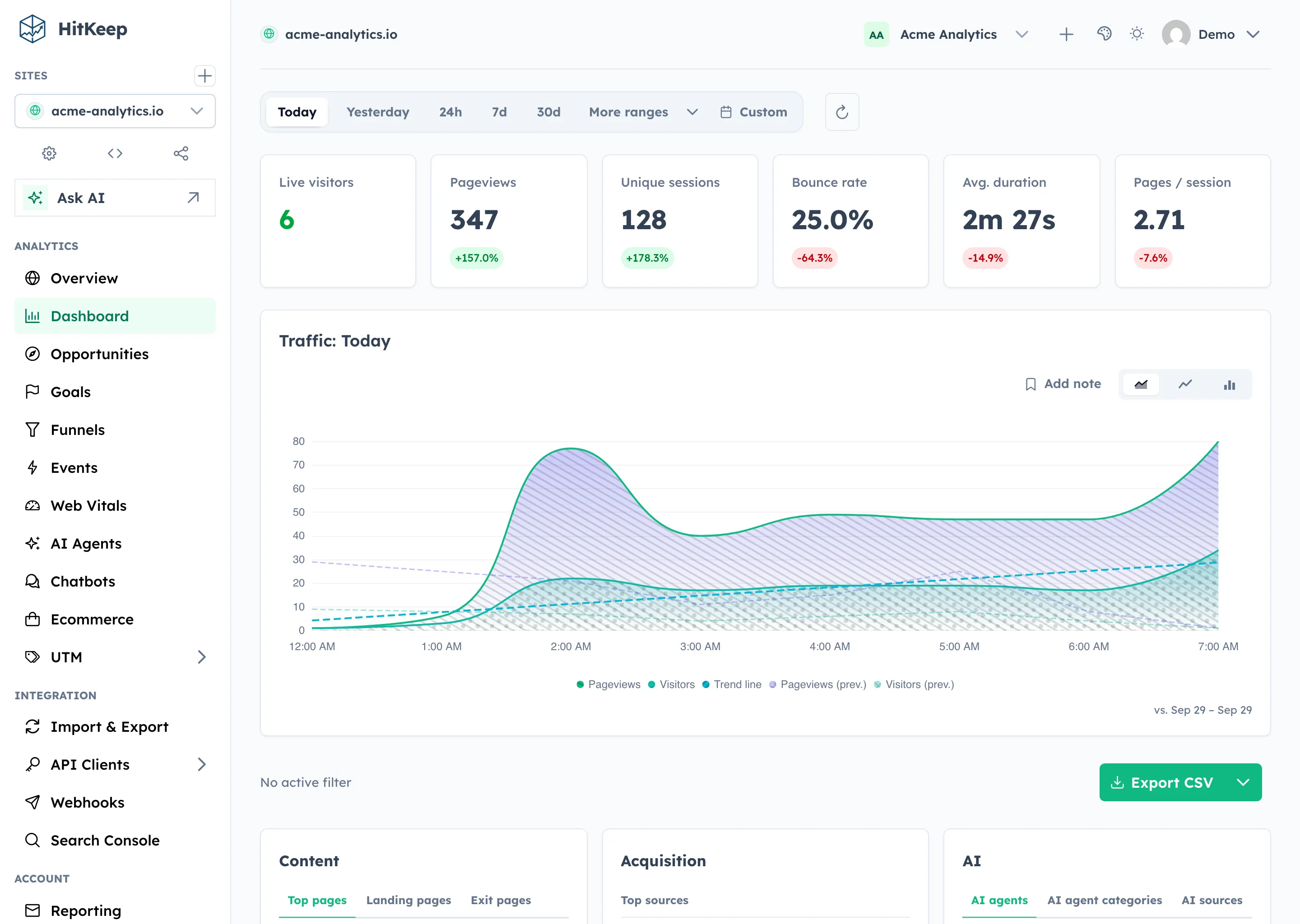
- Cloud onboarding checklist: the dashboard computes setup progress from real product state instead of asking users to tick fake boxes.
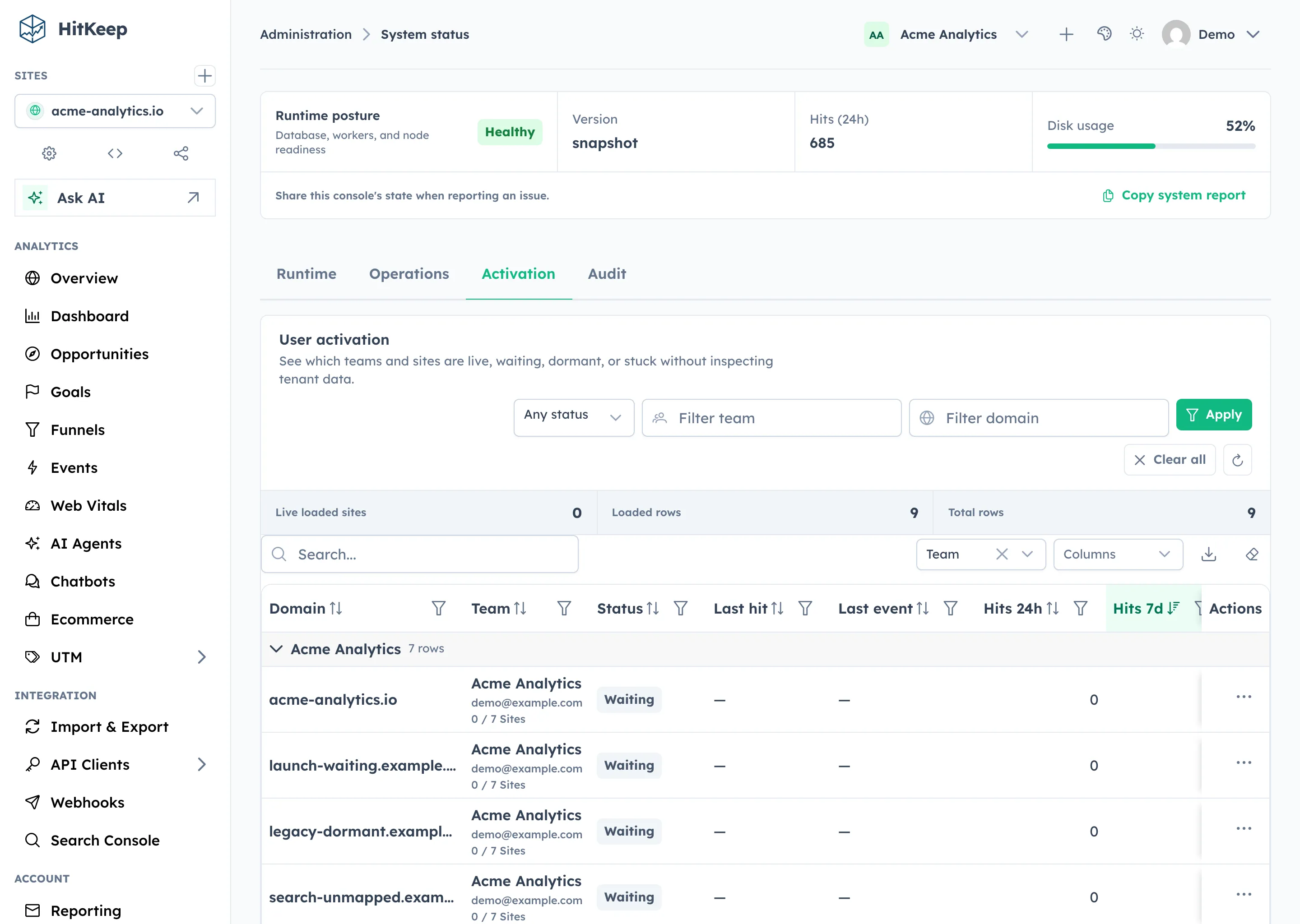
- Instance owner Activation view: System Status now shows which teams and sites are live, waiting, dormant, or missing recent automatic events.
- Tracker metadata hooks:
hk.jsreports itself as the source by default, with snippet attributes for WordPress and future SDK versions. - Read-only MCP analytics access: approved assistants and internal tools can query scoped aggregate analytics without dashboard cookies.
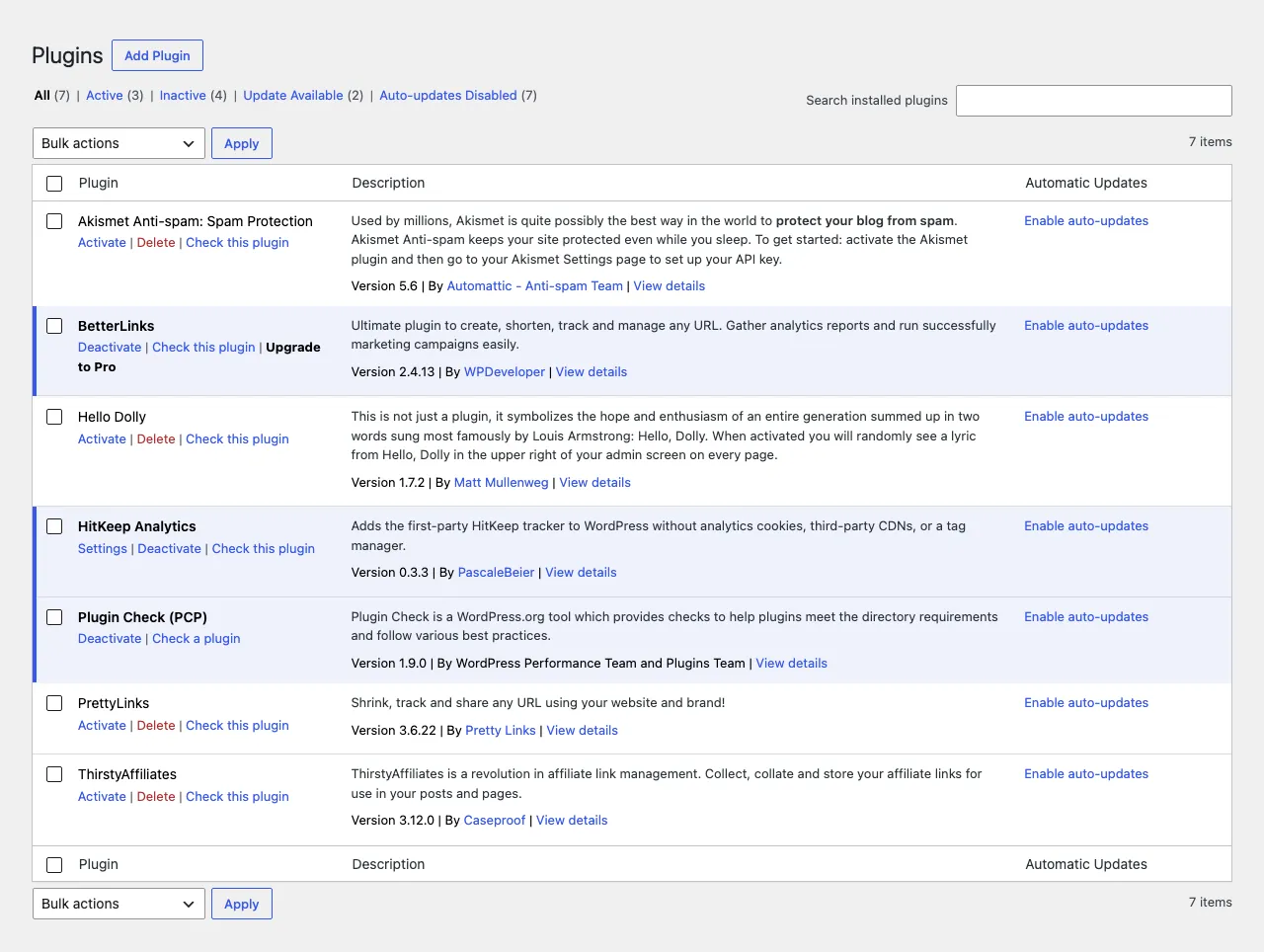
- First-party WordPress plugin: WordPress sites can install the normal HitKeep tracker without editing theme templates or adding a tag manager.
- Automatic tracker events:
hk.jsrecords outbound clicks, file downloads, and form submissions through the existing event pipeline. - System Status operations: instance owners and admins get health, storage, tenant footprint, backup, spam filter, mail test, and audit visibility in one area.
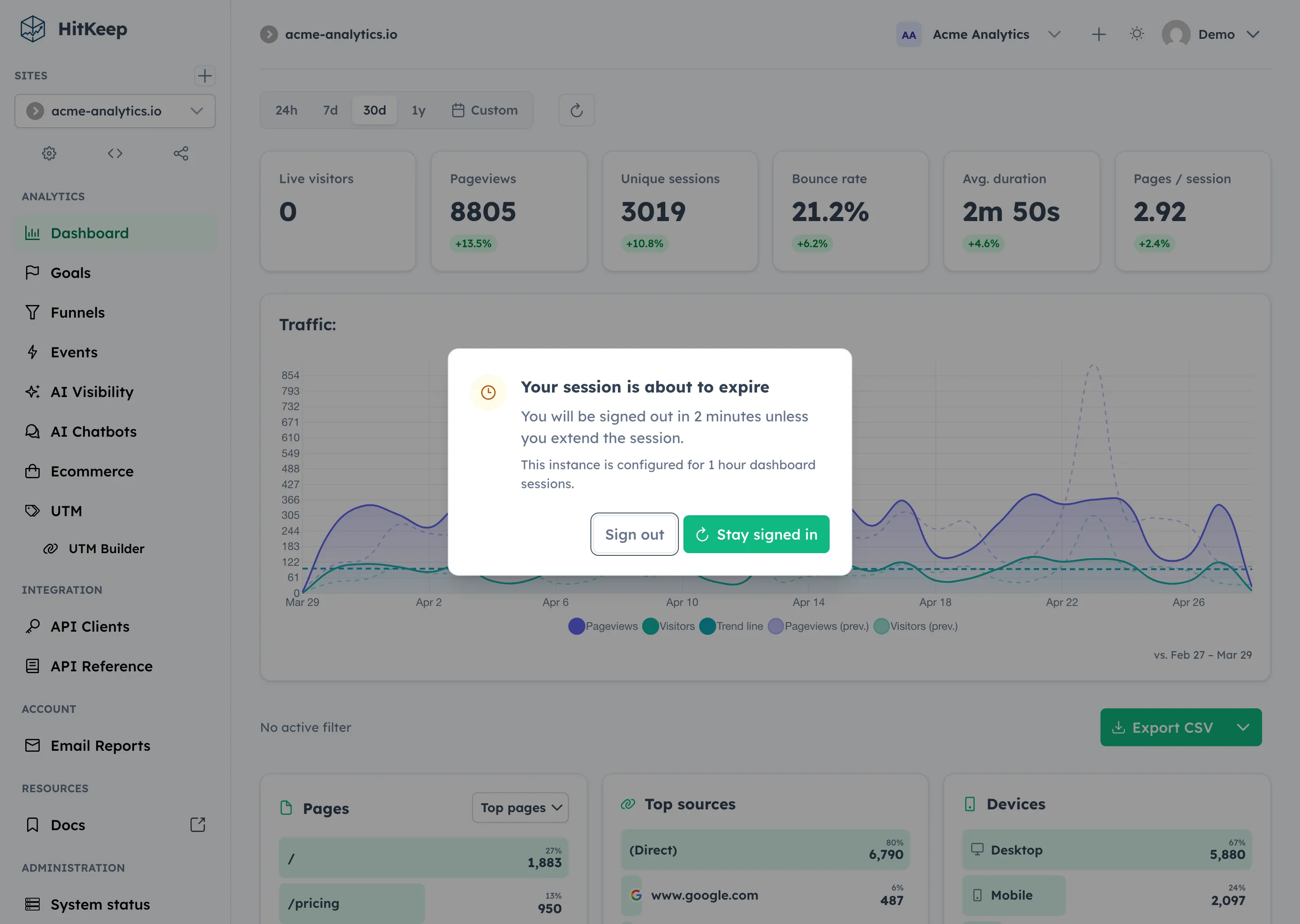
- Session expiry warning: dashboard users get a clear warning and stay-signed-in action before their session expires.
Installation & Activation Center
The new verifier card lives in Site Settings → Tracking. It shows first and last hit timestamps, last event, detected hostname, last automatic event, tracker source, tracker version, and a refresh action. New installs poll briefly while waiting for the first accepted hit, then flip to live when data arrives.
The dashboard checklist uses the same operational state. Creating a site, receiving the first hit, seeing automatic events, inviting a teammate, and scheduling reports complete automatically when the underlying product state exists.
For operators, System Status now includes an Activation tab. Instance owners can see team, owner email, site domain, activation status, first and last hit, last event, and 24-hour/7-day aggregate counts. The table is intentionally operational: no IPs, user agents, paths, session IDs, raw referrers, or visitor journeys.
MCP for governed analytics access
HitKeep now includes an optional MCP server on the main HTTP server. It is built for teams that want approved assistants or internal tools to answer analytics questions through HitKeep’s permission model.
It is disabled by default. When enabled, it mounts at /mcp and accepts existing API client bearer tokens. It does not accept dashboard cookies.
The v1 MCP surface is intentionally read-only. Assistants and internal reporting tools can list visible sites, fetch aggregate overview metrics, inspect event breakdowns, query ecommerce summaries, read AI visibility analytics, and fetch HitKeep docs as Markdown.
It does not expose raw hit exports, write tools, billing operations, site creation, or instance administration.
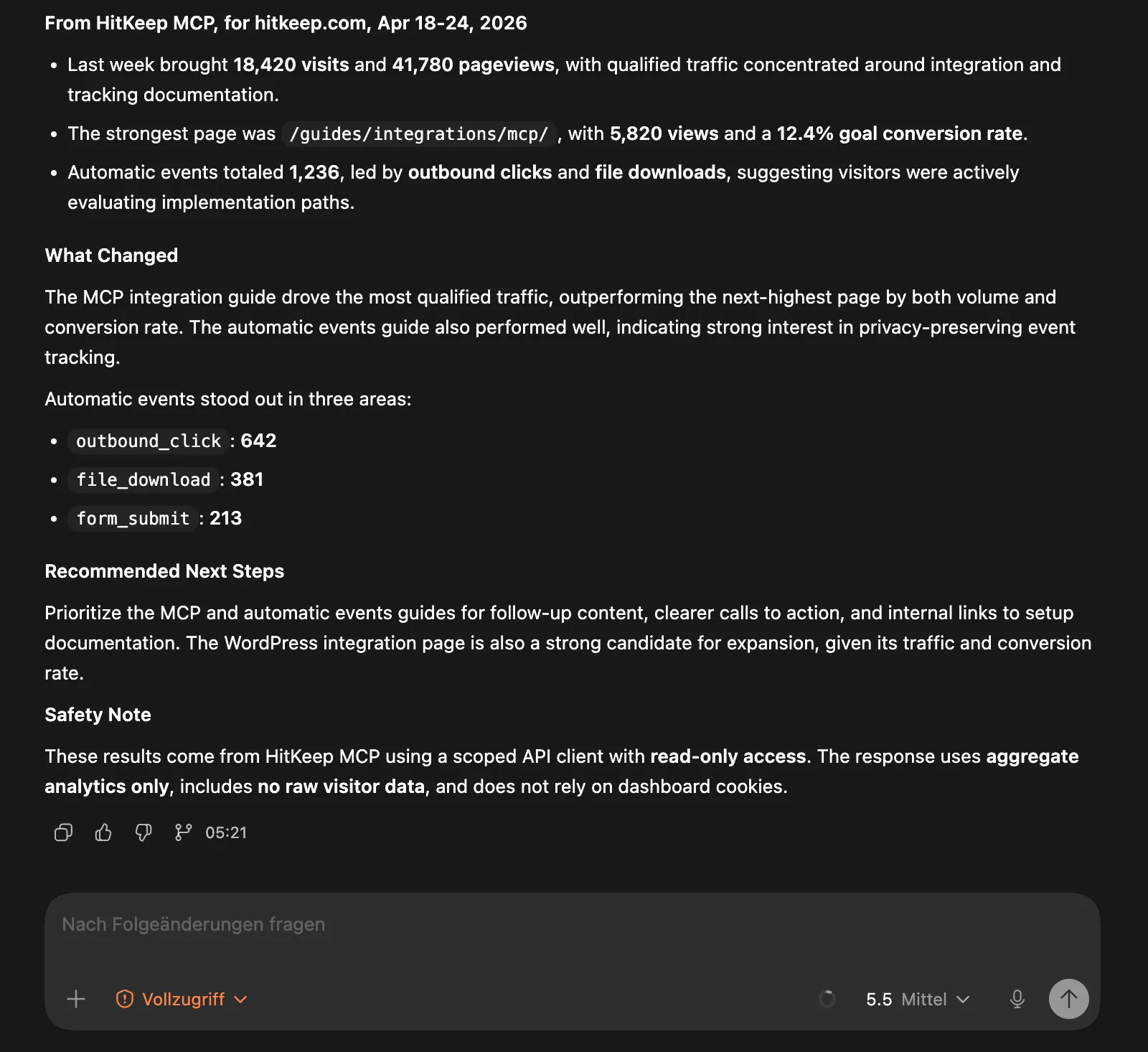
hitkeep \ -mcp-enabled \ -mcp-path /mcpThis keeps MCP aligned with the same access model as the REST API: scoped API clients, site permissions, API rate limits, and tenant-aware analytics stores. Cloud and self-hosted deployments use the same contract.
A first-party WordPress plugin
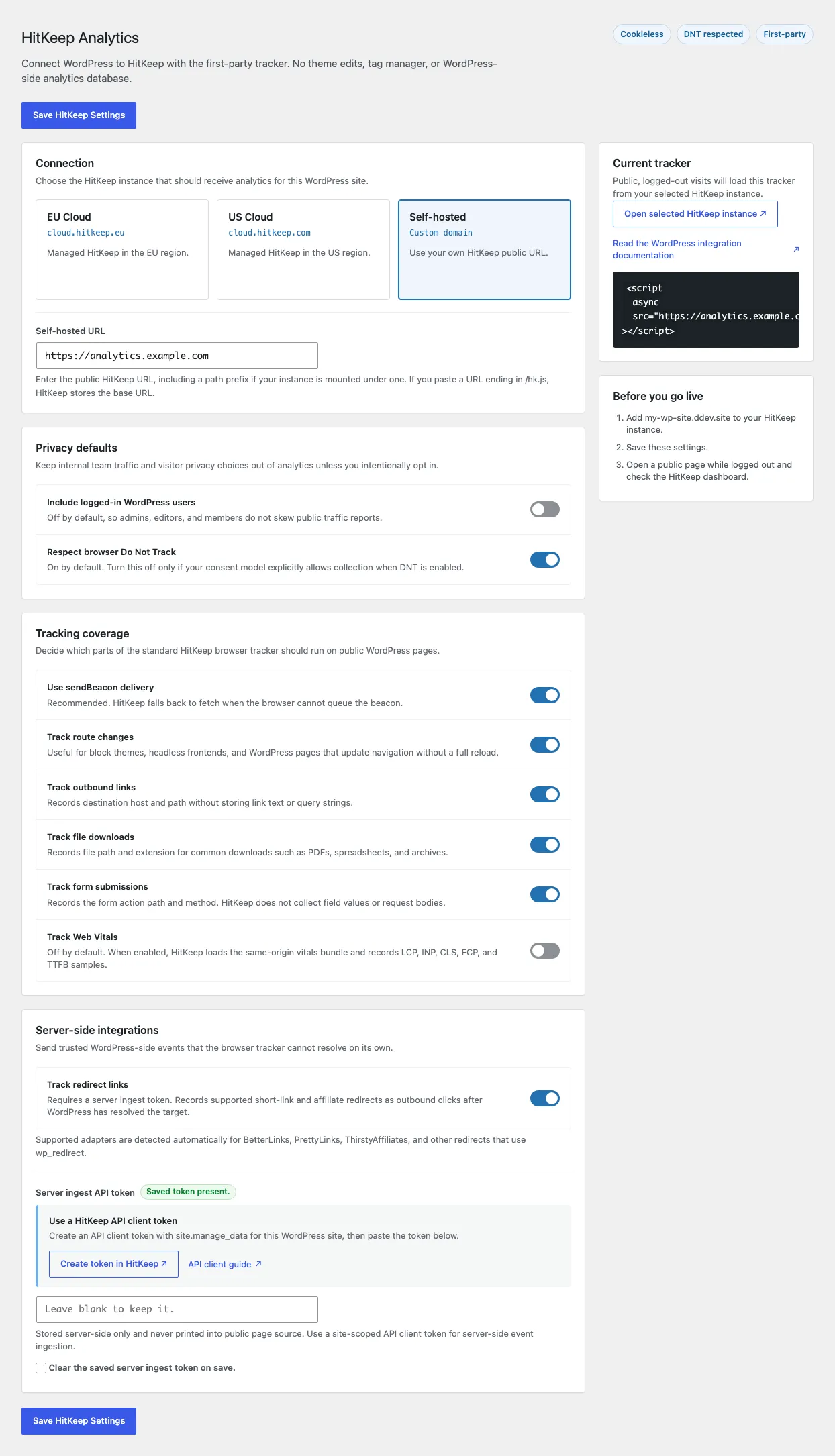
The new WordPress integration installs the normal HitKeep tracker without editing a theme template or adding a tag manager.
The plugin stays thin on purpose. WordPress is only the installation point:
WordPress page -> hk.js -> HitKeep /ingest and /ingest/event -> DuckDBIt does not create WordPress analytics tables, set analytics cookies, or send traffic to a third-party analytics backend. Site owners choose EU Cloud, US Cloud, or a self-hosted HitKeep URL, and the plugin loads hk.js from that instance.
The defaults are conservative. Logged-in WordPress users are not tracked, Do Not Track is respected, and pageviews plus automatic events are enabled for public visitors. Site owners can inspect the generated snippet before saving.
Automatic events from the tracker
HitKeep’s browser tracker now records three built-in automatic events with the default snippet:
outbound_clickfile_downloadform_submit
These events use the existing event pipeline and dashboard. There is no separate schema, second ingestion route, or extra reporting product. The same Events page handles manual product events and automatic tracker events.
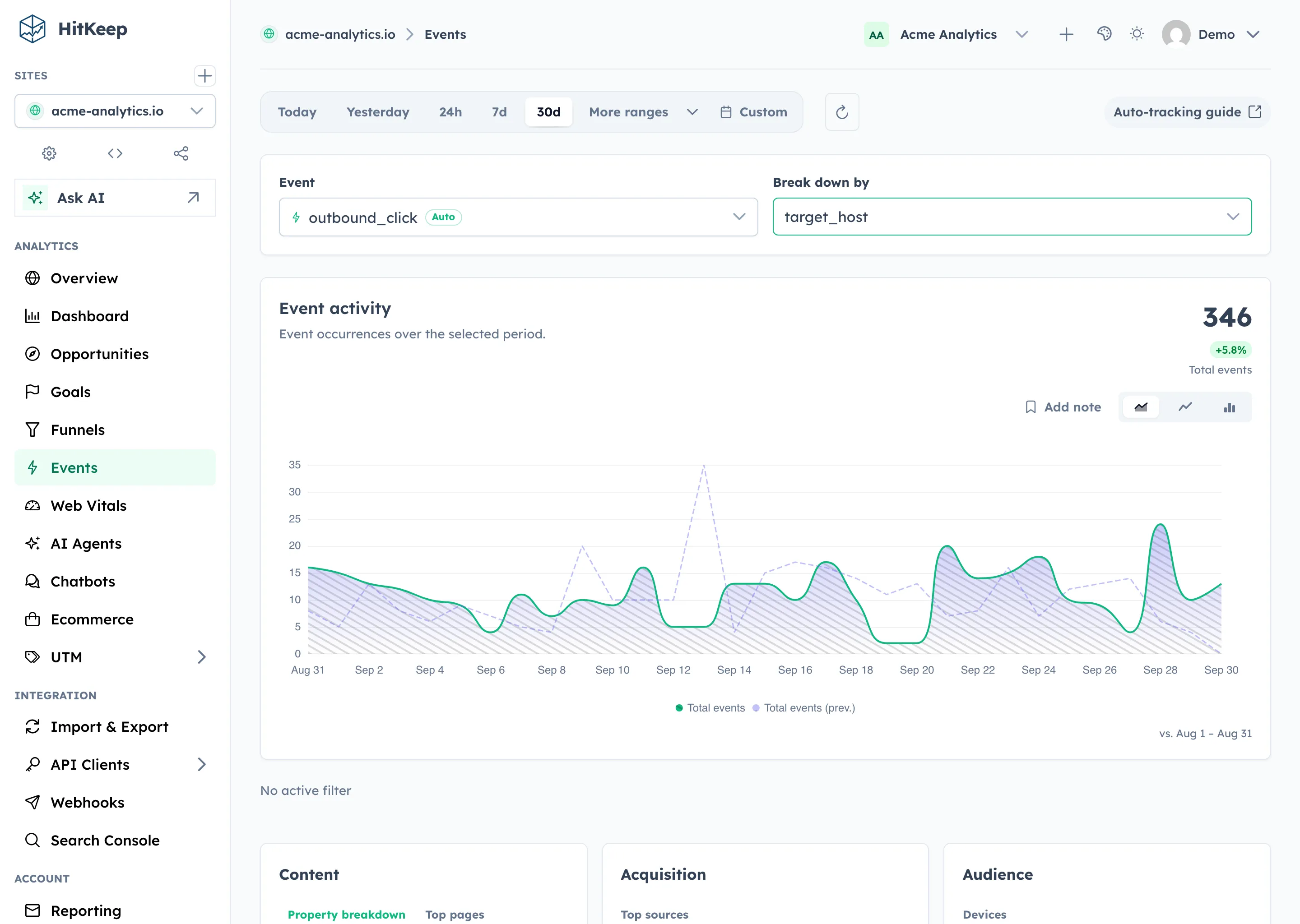
The payloads are deliberately narrow. HitKeep strips query strings and hashes and does not capture link text, form field values, or request bodies.
<script async src="https://your-hitkeep.example/hk.js"></script>If a site needs a narrower tracking surface, you can disable event classes from the dashboard tracking settings or with snippet attributes:
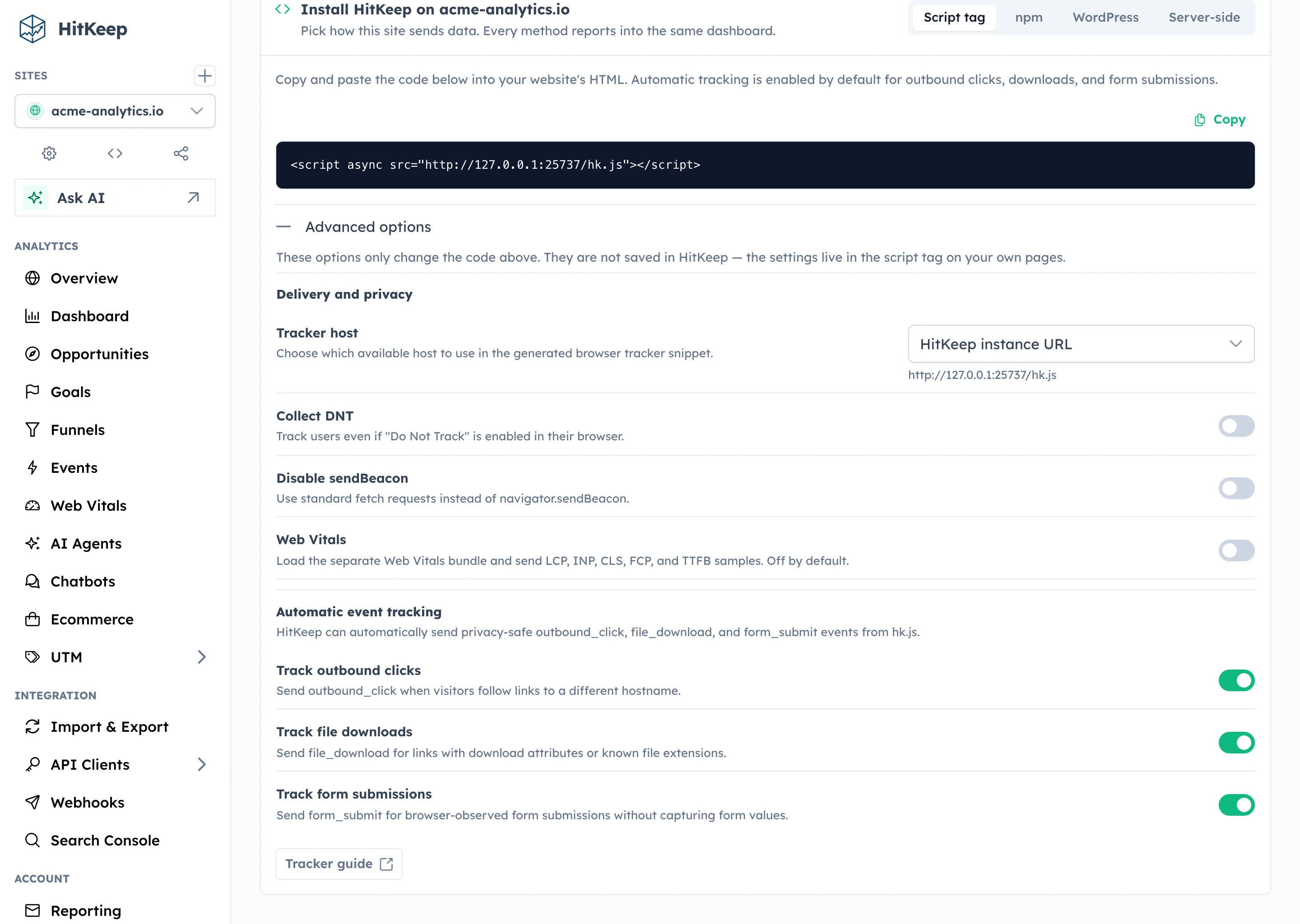
<script async src="https://your-hitkeep.example/hk.js" data-disable-outbound-tracking="true" data-disable-download-tracking="true" data-disable-form-tracking="true"></script>A system status page for real operators
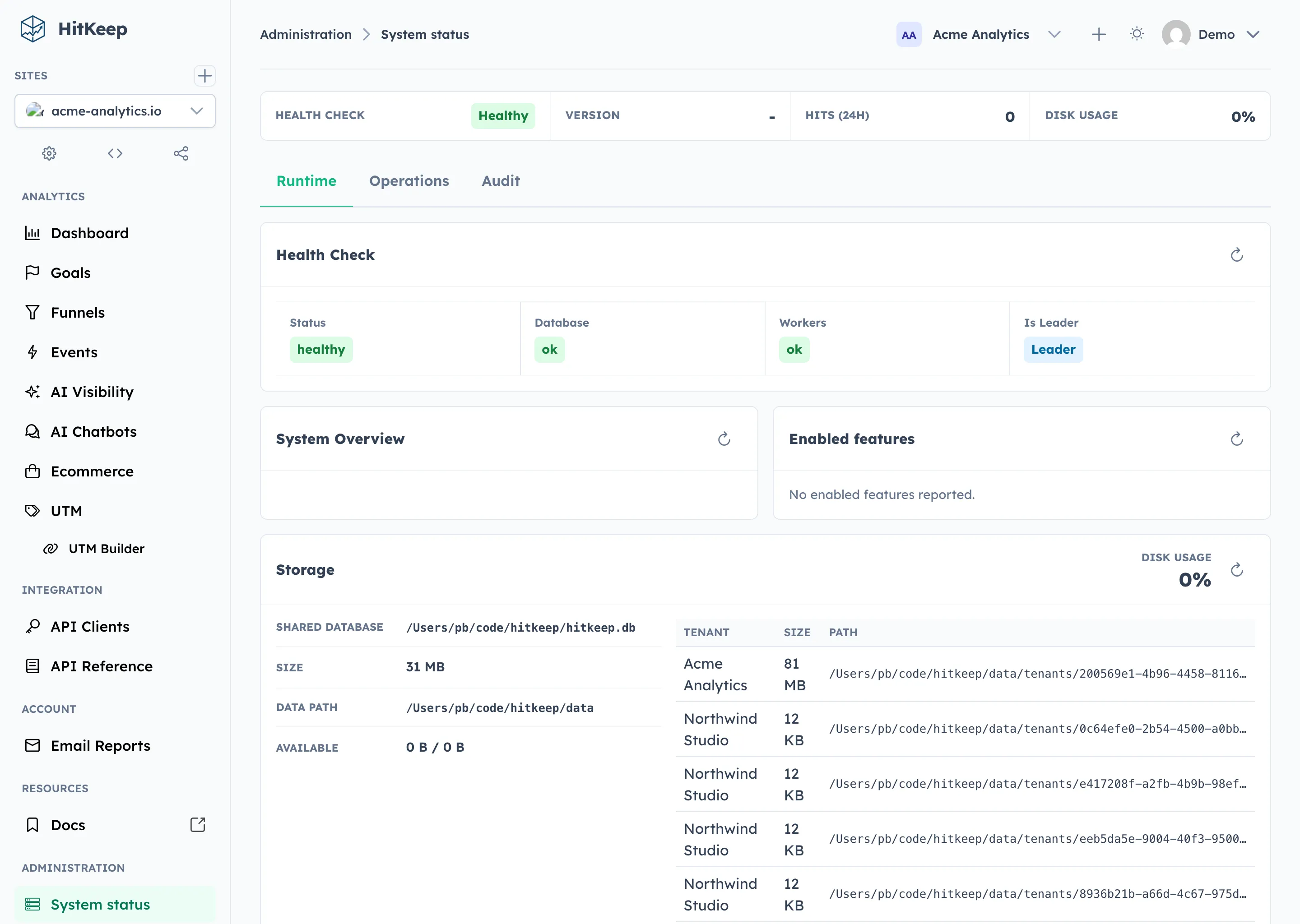
HitKeep now has a dedicated System Status and Settings area for instance owners and admins. System Status is its own sidebar item. System Settings stays focused on users, sites, teams, and global filters.
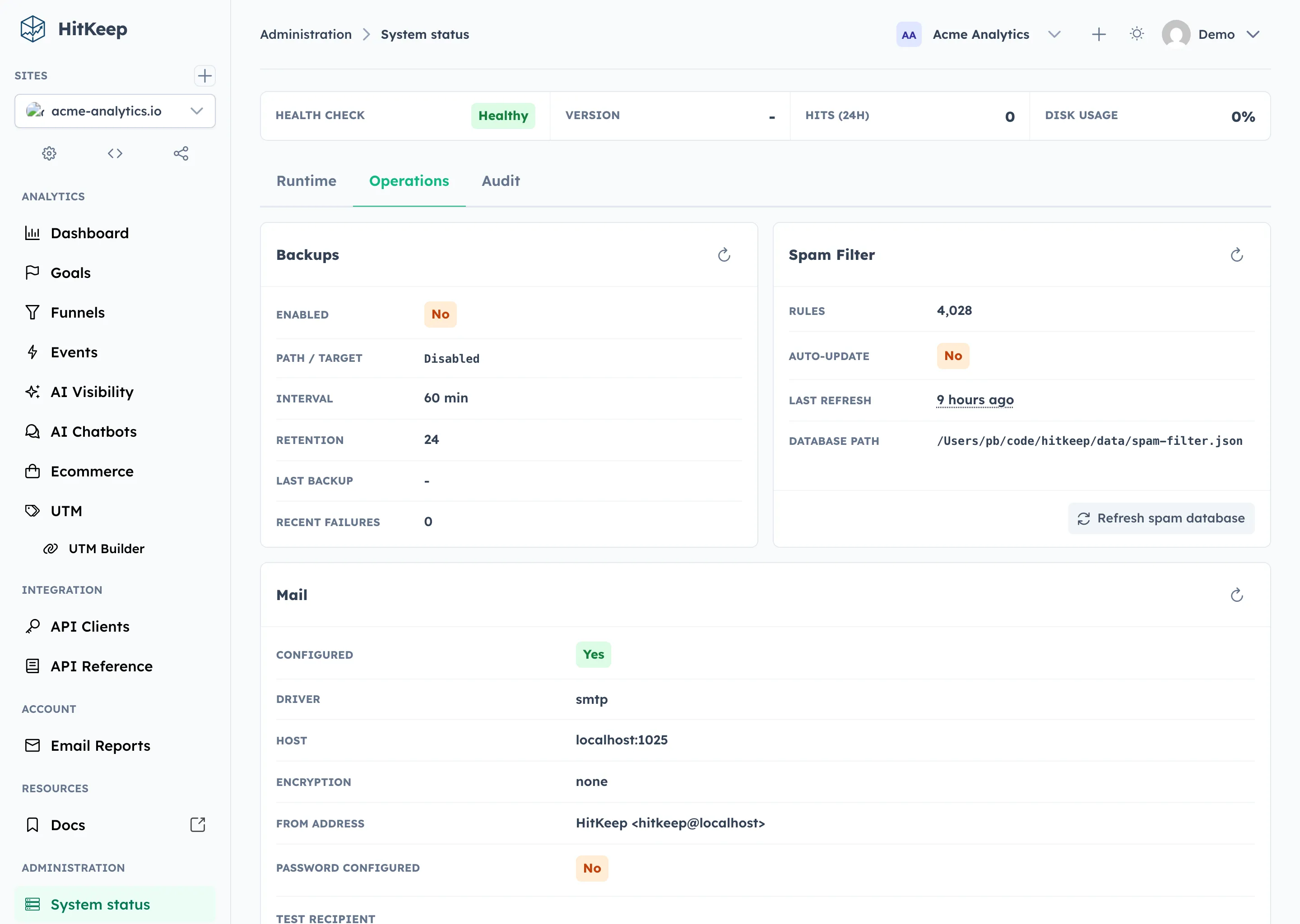
System Status shows what the instance is doing: version, health checks, storage paths, tenant database sizes, recent hit volume, enabled features such as MCP and backups, LRU cache pressure, automatic backup state, spam database freshness, mail delivery configuration, and instance audit activity.
The Operations tab separates passive refreshes from real maintenance actions. Refreshing a status card reloads that card. Refreshing the spam database downloads and rebuilds the configured spam lists. Sending a test email uses the configured mail transport and sends an actual message to the specified recipient.
Sensitive actions are written to the instance audit log with actor, action, target, outcome, IP address, user agent, request ID, and details where available.
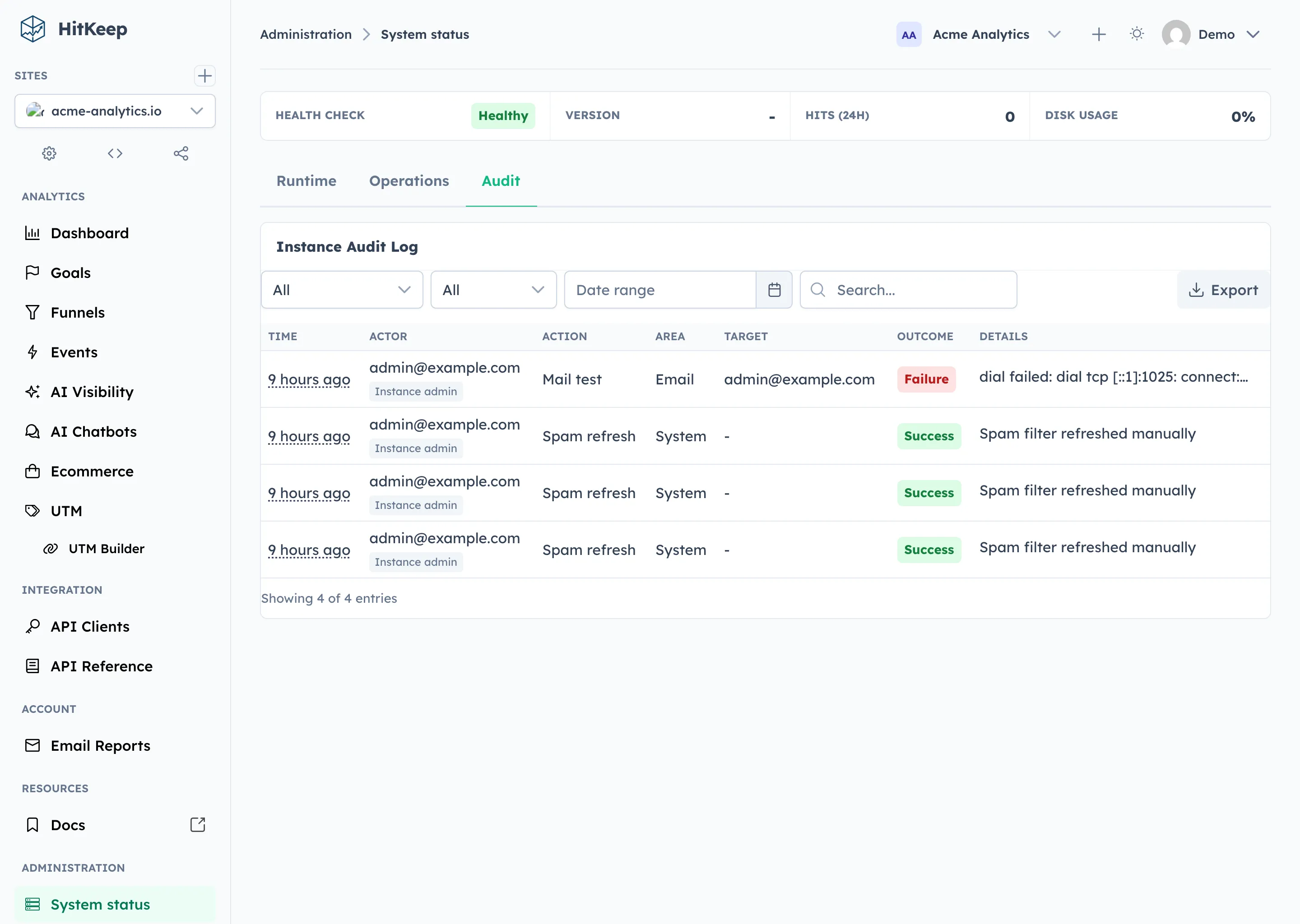
The result is less guesswork during operations. Admins can check whether automatic backups are configured, whether the spam database is stale, whether the mail transport works, and which maintenance actions were attempted.
A clearer timeout warning
Dashboard sessions now warn users before they expire.
When the session enters the configured warning window, HitKeep shows the remaining time, the instance session policy, and two clear actions: stay signed in or sign out.
The goal is to support teams that review dashboard behavior against timed-session accessibility expectations, including WCAG 2.1 Success Criterion 2.2.1 (Timing Adjustable) and EN 301 549, the standard used with the EU Web Accessibility Directive. The warning gives users a simple way to extend the session before timeout while still respecting the instance’s configured session policy.