
Web Analytics for Claude with HitKeep
Section titled “Web Analytics for Claude with HitKeep”Use Claude to investigate a traffic change, prepare a stakeholder explanation, or check whether an AI referral trend is supported by your analytics. HitKeep supplies aggregate evidence through a read-only MCP connection. You choose the sites Claude may access.
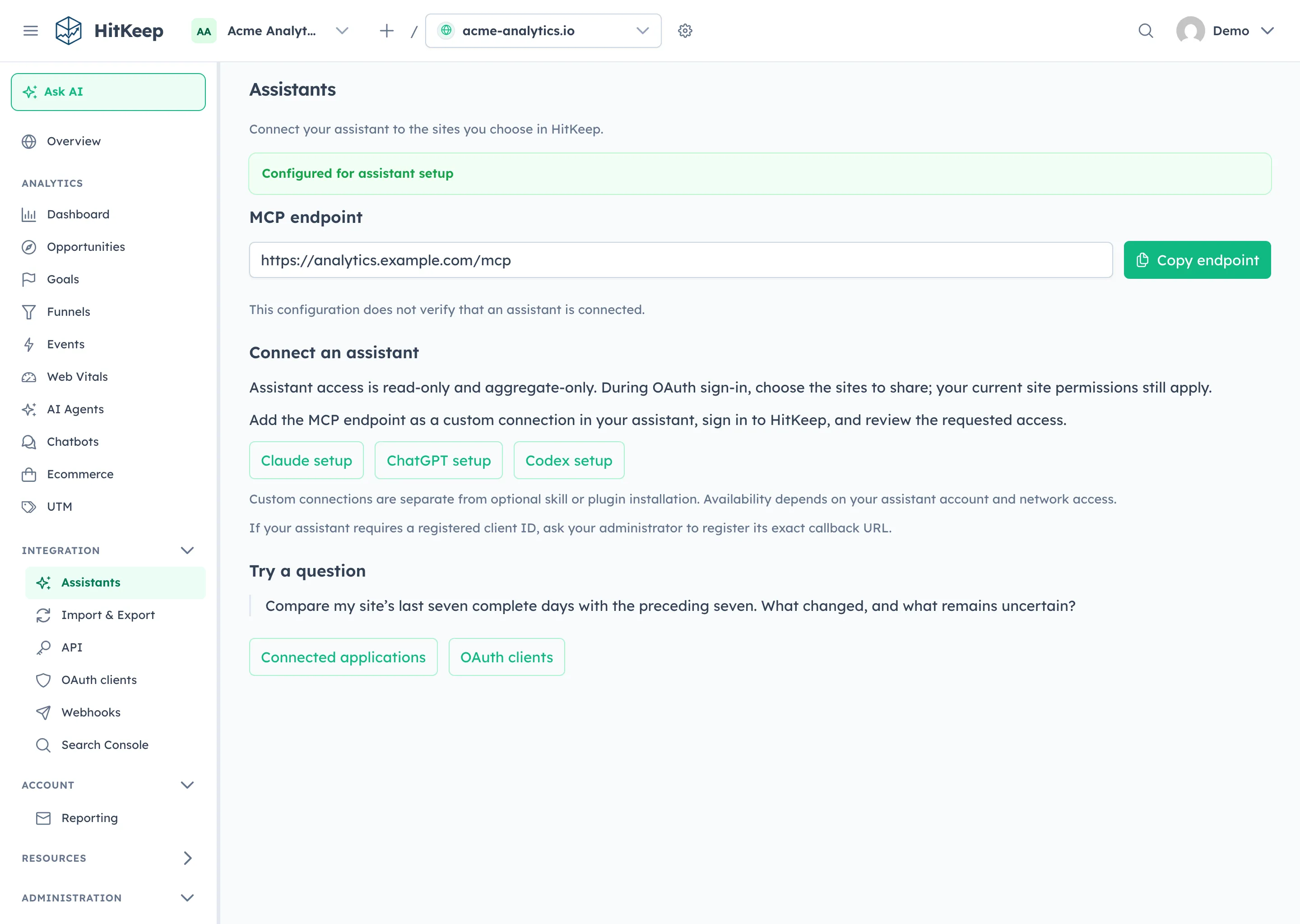
Investigate with evidence
Section titled “Investigate with evidence”The first-party HitKeep plugin includes five skills for general analytics, traffic diagnosis, AI visibility, ecommerce, and tracking verification. They guide Claude to choose evidence, distinguish measurements from hypotheses, and explain what remains uncertain.
| Question | Evidence Claude can request |
|---|---|
| What changed after our campaign? | Aggregate traffic, source and UTM breakdowns, comparisons, and dated annotations. |
| Are AI assistants bringing visitors? | AI-referred visits and crawler fetches as separate signals, with available path correlation. |
| Why did conversion performance change? | Goals, configured funnels, ecommerce totals, products, and source context. |
| Is measurement missing? | Event names, aggregate event properties, tracking guidance, and official documentation. |
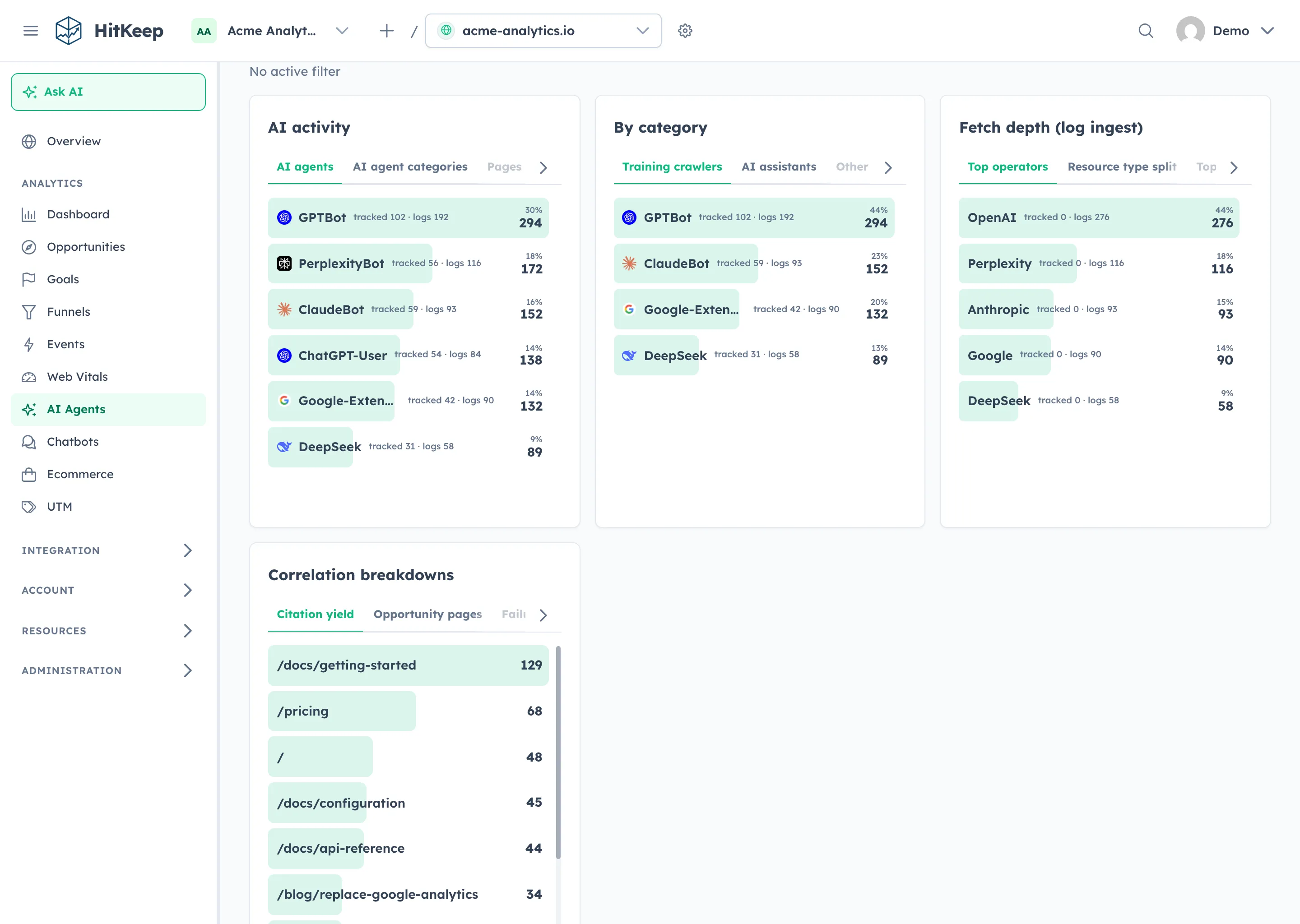
Try a bounded question: “Compare my site’s last seven complete days with the previous seven. Which sources explain the change, and what evidence is missing?” The answer depends on the reports your site actually has; Search Console imports and server-side crawler feeds need their own setup.
Install skills, then connect your data
Section titled “Install skills, then connect your data”In Claude web, upload the first-party plugin ZIP through Settings → Plugins → Add → Upload plugin. Claude Code can install the same five skills from the HitKeep repository marketplace.
The package contains instructions, with no bundled endpoint, token, or data access. Create a custom MCP connection separately, using the endpoint from Integration → Assistants, then sign in and review the team, sites, resource, and permissions. Follow the Claude setup guide for both client surfaces.
The plugin package is published now. OAuth and the Assistants UI shown here require an instance with the 2.15.0 application functionality enabled; check release availability and OAuth support. A private plugin install or repository marketplace is separate from approval in Anthropic’s public directory.
Choose your hosting and access
Section titled “Choose your hosting and access”Use managed HitKeep Cloud with an EU or US region chosen before account creation, or connect Claude to your own HTTPS self-hosted instance. Claude’s service must be able to reach a hosted connector’s endpoint; a private localhost address is not a public remote connection.
MCP excludes raw hit exports, dashboard cookies, billing, site administration, and write workflows. OAuth site grants remain subject to your current HitKeep permissions and can be revoked from Connected applications in the header user menu. Authorized aggregate results are sent to the assistant you connect; HitKeep’s storage region does not determine that assistant provider’s data handling.