
OAuth lets an integration connect to HitKeep without asking you to create and paste an API token. Use it when your HitKeep instance exposes OAuth discovery and the client supports this flow. Existing API-client credentials remain supported for scripts and clients without OAuth.
Release availability
Section titled “Release availability”HitKeep 2.15.0 supports scoped API-client bearer tokens and OAuth connections for MCP, with Integration → Assistants setup. OAuth connections require an instance that exposes OAuth discovery and a compatible client; a screenshot or client setup link does not establish that an instance has that capability. See current release facts and manual API clients.
Approve a connection
Section titled “Approve a connection”For analytics assistants, open Integration → Assistants (/integration/assistants) to copy the canonical MCP URL and find setup guidance. Ordinary viewers can read that guidance without permission to administer client registrations.
Choose your canonical HTTPS HitKeep instance in the integration, sign in through the normal HitKeep account flow, and explicitly approve the connection. Signup, email verification, SSO, MFA, and managed-cloud checkout preserve a bounded continuation; completing them does not approve the integration automatically.
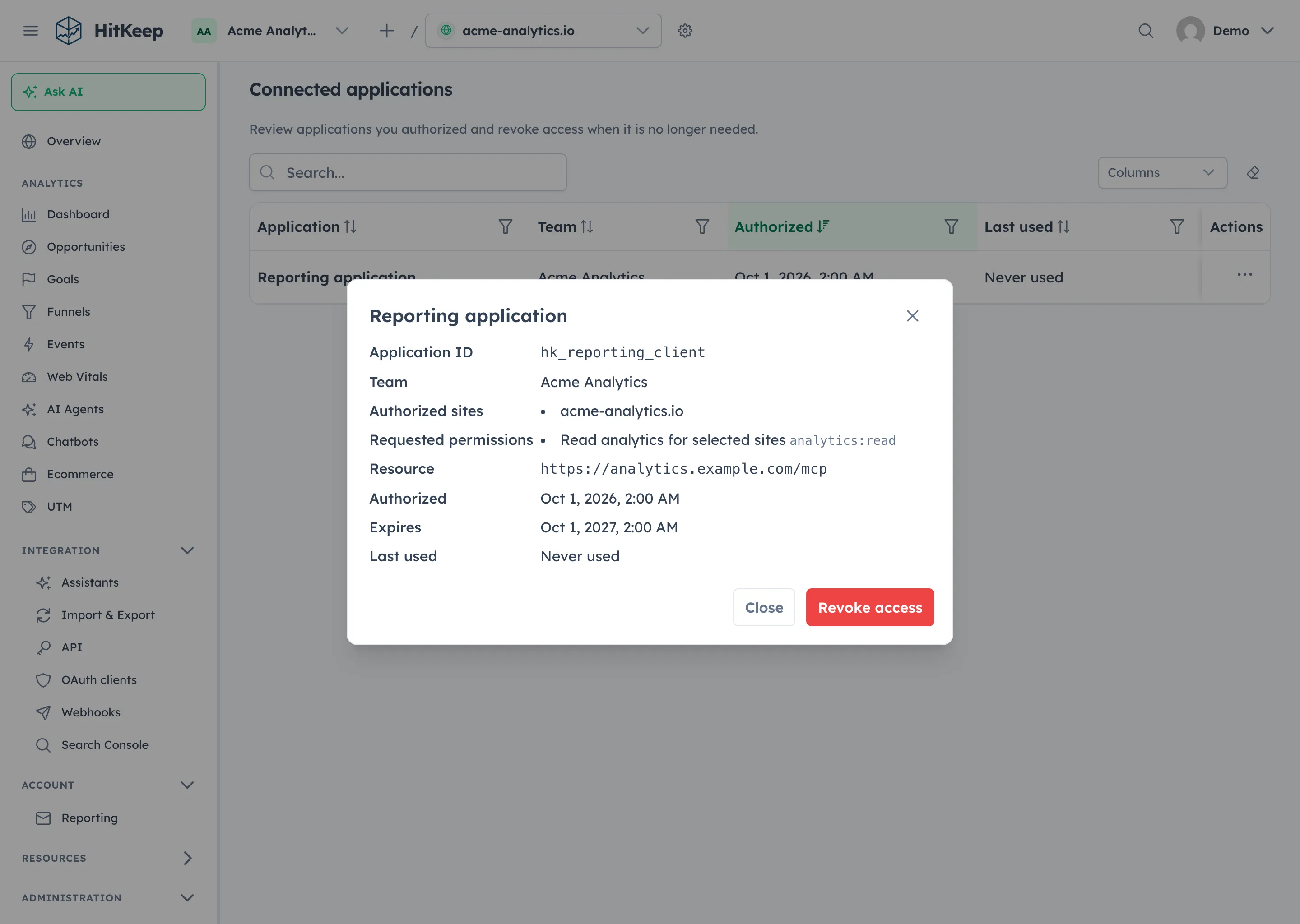
Consent selects one team, explicit sites, the requested scopes, and one resource audience. Open the user menu in the header and choose Connected applications to review your grants. Select an application row to open its details dialog, review its sites, scopes, and resource, or revoke the connection. A grant cannot retain access after your underlying site permission is removed.
| Scope | Permitted use |
|---|---|
sites:read | Discover granted sites and minimal metadata. |
analytics:read | Read approved aggregate analytics and the read-only MCP surface. |
tracking_domains:read | Discover eligible active tracking endpoints without domain administration data. |
ingest:write | Submit authenticated server-side events and pageviews to granted sites. |
Scopes do not replace HitKeep permissions. Every request must satisfy its scope, explicit site consent, current team/site ownership, and the user’s current authority. OAuth does not open dashboard administration, billing, exports, token management, or writes through MCP.
Resource binding and discovery
Section titled “Resource binding and discovery”For an issuer https://analytics.example.com/hitkeep, the API resource is https://analytics.example.com/hitkeep/api. The MCP resource uses the instance’s enabled configured MCP mount under the same issuer. Tokens for one resource are rejected by the other.
The authorization-server metadata document is at:
https://analytics.example.com/.well-known/oauth-authorization-server/hitkeepThe API protected-resource metadata document is at:
https://analytics.example.com/.well-known/oauth-protected-resource/hitkeep/apiUse the resource’s advertised metadata and authentication challenge for MCP rather than assuming its mount is /mcp. Preserve these exact metadata routes in reverse proxies for path-prefixed deployments. Custom tracking hosts remain limited to browser tracking; use the canonical instance for OAuth, REST, MCP, refreshes, and server-side ingest.
Check instance support
Section titled “Check instance support”Start with the canonical MCP endpoint supplied by the operator or, where available, Integration → Assistants. An unauthenticated request to an OAuth-enabled MCP endpoint returns a WWW-Authenticate challenge with a resource_metadata URL. Fetch that document and verify that resource exactly matches the intended MCP URL, including its prefix and custom mount. Follow its authorization_servers entry to the issuer’s metadata; HitKeep advertises PKCE S256, public-client authentication none, and CIMD support.
For the example issuer above with MCP mounted at /mcp, the MCP metadata URL is https://analytics.example.com/.well-known/oauth-protected-resource/hitkeep/mcp. The prefix belongs after oauth-protected-resource, not before /.well-known. A missing document does not identify the deployed binary or explain why OAuth is unavailable; check the canonical URL, proxy routes, and operator configuration.
OAuth initialization requires a valid canonical HTTPS public-url, a valid public-client registry, the configured browser signing key, and a control-plane store. Invalid issuer, registry, or signing configuration leaves OAuth unavailable while ordinary login and API-client authentication remain separate. MCP OAuth additionally requires MCP to be enabled and requests to reach the authoritative leader. Disabling MCP removes its OAuth resource; it does not disable the REST API OAuth resource. See the configuration reference for released settings.
Assistant OAuth grants authorize integration access. They do not configure a model provider or enable Ask AI. AI model configuration controls the provider route and credentials; Ask AI uses the signed-in user’s site permissions and an internal tool bridge.
Client developers
Section titled “Client developers”HitKeep embeds Ory Fosite with DuckDB storage in the existing binary. Supported public clients use Authorization Code with mandatory PKCE S256, exact registered redirect matching, and token_endpoint_auth_method=none. A client can use a team registration, an operator-controlled registration, or a validated public HTTPS Client ID Metadata Document (CIMD). Team registrations require HTTPS callbacks. Operator-configured clients and validated HTTPS-fetched CIMD clients may declare native HTTP loopback callbacks under the rules below. Metadata fetching rejects private networks and redirects and bounds response size, time, and cache growth. Client metadata must support the public none authentication method; HitKeep rejects client secrets and client assertions. CIMD identifies a client without a registration endpoint; HitKeep does not expose Dynamic Client Registration (DCR).
Use the instance’s advertised authorization, token, and revocation URLs. Send resource on code exchange and refresh. A code exchange may omit redirect_uri; when supplied, it must exactly match the callback selected during authorization. Empty or changed values are rejected, and the correct PKCE verifier remains required. Keep access and refresh tokens in the integration’s secure credential store; refresh tokens rotate, and replay revokes the containing grant. A lost rotation response requires a new authorization. Codes and access tokens are short-lived; the server stores credential hashes, not reusable token values.
At authorization, state may be omitted. If supplied, it must be nonempty, no longer than 1024 bytes, and is returned unchanged. Keep your client’s callback correlation checks. redirect_uri may be omitted only when the validated client has exactly one registered callback; HitKeep selects and binds that callback to the code. An explicit empty or unregistered callback, or omission with multiple callbacks, is rejected.
Server-side ingest with OAuth additionally requires a site_id matching both the explicit grant and the URL-resolved site. Existing API-client ingest payloads do not require that new field. The integration API exposes granted sites, eligible tracking domains, and a fixed seven-day aggregate preview; it does not expose raw analytics or domain verification secrets.
The runtime API reference is the endpoint and payload contract. MCP remains optional, read-only, aggregate-only, and leader-only. Protocol support does not imply that a provider has approved a Claude or ChatGPT marketplace listing.
Manage OAuth clients for your team
Section titled “Manage OAuth clients for your team”Team owners and administrators with team.manage_api_clients can manage public OAuth registrations for the active team at Integration → OAuth clients (/integration/oauth-clients).
- Select the team that owns the integration and open OAuth clients.
- Choose Register client, enter a name, and optionally add the application’s public HTTPS website.
- Enter each exact HTTPS callback URL on its own line, then save. Callbacks cannot contain wildcards, credentials, fragments, or whitespace; register between one and sixteen callbacks.
- Copy the generated, immutable client ID into the integration. These public Authorization Code clients require PKCE S256 and
token_endpoint_auth_method=none; no client secret is generated or accepted.
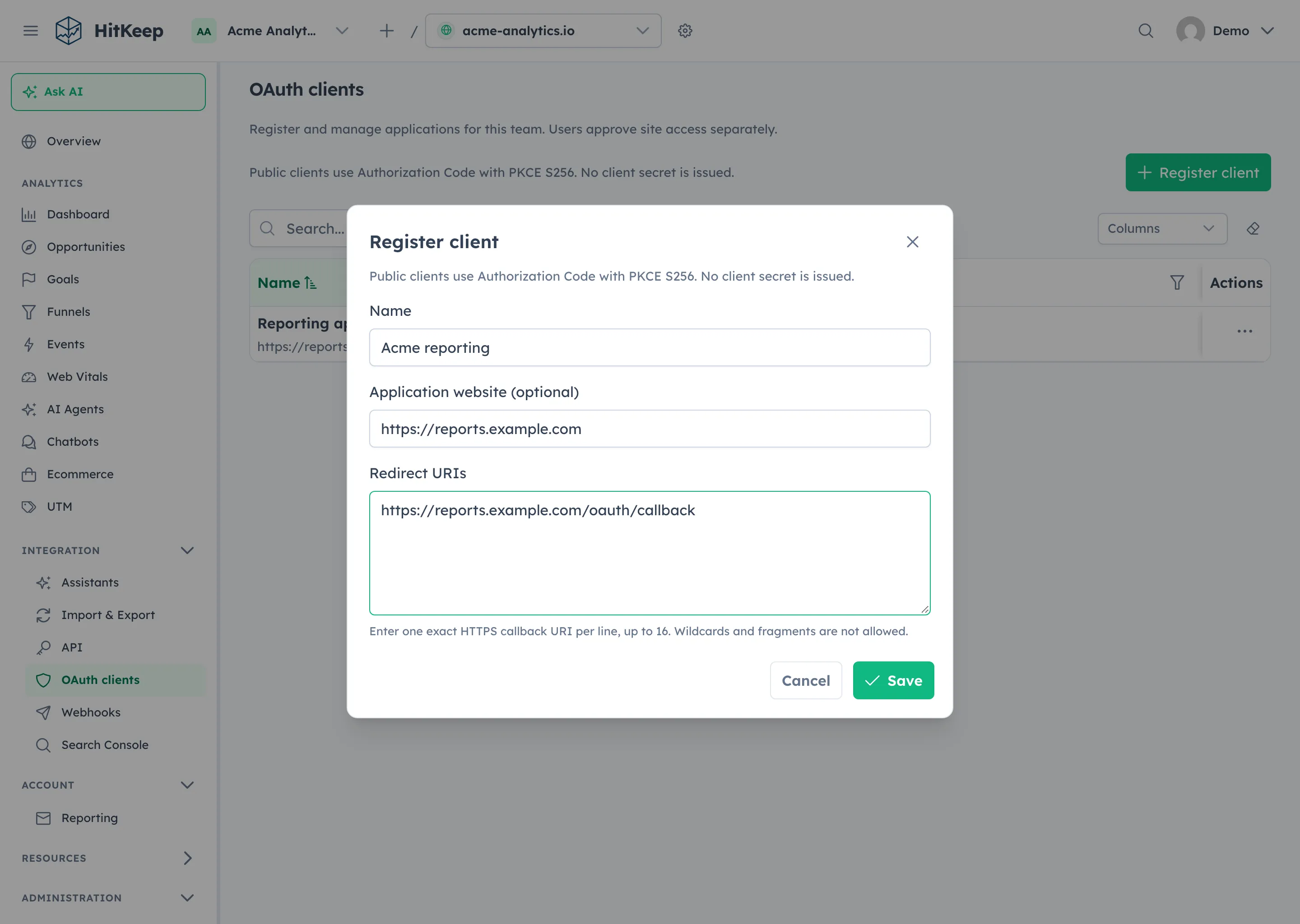
A team can have up to 128 active registrations. Team registrations can authorize only that team’s sites, subject to each user’s explicit consent and current permissions.
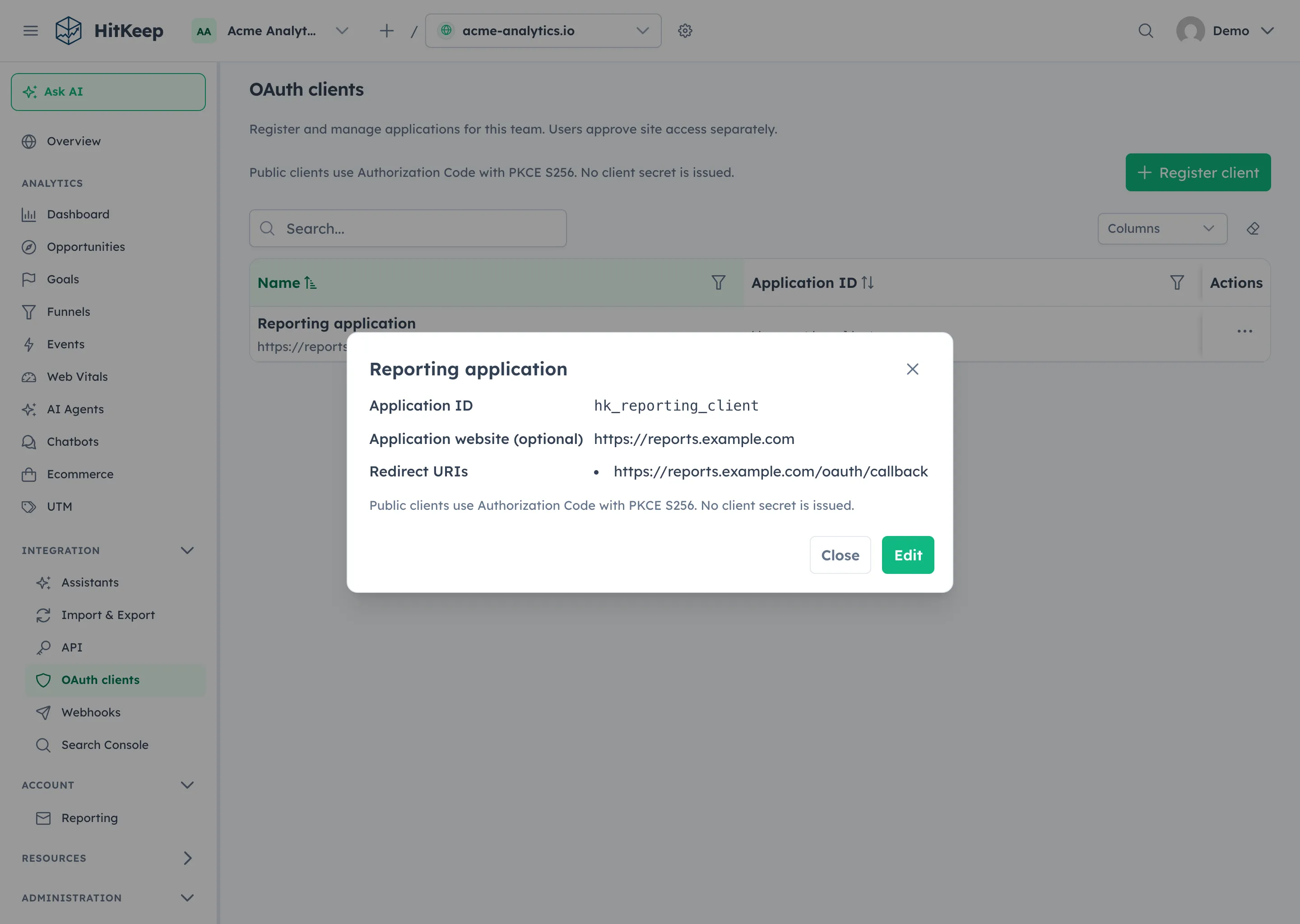
Select a registration row to open its details dialog, then choose Edit to change its name, application website, or callback URLs. The row actions also offer details, editing, and revocation. Saving an edit invalidates existing grants and pending consent for the previous registration version. Users must restart authorization and approve a new connection. Revoking a registration stops new authorizations and revokes its existing grants.
These are three separate controls:
| Control | Where to manage it | What it does |
|---|---|---|
| Team OAuth registration | Integration → OAuth clients | Gives an application a public client ID and approved callbacks; it grants no analytics access by itself. |
| Personal OAuth grant | Header user menu → Connected applications | Records the team, sites, scopes, and resource you approved; disconnecting revokes your own grant. |
| Manual API-client token | Personal Integration → API or team administration | Creates a bearer credential you copy into a script or client, with explicit delegated site roles. |
Registering a client does not replace manual API-client tokens or create a personal grant. Clients identified by HTTPS metadata documents and operator-configured registrations are managed separately.
Pre-register an operator-controlled client
Section titled “Pre-register an operator-controlled client”HTTPS Client ID Metadata Documents work without an operator entry. For a client needing explicit registration, set oauth-clients in the existing HitKeep YAML configuration file to a JSON array of public client metadata, then restart the instance:
oauth-clients: >- [{"client_id":"reporting-client","client_name":"Internal reporting","redirect_uris":["https://reporting.example.com/callback"],"token_endpoint_auth_method":"none"}]The configuration registry uses the same exact-redirect and public-client validation as authorization. Duplicate identities, unknown fields, client secrets, and unsafe hosted redirects are rejected. These instance-level registrations remain operator-controlled and are separate from team registrations in the dashboard. Configuration edits apply to new authorizations; use grant revocation to disconnect an existing connection. An invalid registry disables OAuth with a bounded operator warning; it does not disable ordinary login or legacy API clients.
Native loopback callbacks
Section titled “Native loopback callbacks”Operator-controlled registrations and clients identified by validated public HTTPS CIMD may declare an HTTP callback on localhost or an IP-literal loopback host such as 127.0.0.1 or [::1]. The declaration may omit its port. A native client may choose its listener port at authorization; only the port may vary. The scheme, exact declared hostname spelling, escaped path, and raw query must remain unchanged. localhost, 127.0.0.1, and different IPv6 spellings are not interchangeable.
Arbitrary HTTP destinations, wildcard hosts, credentials, fragments, and malformed, empty, zero, or out-of-range explicit ports are rejected before callback matching. HTTPS callbacks still require an exact match. Team registrations in the dashboard remain HTTPS-only; they do not inherit this native exception.
The callback is a browser destination, not a metadata-fetch target. CIMD retrieval still requires public HTTPS and retains its private-network, DNS-pinning, TLS, redirect, and response-bound protections. Supporting a local callback does not allow HitKeep to fetch metadata from localhost or another private address.
Send the actual listener callback in the authorization request. The code binds that selected callback; if redirect_uri is also sent during code exchange, it must match the selected request-time callback exactly, including the port.
Upgrade and recovery
Section titled “Upgrade and recovery”Existing users, compact role grants, and API-client tokens are retained. Personal credentials use current owner authority as well as their delegation; team credentials retain explicit team/site grants. No credential replacement or destructive ACL conversion is required.
OAuth adds control-plane tables. Preserve normal backups and migration checks when changing server versions. Reverting to an older binary disables OAuth functionality while retaining the additive data; qualify the specific downgrade before using it as an operational rollback. Older user-deletion code can leave unusable OAuth rows, which do not authorize a missing user. This is not a promise that an arbitrary older binary can safely restore every newer database.
An unsupported HTTP issuer or unavailable authoritative node does not silently switch an OAuth credential to dashboard-cookie authentication. Existing non-OAuth login and API-client workflows remain separate. If consent expires or the service is unavailable, return to the integration and retry authorization.