
Use the first-party plugin for analytics instructions and a separate MCP connection for data. Codex can then investigate traffic or tracking questions using aggregate evidence from the HitKeep sites you explicitly authorize.
Before you start
Section titled “Before you start”- Use a Codex version with native plugin marketplace and HTTP MCP support. The installation flow was checked with Codex CLI 0.164.0; current commands are also available through
codex plugin --helpandcodex mcp --help. - Sign in to the HitKeep instance that owns the sites you intend to share.
- Use a canonical HTTPS MCP endpoint that advertises OAuth support. The published skills package is independent of the 2.15.0 application rollout; check release availability before using OAuth or the Assistants page on an older instance.
- Keep analytics access separate from any repository or execution permissions you give Codex. HitKeep MCP grants neither source access nor administrative writes.
Install the first-party plugin
Section titled “Install the first-party plugin”Add the versioned repository marketplace and install the analytics package:
codex plugin marketplace add HitKeep/hitkeep-assistant-plugins --ref v2.15.0codex plugin add hitkeep-analytics@hitkeepcodex plugin list --marketplace hitkeep --jsonCheck that hitkeep-analytics@hitkeep is installed and enabled at version 2.15.0. The package supplies five skills:
hitkeep-analyticshitkeep-traffic-diagnosishitkeep-ai-visibility-analysthitkeep-ecommerce-analysthitkeep-tracking-verifier
It contains no bundled MCP endpoint, credentials, or executable hooks. Start a fresh session if the new skills are not visible in an existing conversation. Repository marketplace installation is separate from approval in the universal ChatGPT/Codex directory.
The first-party release also provides the portable ZIP and checksums. Use the ChatGPT guide for native private archive installation in ChatGPT; do not assume a CLI install installs a cloud plugin into that account.
Copy the endpoint from HitKeep
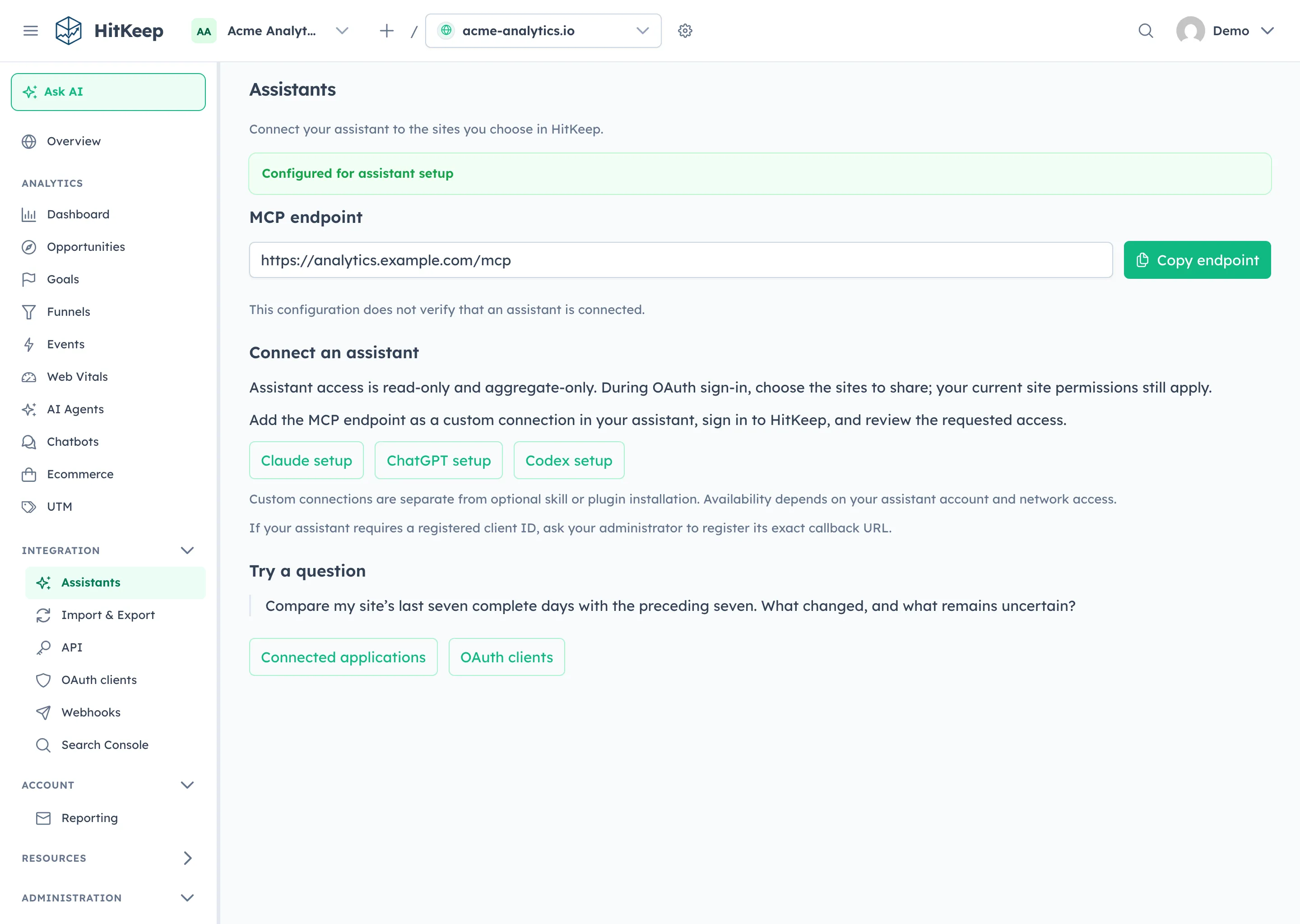
Section titled “Copy the endpoint from HitKeep”Open Integration → Assistants and copy the MCP endpoint. Use your actual EU, US, or self-hosted instance, including its custom MCP path or proxy prefix.
Add and authorize MCP separately
Section titled “Add and authorize MCP separately”Replace the example URL with your copied endpoint:
codex mcp add hitkeep --url https://analytics.example.com/mcpcodex mcp login hitkeep --scopes sites:read,analytics:readComplete the browser flow if the add command starts it immediately; otherwise use the login command. Sign in to HitKeep and review the requesting client, MCP resource, team, scopes, and selected sites. Approve only the sites needed for the investigation.
Use the native client’s validated HTTPS Client ID Metadata Document (CIMD) by default. If an explicit native registration is necessary, ask the HitKeep operator to pre-register an operator-controlled public client, then use its client ID with Codex’s supported setup. Integration → OAuth clients accepts HTTPS callbacks only; it cannot register a native HTTP loopback callback. Preserve the exact callback hostname and allow only the permitted loopback port variation. Do not add a client secret or relax callback validation. See the OAuth guide for client and resource binding.
For an instance without OAuth, use a scoped API-client token only through a client-supported bearer-token secret store. Never put a token in a prompt, shell history, or committed configuration.
Verify the connection with a small query
Section titled “Verify the connection with a small query”Ask Codex to list the authorized HitKeep sites. Select the intended site and try: “Summarize the last seven complete days against the previous seven. Check source changes and event coverage, and distinguish measured facts from possible causes.”
Confirm an aggregate tool response succeeded for the selected site. A plugin inventory, successful login, or endpoint copy alone is not proof that analytics queries work. The MCP catalog describes supported reports and limits; use date ranges and report sections that fit the question.
Review and revoke access
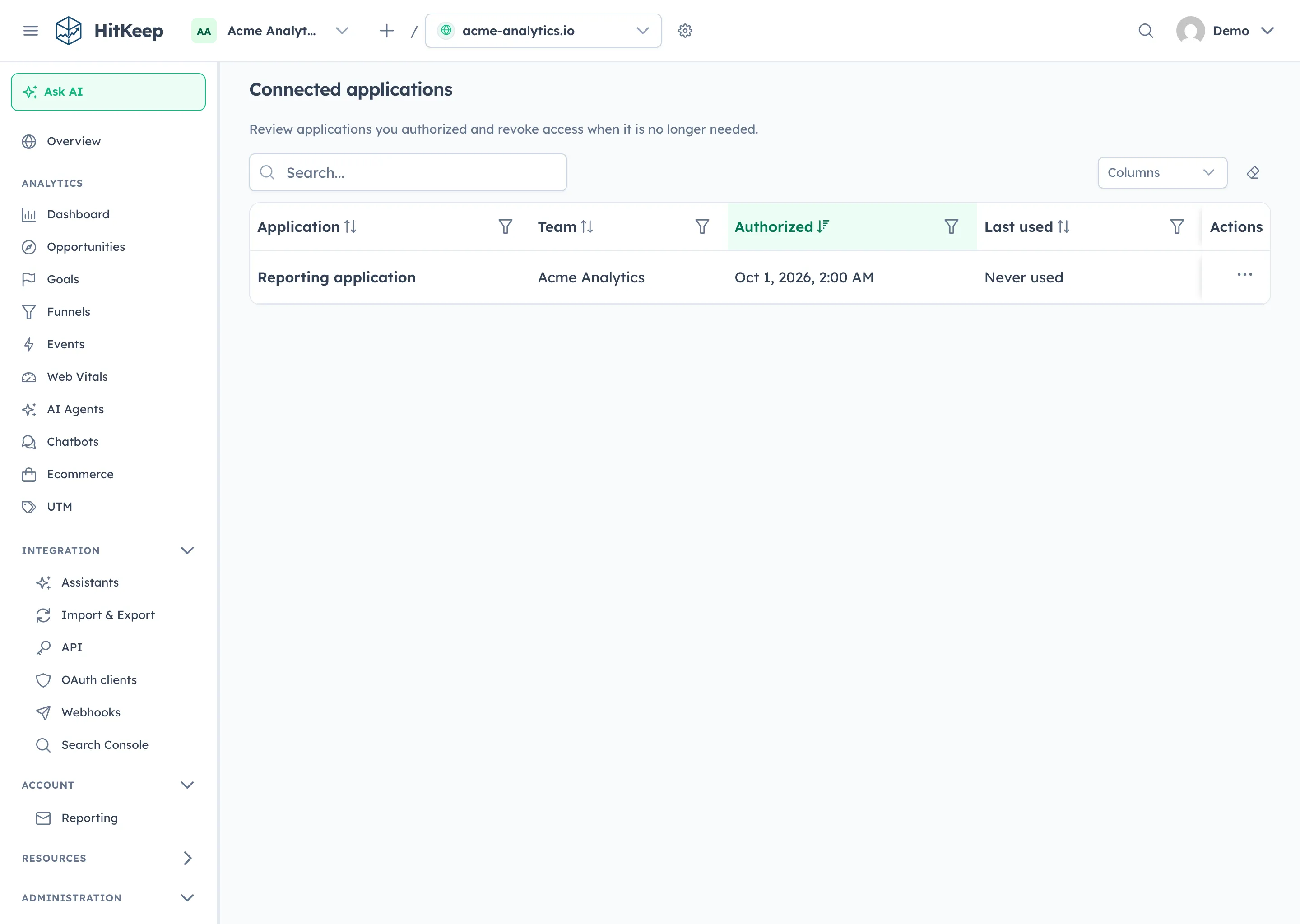
Section titled “Review and revoke access”Open the HitKeep header user menu and choose Connected applications. Review the grant and revoke it when it is no longer needed. Current site permissions still apply to subsequent requests.
After revocation or grant expiry, run the client’s login flow again and review consent. Access-token refresh and grant lifetime are separate; see the OAuth guide. If you remove a local client connection as part of troubleshooting, ensure its HitKeep grant is also revoked when you intend to stop data access.
Troubleshooting
Section titled “Troubleshooting”| Symptom | Check |
|---|---|
| Plugin commands unavailable | Check the installed Codex version and its native plugin feature availability. |
| Plugin installed but no HitKeep tools | Add MCP separately; the skills package intentionally does not configure a server. |
| OAuth discovery fails | Confirm the application version, HTTPS canonical URL, leader endpoint, and advertised metadata. |
| Callback rejected | Preserve the exact callback hostname and registered public client identity. |
| Authorized site missing or request denied | Check the consented team, sites, scopes, and current site membership; dashboard site switching does not expand a grant. |
| Reports are empty | Confirm date ranges, tracker/event collection, imported Search Console data, and crawler feeds where relevant. |
MCP excludes raw hit exports, dashboard cookies, billing, token management, and administrative writes. Authorized aggregate results are shared with the assistant you connect. See MCP behavior and the Codex integration overview.