
Goal Conversion Tracking in HitKeep
Dieser Inhalt ist noch nicht in deiner Sprache verfügbar.
You want to track real conversions without adding another external analytics service. Goals in HitKeep let you measure meaningful actions (event-based or path-based) directly inside your instance.
Use the generated API reference for goal management:
When another system needs to react to a conversion, subscribe a site or instance endpoint to goal.converted. The signed outbound webhook guide covers event IDs, HMAC verification, retries, and idempotent processing.
Goal Types
Section titled “Goal Types”- Path goal: counts sessions that hit a specific path (e.g.
/pricing). - Event goal: counts sessions that emit an event name (e.g.
signup).
Use path goals when the conversion is represented by a URL, such as /thank-you, /checkout/success, or a documentation signup page. Use event goals when the conversion happens inside a page, modal, checkout, embedded form, or product flow where the URL does not change.
Common goal examples:
| Goal | Recommended type | Example |
|---|---|---|
| Contact form submission | Event | form_submit or lead_form_submit |
| Newsletter signup | Event | newsletter_signup |
| Pricing page reached | Path | /pricing |
| Trial started | Event or path | trial_start or /signup/complete |
| Purchase completed | Event | purchase |
| AI assistant helped conversion | Event | assistant.goal_assisted |
Dashboard Workflow
Section titled “Dashboard Workflow”- Open your site in the dashboard.
- Navigate to Goals.
- Create a new goal (path or event).
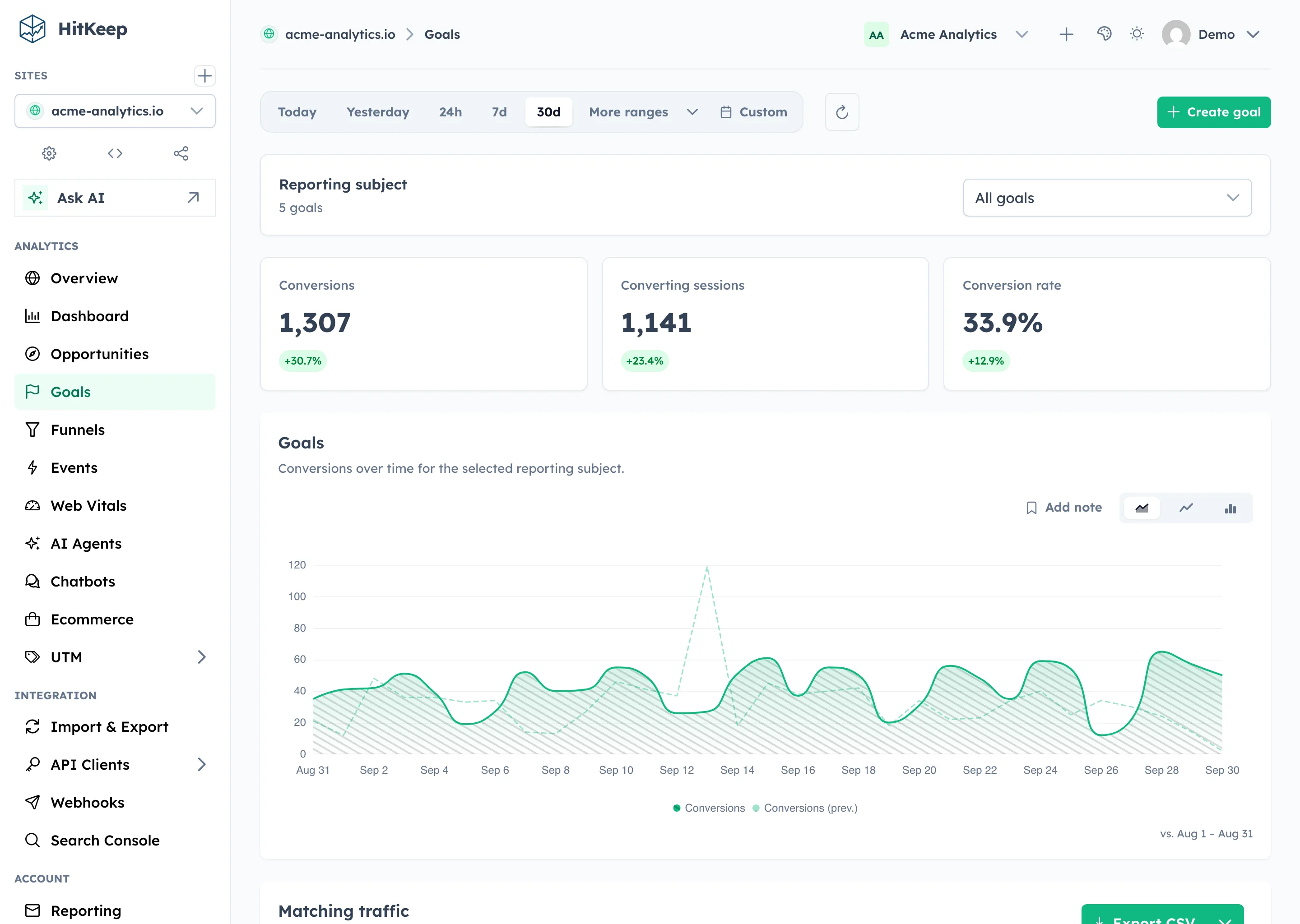
- Select All goals or one goal to update conversions, converting sessions, conversion rate, and the trend chart.
- Review and export Matching traffic below the trend. One selected goal shows page hits from sessions that completed it; All goals shows the union of sessions that completed any goal.
The Goals report keeps analysis and definition management together. Search, sorting, pagination, date changes, and exports retain the selected goal cohort.
For cross-dimensional investigation, select a goal from the Dashboard’s Conversions card. The goal chip filters Dashboard KPIs, charts, dimensions, raw traffic, and exports to page hits from sessions that completed the selected goal during the report window. Normal page, source, device, and location filters intersect with the cohort. Clear the chip to restore unfiltered reporting.
Goal definitions are managed inline in the searchable table. Editing a goal keeps its ID and creation timestamp, while recalculating analytics from the updated definition.
How goals relate to events and funnels
Section titled “How goals relate to events and funnels”Goals answer “did this outcome happen?” Funnels answer “where did people drop out before this outcome?” Events provide the raw named actions that event goals and funnel steps can use.
For a SaaS signup flow, a typical setup is:
- Create an event goal for
trial_start. - Create a funnel with steps for
/pricing,/signup, andtrial_start. - Use UTM filters to compare campaign quality.
- Use source, country, city, provider, and ASN filters to spot traffic segments that convert or stall.
AI and assistant conversions
Section titled “AI and assistant conversions”Goals also work with AI-related traffic. Use path goals or event goals to see whether AI-referred visits reach important pages, and use assistant.goal_assisted events when an on-site chatbot contributes to a conversion.
Related
Section titled “Related”- Google Analytics Alternative for WordPress
- Configuration Reference
- AI Visibility Analytics
- AI Chatbot Analytics
- Signed Outbound Webhooks
- REST API Reference
Prefer a managed setup with backups and upgrades handled for you? Start with HitKeep Cloud →