
UTM Parameters
You run paid ads, newsletters, and social campaigns across multiple channels and need to attribute traffic correctly. HitKeep automatically captures all five standard UTM parameters from incoming requests — no plugin, no configuration, no extra code required.
Supported Parameters
Section titled “Supported Parameters”| Parameter | Example | What it tracks |
|---|---|---|
utm_source | google, newsletter | Where the traffic came from |
utm_medium | cpc, email | The marketing channel |
utm_campaign | spring-launch | The specific campaign name |
utm_content | hero-cta, sidebar-link | Which ad or link was clicked |
utm_term | web analytics | The paid keyword |
How it Works
Section titled “How it Works”UTM parameters are read from the ? query string of the page URL sent with each hit. The hk.js snippet automatically forwards the full URL including query string when a user lands on your site.
No configuration is needed. UTM capture is active by default.
https://your-site.com/pricing?utm_source=google&utm_medium=cpc&utm_campaign=spring-launchHitKeep stores each parameter on the hit record and makes them available in the UTM view of the dashboard.
The UTM Dashboard
Section titled “The UTM Dashboard”Traffic tagged with UTM parameters appears in the UTM section of your dashboard, broken down by source, medium, campaign, content, and term.
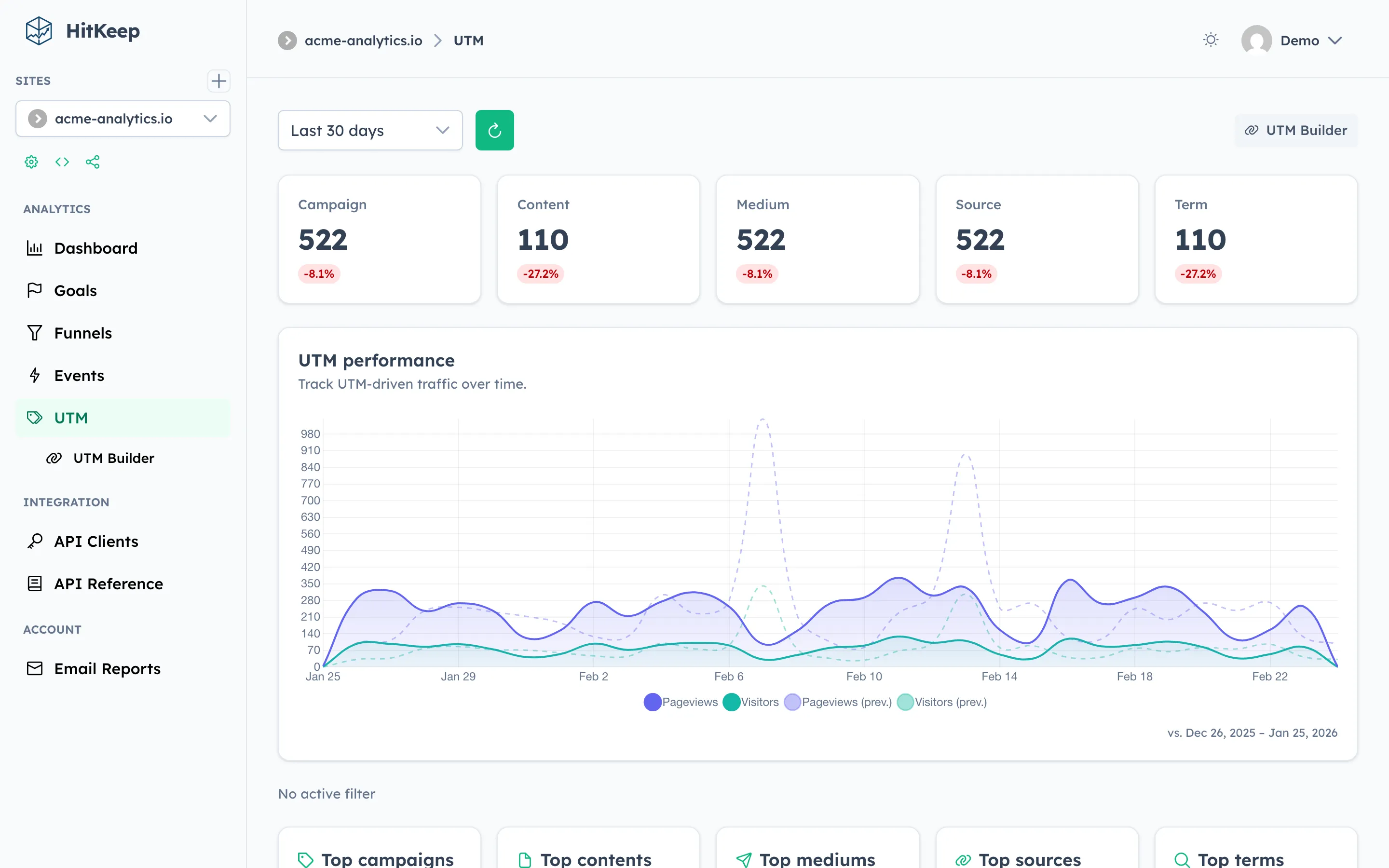
Combine with Goals to measure which campaigns drive conversions, not just clicks.
Built-in UTM Link Builder
Section titled “Built-in UTM Link Builder”HitKeep includes a UTM link builder directly in the dashboard — no need for external tools. Navigate to UTM → UTM Builder to generate tagged campaign URLs.
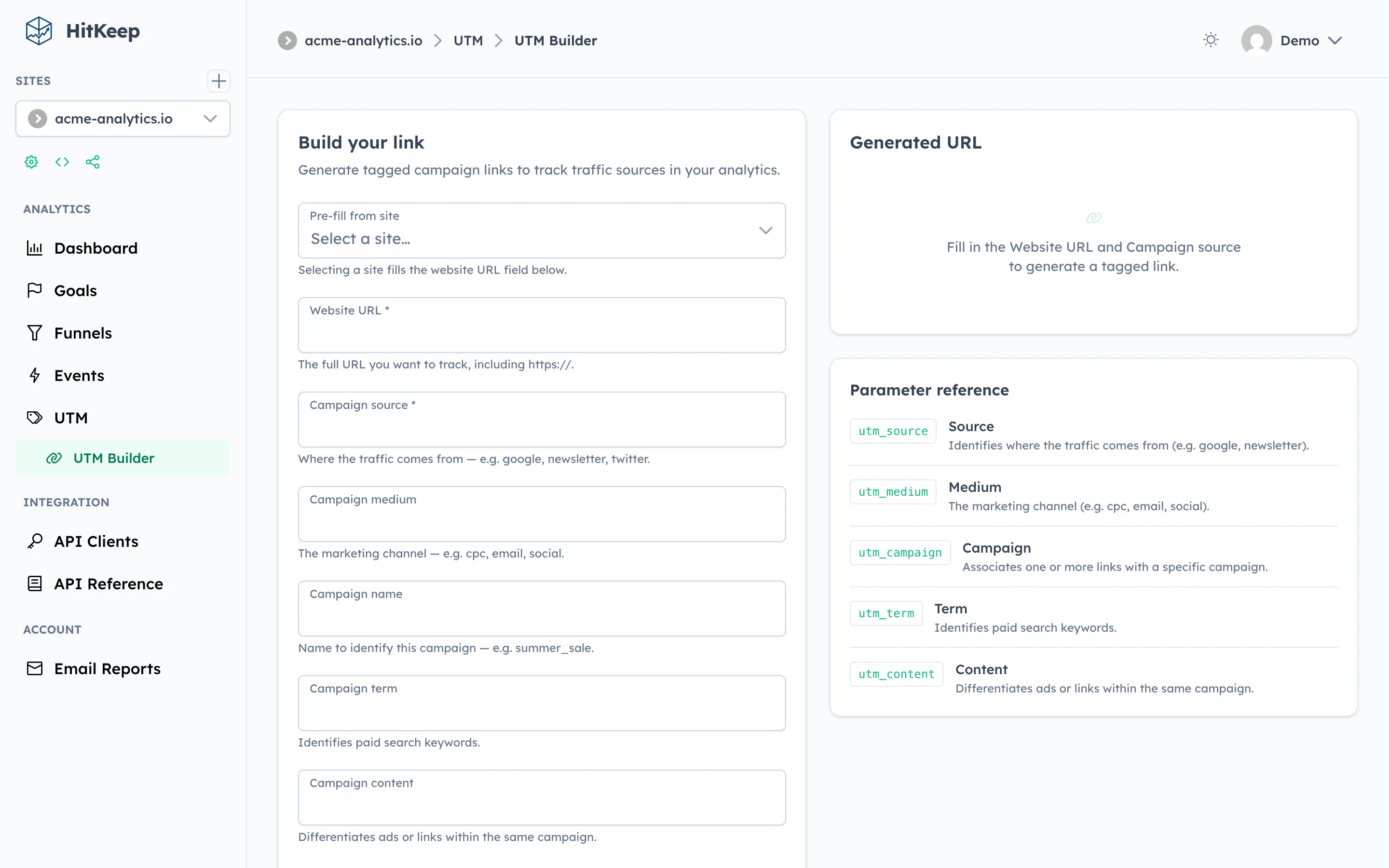
The builder:
- Pre-fills the website URL from any of your tracked sites
- Generates the tagged URL in real time as you type
- Copies the final URL to your clipboard with one click
Dashboard Workflow
Section titled “Dashboard Workflow”- Open UTM → UTM Builder and fill in your campaign details.
- Copy the generated URL and use it in your ad, email, or social post.
- Traffic will appear in the UTM tab, broken down by source, medium, and campaign.
- Combine with Goals to measure which campaigns drive conversions.
API Access
Section titled “API Access”UTM data is included in the raw hits endpoint:
curl "https://your-hitkeep.example/api/sites/{site_id}/hits?from=2025-01-01T00:00:00Z&to=2025-01-31T23:59:59Z" \ -b "hk_token=YOUR_SESSION_COOKIE"Each hit record includes utm_source, utm_medium, utm_campaign, utm_content, and utm_term fields when present.
Related
Section titled “Related”Running multiple brands or ad accounts? HitKeep Cloud → offers multi-site management with unified UTM reporting.