
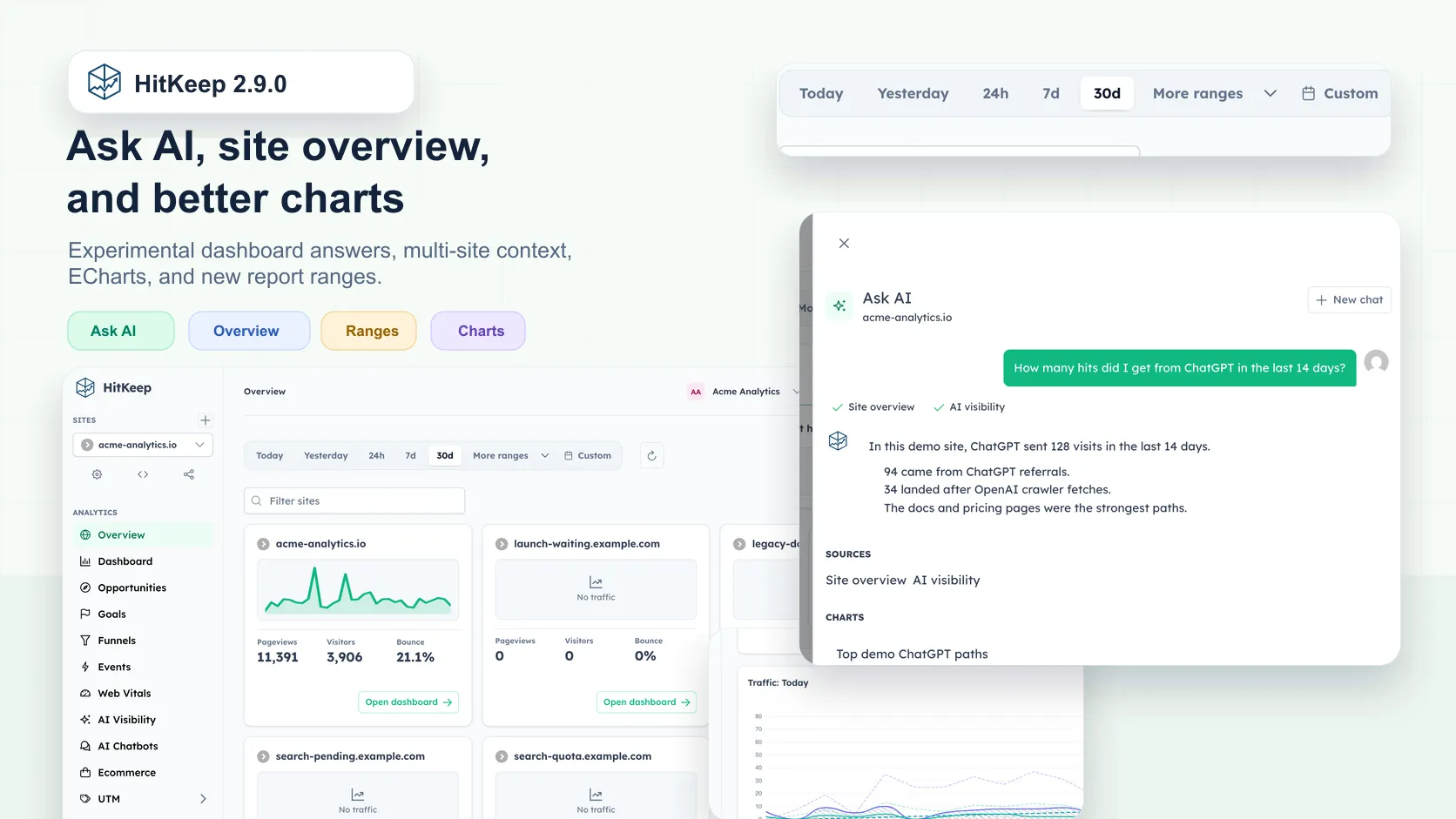
HitKeep 2.9.0 adds the experimental Ask AI dashboard assistant, a new multi-site overview, ECharts-based charts, more time range presets, and a round of dashboard fixes.
What Shipped
- Experimental Ask AI: a dashboard drawer can answer site-scoped analytics questions, show tool-call progress, cite aggregate results, render small charts or tables, and offer safe dashboard actions.
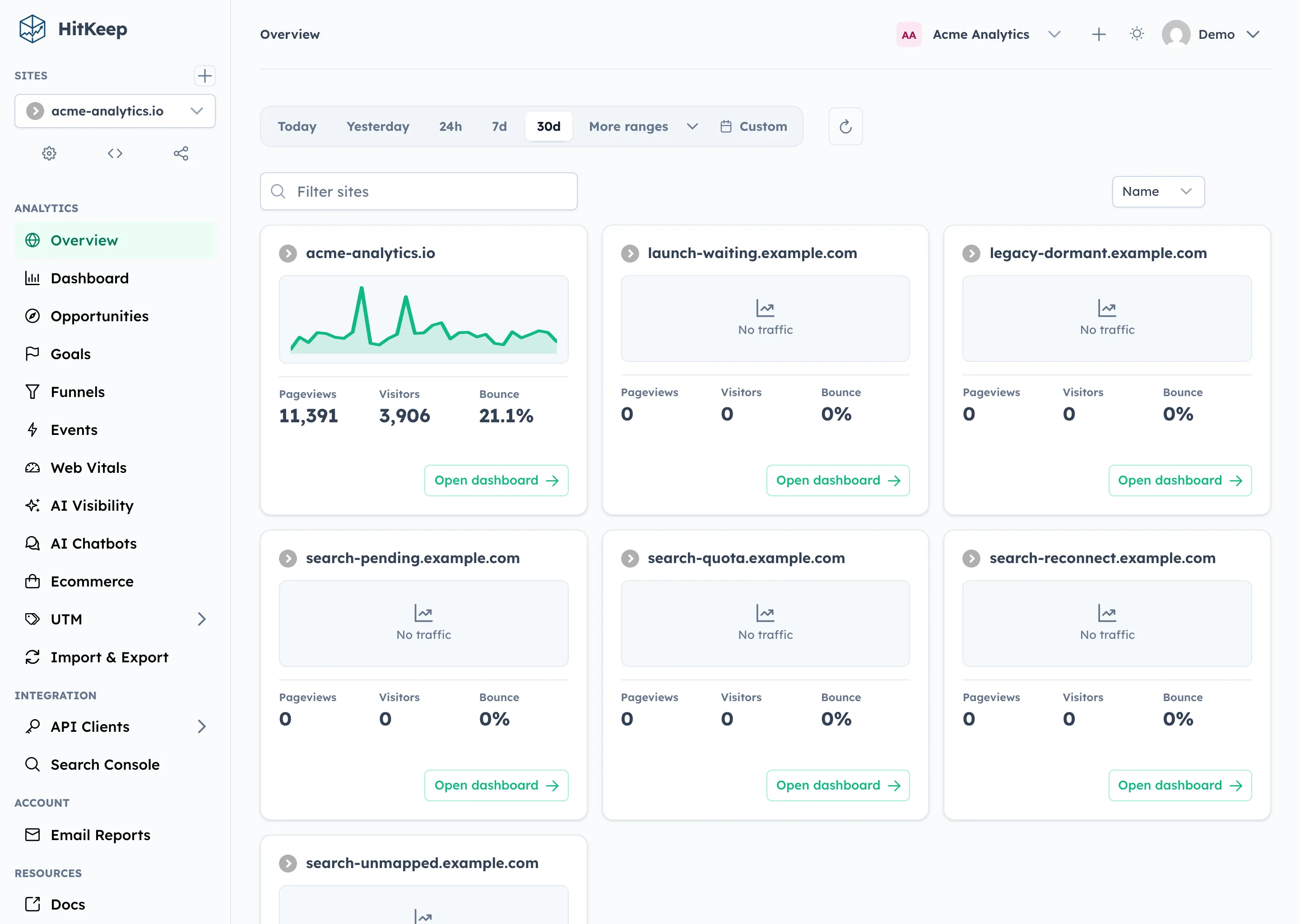
- New overview page: the dashboard gets a lighter place to compare sites before opening a specific analytics report.
- ECharts charts: analytics charts move from Chart.js to ECharts for clearer rendering, better accessibility hooks, and a shared chart option layer.
- More time ranges: the range toolbar now supports Today, Yesterday, 24h, 7d, 30d, additional presets, and custom ranges.
- Searchable selectors: range and language selectors are easier to scan when the list grows.
- Cloud setup polish: hosted cloud signup now carries region choice into the signup flow and exposes hosted integration discovery.
- Team and site workflow fixes: invite links survive the login flow, site owners can reset stats from the dashboard, QR share mode exposes QR navigation, and seeded demo data better matches the current day.
- UI maintenance: the favicon and primary logo were replaced with optimized SVGs, dashboard screenshots were refreshed, mail footer social badges were simplified, and frontend dependencies were updated.
Experimental Ask AI
Ask AI is the first dashboard-session assistant in HitKeep. It appears as a drawer inside the authenticated dashboard and uses the active site as its scope. A user can ask a question such as “How many hits did I get from ChatGPT in the last 14 days?”, then see which aggregate analytics tools were read before the answer appears.
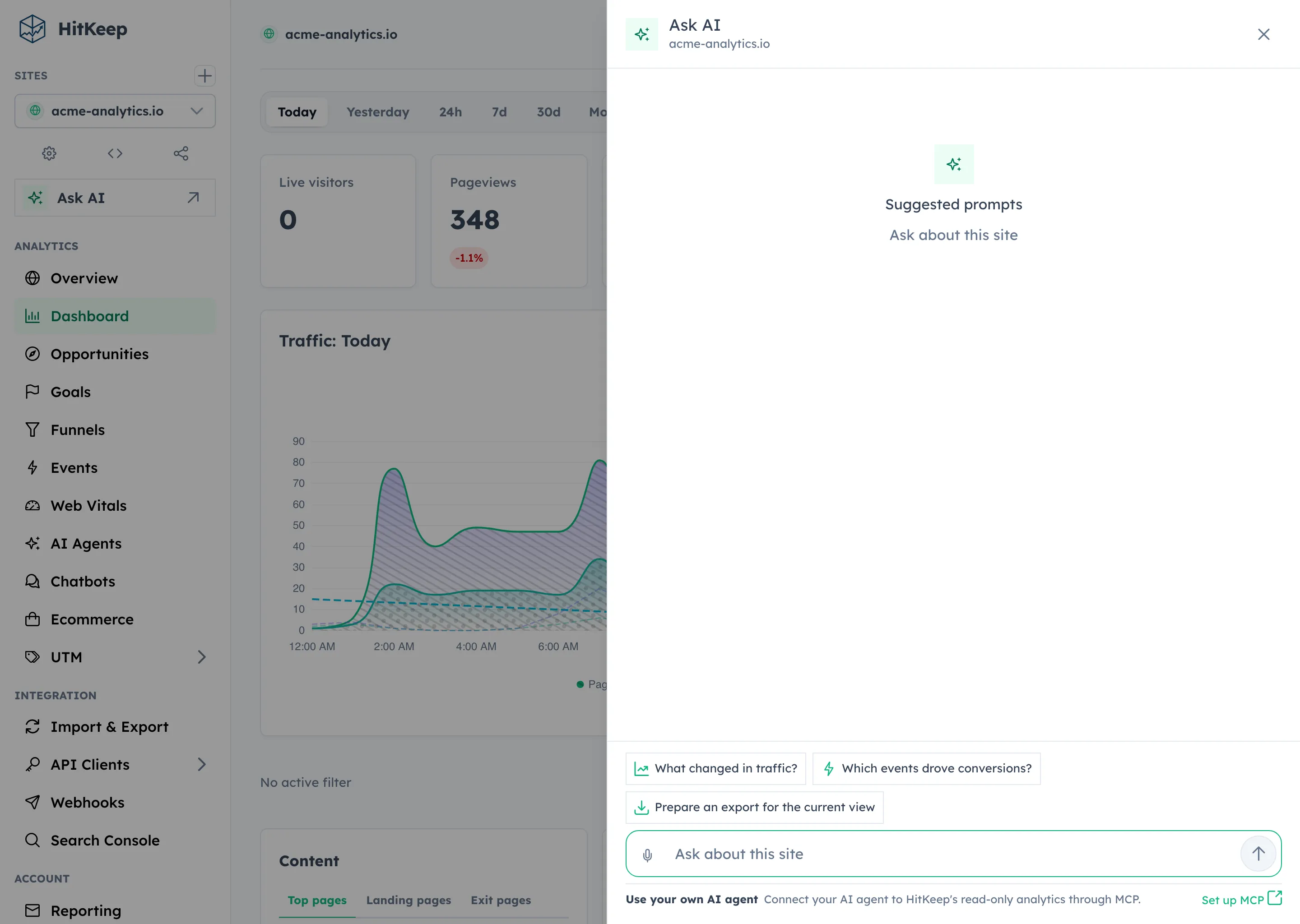
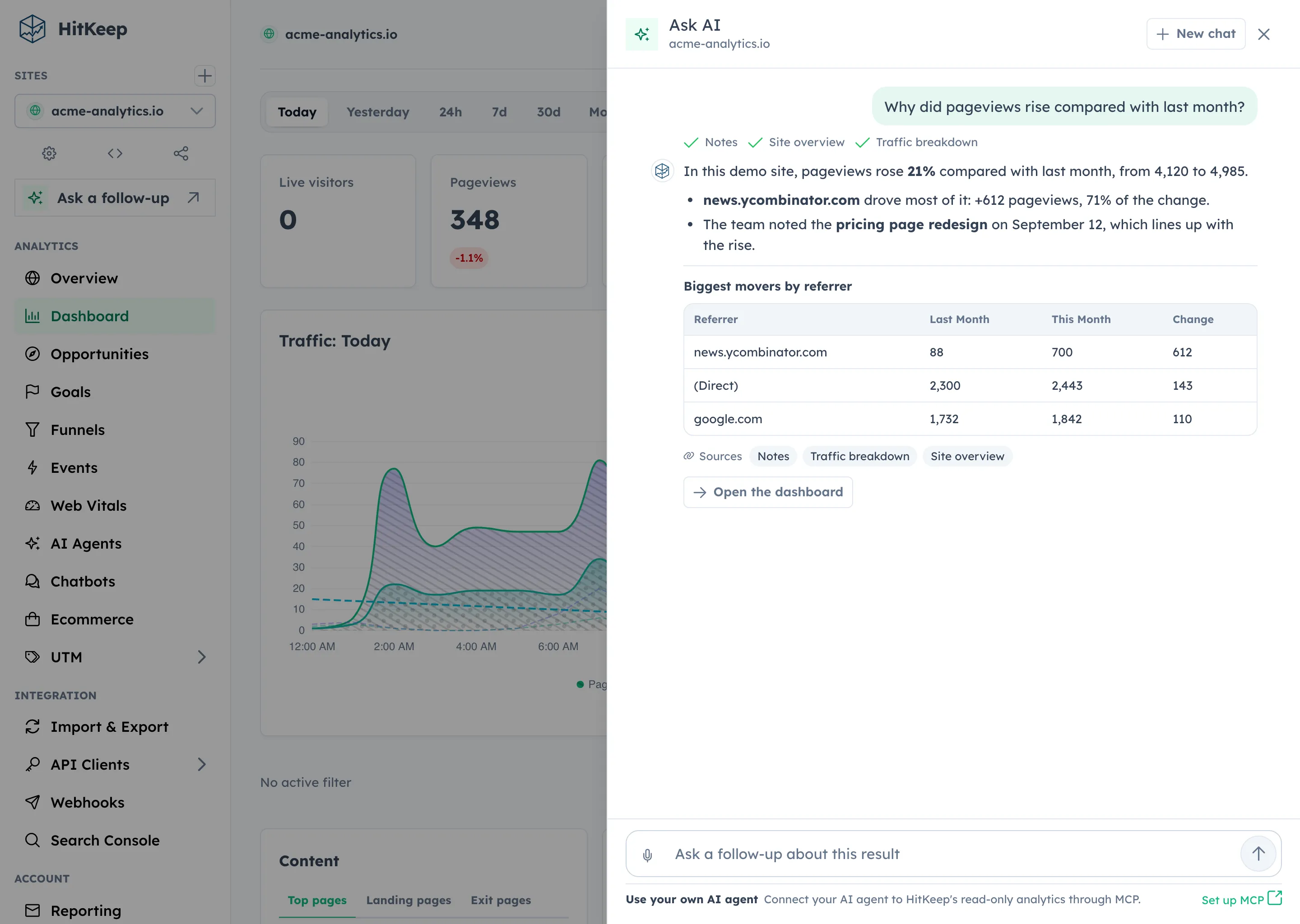
Ask AI is experimental, optional, and disabled by default. Self-hosted operators must enable both the shared AI route and the Ask AI feature flag:
HITKEEP_AI_ENABLED=trueHITKEEP_ASK_AI_ENABLED=trueHITKEEP_AI_PROVIDER=openai-compatibleHITKEEP_AI_MODEL=your-model-or-gateway-routeAsk AI is dashboard-session only. It does not add a public MCP tool, does not accept API client bearer tokens, and does not expose a saved history tab. MCP remains a separate read-only aggregate API client surface.
The assistant is also intentionally narrow about stored data. Public docs and user-facing exports do not expose raw prompts, provider secrets, full model responses, provider headers, raw external error bodies, or unrestricted tool payloads. Saved audit metadata uses safe fields such as hashes, tool names, status, counts, usage, and error categories.
New Overview Page
HitKeep 2.9.0 adds a new overview surface for operators who manage more than one site. It gives the dashboard a light entry point before the user drills into a specific report. The overview uses lightweight site metrics and compact chart visualizations so teams can spot which site needs attention first.
The site reset workflow also became more explicit. Site owners can reset stats from the dashboard, while API clients cannot use that destructive dashboard-session path. That keeps cleanup available to operators without turning reset into a machine-token workflow.
Better Charts And More Time Ranges
Analytics charts now use ECharts through a shared HitKeep chart option layer. The dashboard keeps the same product questions: pageviews, visitors, comparison overlays, goal and funnel movement, ecommerce trends, AI visibility, and Web Vitals. The charting library change is about rendering, readability, and maintainability rather than changing the analytics model.
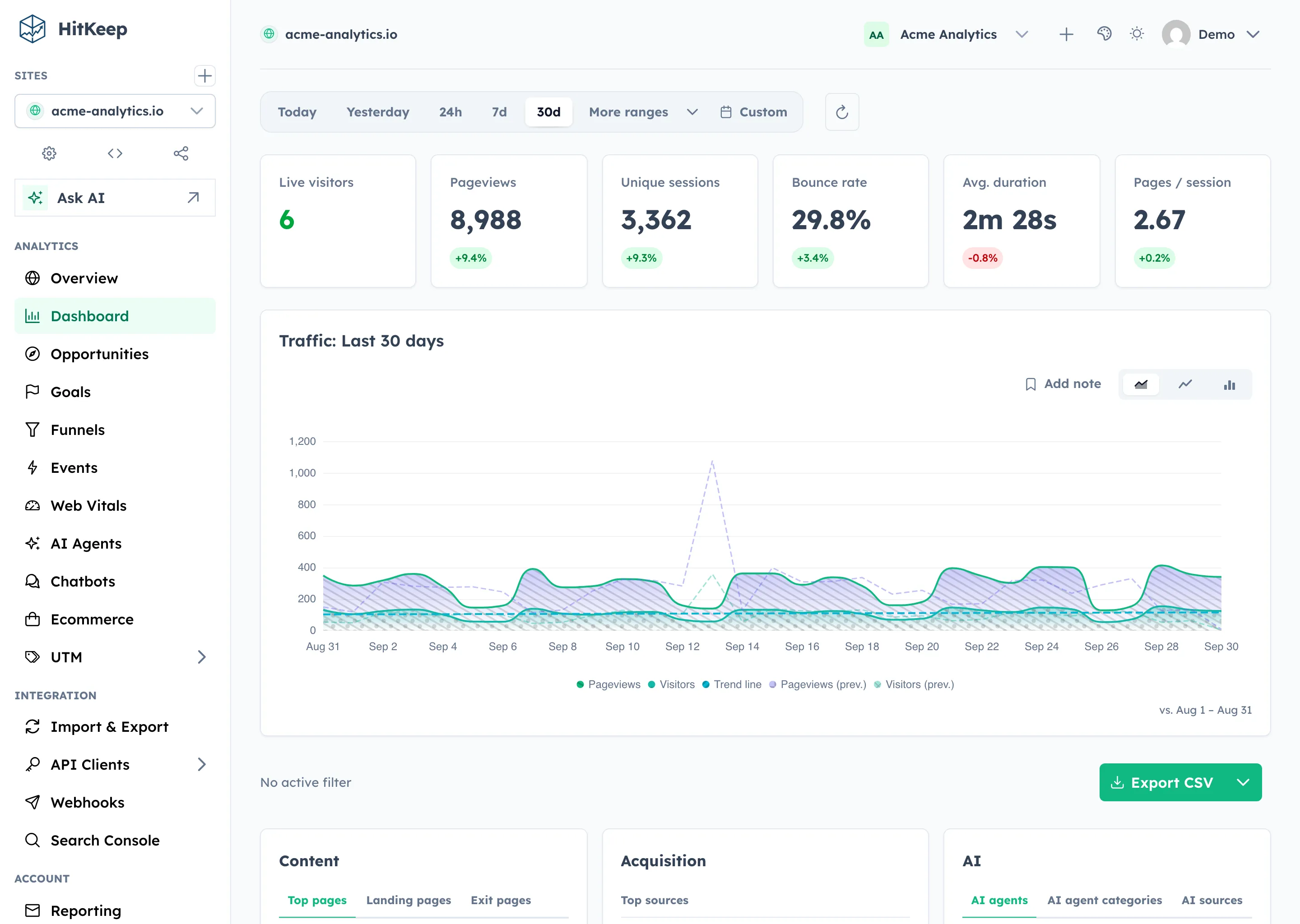
The range toolbar now covers short windows, calendar-style presets, and longer report windows in one control set. Today is useful during setup and launches. Yesterday, 24h, 7d, 30d, and the expanded preset list cover recurring reporting. Custom still handles exact campaign or incident windows.
Cloud, Teams, And Setup Polish
The hosted cloud signup flow now carries region choice into signup instead of making the user pick it later. Hosted integration discovery also gives cloud deployments a clearer way to expose available hosted integration paths.
Team invite handling is less fragile. Invite links now survive the login flow, so existing users can sign in and land back on the pending invite. New invited users can set a password for the invited email address and start in the team that invited them.
The setup path also picked up smaller fixes: brand clicks return to the app root, QR share mode exposes QR navigation, and demo seed data now keeps AI visibility, UTM, and QR examples visible for the current day.
Bug Fixes And UI Polish
This release includes a wide dashboard asset refresh and several focused fixes:
- the language selector overlay stays above the settings card
- the favicon and primary logo now use optimized SVG assets
- the mail footer keeps legal and social links without heavy badge styling
- seeded dashboard end-to-end tests are more stable
- Go modules and frontend packages were refreshed
- Helm chart release metadata now follows HitKeep Release Cadence
- the MCP registry and README point readers toward the analytics MCP use-case page
These are maintenance changes, but they matter for the daily experience: fewer overlay surprises, better current-day demo states, cleaner branding, and less screenshot drift between the product and docs.
What Is Not Changing
HitKeep keeps the same operating model:
- one Go binary
- embedded DuckDB data stores
- embedded NSQ queueing
- no required PostgreSQL, Redis, Kafka, ClickHouse, or hosted analytics dependency
- cookie-free browser tracking by default
- open export paths
- self-hosted and managed cloud built from the same product foundation
Ask AI does not turn HitKeep into a write-capable automation layer. It is a human dashboard assistant for aggregate analytics questions. MCP remains read-only, aggregate-only, and separate from the dashboard-session Ask AI drawer.
Upgrade Guidance
Upgrade to 2.9.0 if you want to try the experimental Ask AI drawer, use the new overview surface, get the ECharts chart migration, or use the expanded report ranges.
After upgrading, check:
- Ask AI visibility and disabled states on self-hosted instances
- AI provider configuration and budget limits if you enable Ask AI
- the new overview page with multiple sites
- better chart rendering on dashboard, goals, funnels, ecommerce, Web Vitals, AI visibility, and UTM reports
- Today, Yesterday, 24h, 7d, 30d, More ranges, and Custom range behavior
- invite acceptance after login
- owner-only site stats reset
- QR share navigation
For production Ask AI use, route provider traffic through an AI gateway or provider policy layer that can enforce detailed quotas, model allowlists, key isolation, audit logging, redaction, and network controls. HitKeep’s built-in request and token caps are a local process-level safeguard, not a complete provider policy system.