
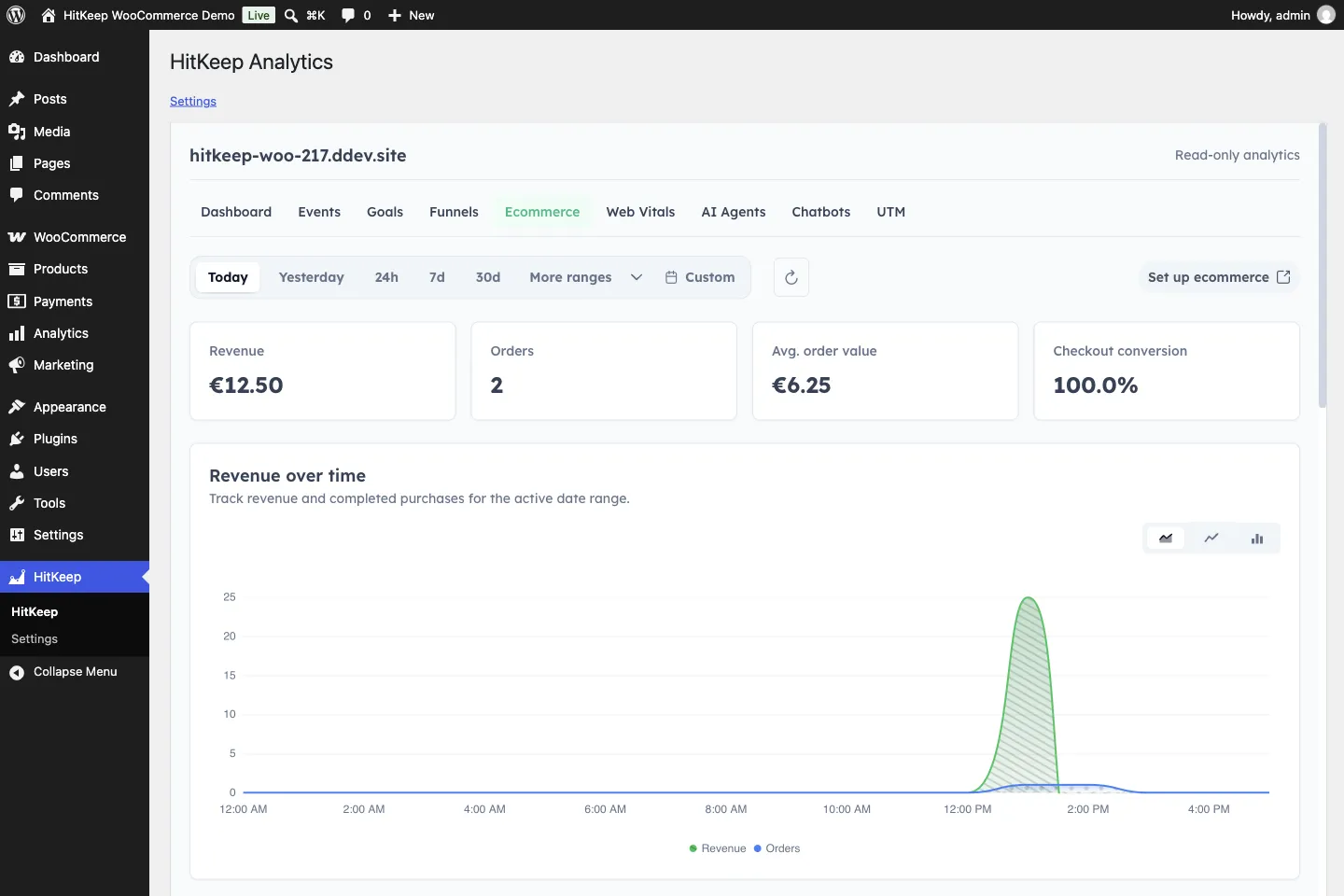
Screenshots show the current HitKeep interface. Feature descriptions refer to this release.
After publishing a page or running a promotion, you want to know what happened: where visitors came from, what caught their interest, and whether that interest became a sale. HitKeep 2.17 brings that reporting closer to the work you already do in WordPress. It also gives you more control over signing in, closing your account, and sharing analytics with an assistant.
HitKeep 2.17.0 is released and deployed on Cloud. The WordPress reports and WooCommerce features below need the separate plugin 0.4.0 or newer update. Plugin 0.4.0 is now available on WordPress.org. The WordPress setup guide covers availability and requirements for Cloud and self-hosted sites.
Check your traffic where you manage your site
The new WordPress integration puts HitKeep reports inside your WordPress admin. Open the HitKeep menu to see traffic trends, compare dates, and filter your reports. You can check which sources brought visitors to a new page, review campaign traffic, or look at the events and goals you collect, then return to editing your site.
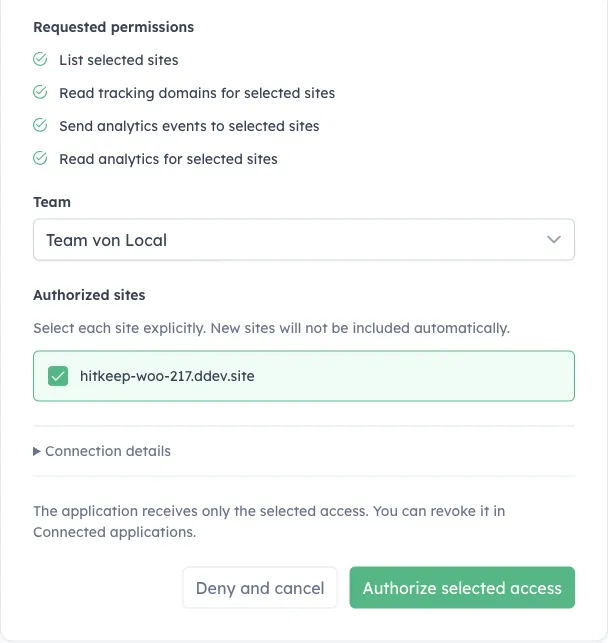
You choose which HitKeep sites WordPress may access when you connect. Reports are read-only; settings, billing, exports, and account management stay in the full HitKeep dashboard. Opening a report does not enable extra tracking or optional integrations.
See shopping interest alongside confirmed sales
A product view, an item added to a cart, and a paid order tell you different things. With WooCommerce tracking enabled, you can compare product, cart, and checkout activity with confirmed purchases and refunds. That gives you more to work with when reviewing a promotion than a traffic total alone.
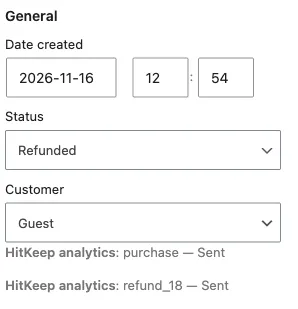
Purchases are recorded when WooCommerce confirms payment, including payments completed later. Refreshing the thank-you page does not count another sale. Full and partial refunds appear too, so reported revenue reflects money returned to customers.
If an order is missing from analytics, its WooCommerce order page shows whether the purchase or refund reached HitKeep and lets you retry a failed delivery.
Commerce tracking is off by default. Staff and logged-in customers are excluded by default, with a separate choice to include customers. Tracking opt-outs remain respected, and commerce analytics omits customer names, emails, and billing or shipping addresses.
Use one reporting currency per site. These reports help you understand store performance; your order system remains the place for accounting and inventory records. The WooCommerce setup instructions cover enabling and checking collection.
Keep access decisions in your hands
Connecting another app should leave you in charge of what it can see. Compatible assistants can now start a connection request for you to review in HitKeep. You sign in, choose the team and sites, and approve the requested access. The request alone gives the assistant nothing.
An assistant’s read-only analytics connection can read aggregate reports for the sites you approve. That approval is separate from signing into your own account in an app. Review or disconnect it later in Connected applications. The assistant connection guide explains the approval flow.
For compatible native apps, this release adds support for signing in and approving account changes in your browser, including adding a passkey or linking a supported sign-in provider. Native app availability depends on separate app updates and store releases. See the account access guide for support details.
Leaving an account also gets a clearer review step. HitKeep shows the teams and sites affected before deletion and requires ownership handovers where needed. Shared teams survive your personal account removal. You authenticate again and confirm the decision after reviewing it. Export anything you need first, then follow the account-deletion guide.
Spend less time untangling your traffic reports
Your own website should not appear to be a new source of visitors just because someone moved between its main address and the www version. HitKeep now treats those two addresses as the same site’s internal traffic, including when reporting imported history. Other subdomains and outside sources stay distinct.
This release also fixes lost bounce counts when combining daily totals with imported visits. The definitions of sessions, duration, and bounce rate have not changed.
There is routine maintenance underneath these changes too: updated database and application components, plus refreshed traffic classification and spam filtering data. Existing analytics files need no storage conversion, but self-hosted upgrades still call for a complete backup.
The full release notes and downloads cover the technical changes. To run HitKeep yourself, follow the self-hosting guide.