
You can check site traffic without Google Analytics by combining a focused web analytics platform with the sources that answer narrower questions. Use analytics for visitors and on-site behavior, Search Console for Google Search visibility, server or CDN logs for raw requests, campaign tags for attribution, and backend records for confirmed conversions.
The important distinction is ownership. For a site you control, first-party analytics and infrastructure data can provide reliable traffic and conversion trends. For somebody else’s website, no public tool can reveal exact visitor numbers; competitor tools can only estimate them.
The short answer: choose the source that matches the question
“Website traffic” can mean several different things. Start with the decision you need to make, then use the source that can actually support it.
| Question | Metric to check | Best source |
|---|---|---|
| How many people visited? | Visitors, sessions, pageviews | First-party web analytics |
| Where did they come from? | Referrers, channels, campaigns | Web analytics plus UTM tracking |
| Which content attracts Google Search demand? | Clicks, impressions, queries, CTR, average position | Google Search Console |
| Which pages produce outcomes? | Goals, events, funnels, confirmed conversions | Web analytics plus backend records |
| Which bots and AI crawlers requested the site? | User agents, paths, status codes, fetch volume | Server, CDN, or edge logs |
| Did an offline campaign create visits? | QR scans, tagged visits, conversions | Tagged URLs, QR campaigns, and goals |
| How much traffic does a competitor receive? | Estimated visits and search traffic | Third-party estimates, never exact first-party data |
No single source is perfect. Browser analytics can miss blocked or unconsented requests. Logs include bots and asset requests that are not human visits. Search Console covers Google Search rather than total traffic. A CRM or payment system confirms an outcome but may not preserve the acquisition journey.
A useful Google Analytics replacement does not try to force every question into one number. It combines a small set of sources with documented definitions.
First, decide whether you own the website
If you own or operate the website, you can measure it directly. You can install a first-party analytics script, inspect your server or CDN logs, connect Search Console, tag campaigns, and compare recorded goals with your own business systems.
If you do not control the website, you cannot see its exact visitors, sessions, revenue, or conversions unless the owner shares that data. SEO and competitive-intelligence tools can estimate traffic using rankings, clickstream samples, panels, and models. Those estimates can help compare direction or relative scale, but they are not a substitute for first-party analytics.
This guide focuses on accurate measurement for a site you control. The competitor question is covered separately in the FAQ because it requires a different evidence standard.
Use privacy-first web analytics for core visitor data
The closest functional replacement for GA4 is a web analytics platform that records pageviews, visitors, referrers, campaigns, events, and conversions. Modern privacy-first products narrow the collection surface and often avoid analytics cookies or persistent cross-site identifiers by default.
This layer should answer the questions a team checks every day:
- How many visitors came today, this week, or this month?
- Which pages attracted and retained attention?
- Which referrers and campaigns performed best?
- Which devices, countries, or browsers changed?
- Which calls to action, forms, signups, or purchases converted?
HitKeep provides these reports with cookie-less event tracking by default. It also supports goals, funnels, Search Console imports, open-format data takeout, managed EU or US cloud hosting, and a single-binary self-hosted installation.
Cookie-free does not automatically mean consent-free or compliant. Storage, identifiers, event fields, purposes, retention, deployment, and jurisdiction all matter. Treat the smaller data boundary as an implementation property, not a legal conclusion.
When evaluating an analytics tool, verify how it defines visitors and sessions, how it filters bots, whether referrers and campaigns remain exportable, how goals are confirmed, and whether its hosting model matches your ownership requirements.
Before you start, compare the free plan and limits or see how HitKeep differs from Google Analytics. The following sections explain what each data source can—and cannot—tell you.
Use Google Search Console for organic search traffic
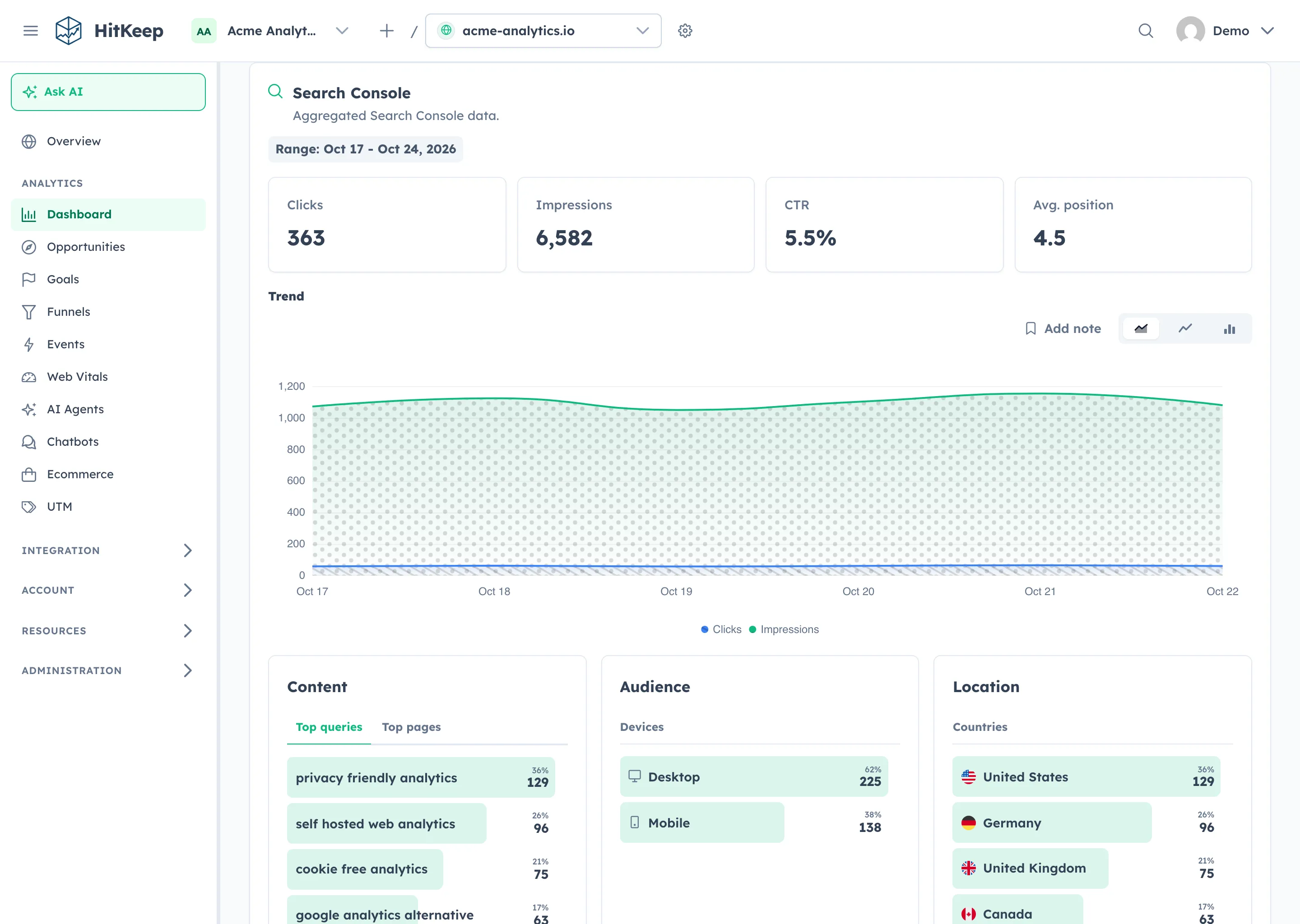
If the question is “How much traffic do we receive from Google Search?”, Search Console is essential. Its Performance report provides clicks, impressions, click-through rate, average position, queries, pages, countries, devices, and dates.
That information begins before a visitor reaches the site. An impression can show search demand even when nobody clicks, and query data can reveal a page that ranks but needs a clearer title or more relevant answer.
Search Console is useful for:
- finding pages with impressions but weak click-through rates;
- comparing branded and non-branded discovery;
- spotting traffic changes after content or technical updates;
- finding queries that deserve a stronger section or a new article; and
- measuring Google Search without adding another browser script.
Its limits are equally important. Search Console does not report direct, referral, email, paid, social, or non-Google traffic, and it does not reconstruct the visitor’s full journey after the click. Google also documents why Search Console totals can differ from analytics totals.
Connect the HitKeep Search Console integration when you want search visibility beside landing-page, audience, and conversion reporting.
Read server and CDN logs for raw request evidence
Server, reverse-proxy, edge, and CDN logs show requests made to your infrastructure. They can include human page loads, search crawlers, AI crawlers, uptime monitors, API clients, download requests, and abusive automation.
Logs are especially useful when browser analytics cannot observe the request:
- verifying that search engines reach important pages;
- separating crawler activity from rendered visits;
- finding repeated 404s, redirect loops, or failed requests;
- measuring downloads, feeds, or endpoints that do not run browser JavaScript; and
- investigating whether a spike came from people or automation.
Raw requests are not the same as visitors. One page load can request HTML, scripts, styles, images, and fonts. Bots can create large volumes, shared networks make IP-based visitor counts unreliable, and privacy protections can change network identifiers. Use logs for infrastructure and crawler truth, then aggregate and classify them before using them in a marketing report.
Track campaigns with UTMs and QR codes
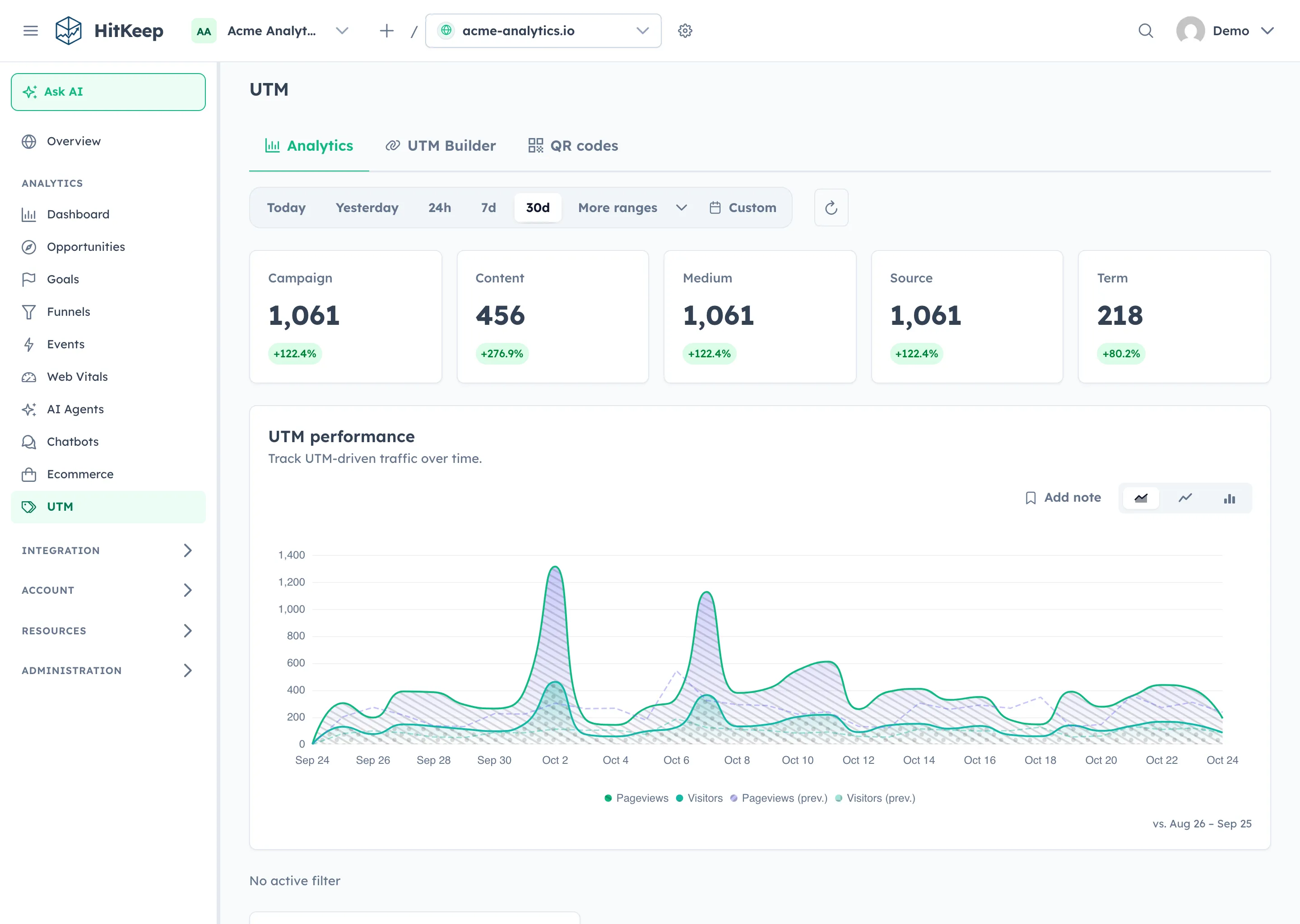
Campaign attribution does not depend on Google Analytics. Add consistent UTM parameters to the destination URL and let your analytics tool record the campaign, source, medium, content, and term.
A newsletter link might use utm_source=newsletter, utm_medium=email, and utm_campaign=summer_launch. The naming convention matters more than the vendor. linkedin, LinkedIn, and li will usually become separate values, so document allowed names before campaigns launch.
Use the same practice for offline campaigns. Point every QR code on event signage, packaging, direct mail, or sales material to its own tagged URL. That makes the offline placement measurable through visits and downstream goals.
HitKeep’s UTM reporting guide covers the parameters and reporting flow, while QR campaigns keep distinct printed placements measurable.
Measure conversions at the source
Traffic becomes useful when it supports an outcome. A SaaS team may care about verified signups or demo requests. A publisher may care about accepted subscriptions. An ecommerce site may care about confirmed orders, revenue, or repeat purchases.
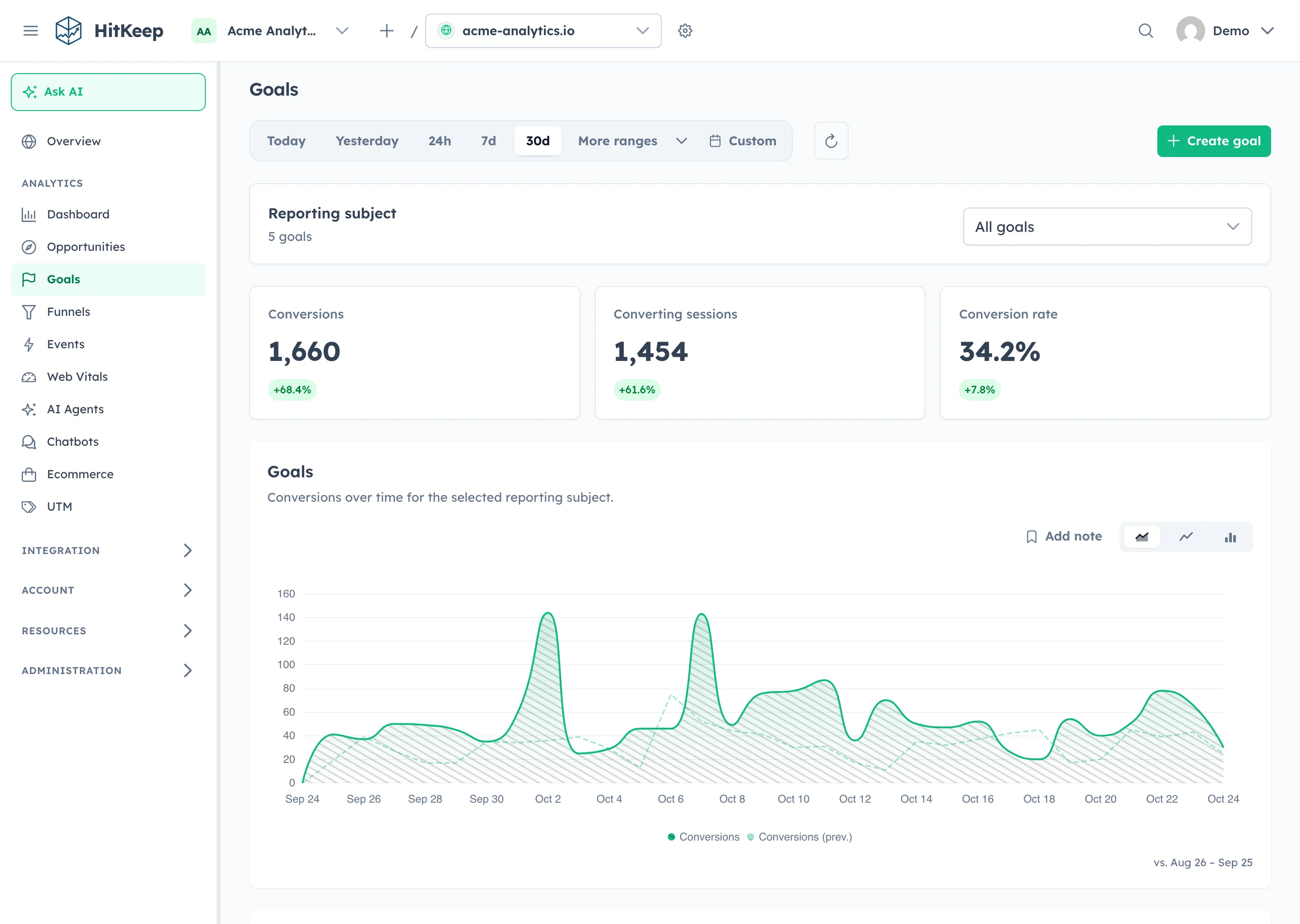
Analytics goals and funnels explain the journey, but the source of truth for the final result is usually the system that accepted it: your backend, CRM, payment processor, form service, or email platform.
For example, analytics may show 120 form-submission events while the CRM contains 112 valid leads. The difference could come from spam, duplicate clicks, rejected submissions, blocked requests, or a tracking mistake. Reconciliation exposes the gap instead of hiding it.
A reliable conversion model has three layers:
- Browser events describe low-risk interactions and navigation.
- Backend records confirm important outcomes.
- Referrer and campaign context explains acquisition.
Use HitKeep goals for named outcomes and funnels for the steps that lead to them, then compare the totals with the system that owns the business record.
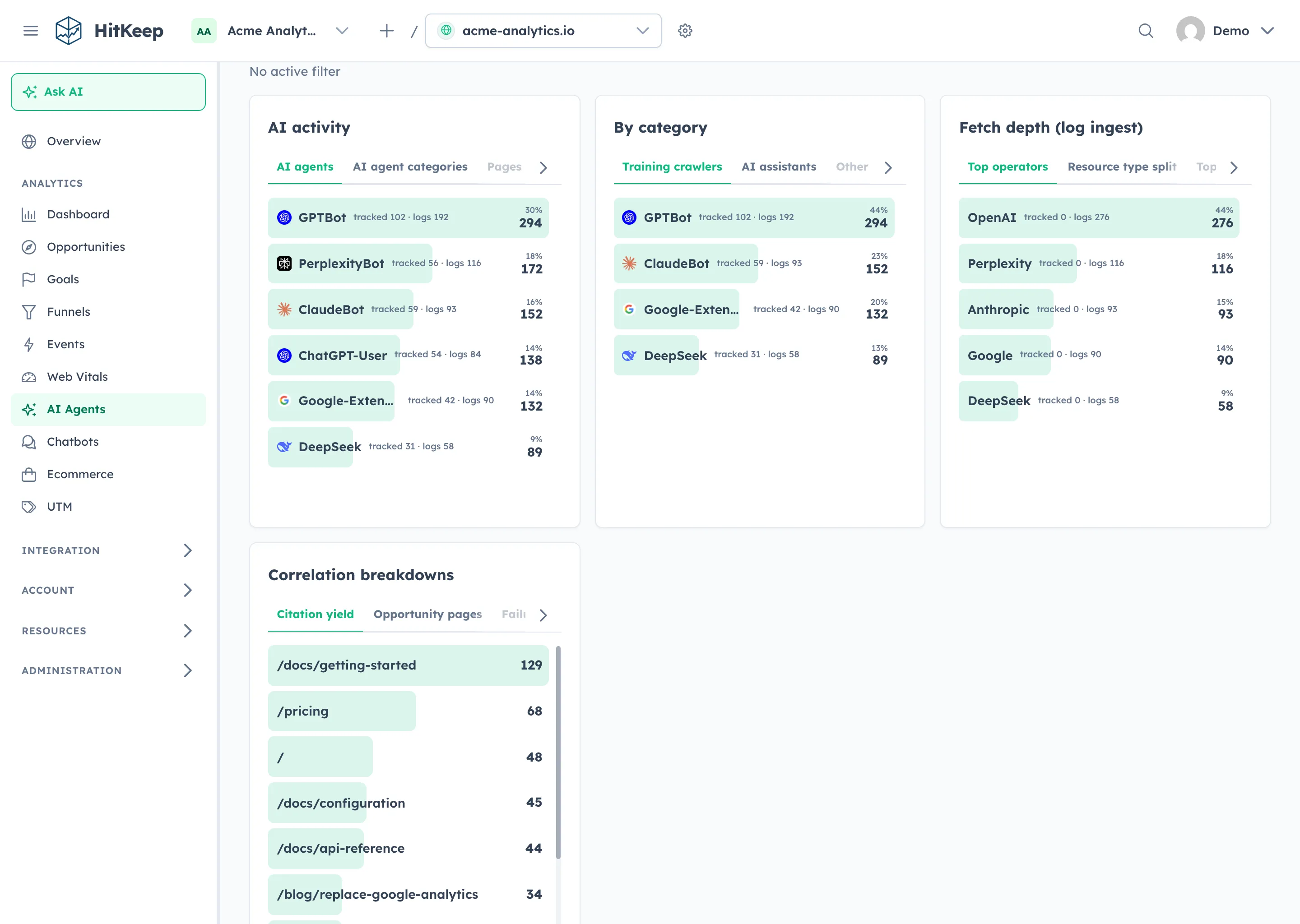
Separate AI crawler fetches from AI-referred visits
Traditional analytics assumes that a person follows a link, renders a page, and triggers a browser tracker. AI discovery breaks that into several observable events.
An AI crawler may fetch a page remotely without running JavaScript. An assistant may later send a person through a recognizable referral. An AI-capable browser may render the page like a normal visit. An answer may also be produced without a new request to your site.
These signals should not share one traffic bucket:
- Crawler fetches show that an identified automated client requested a path.
- AI-referred visits show that a person arrived from a recognizable assistant or campaign.
- Rendered visits show that the page and tracker ran, but not necessarily whether an assistant helped.
- Conversions show that a meaningful outcome occurred.
HitKeep’s AI Visibility analytics keeps crawler fetches and AI-referred human visits separate. The guide to AI browsers and web analytics in 2026 explains what browser trackers, logs, referrals, and backend events can each observe.
Build a simple traffic measurement stack
Most teams do not need ten tools. They need a few sources with clear definitions and an owner for each number.
| Need | Recommended approach | Why it works |
|---|---|---|
| Daily visitor reporting | Privacy-first web analytics | Clear page, referrer, campaign, and visitor trends |
| Google organic visibility | Search Console data | Queries, impressions, clicks, CTR, and rankings |
| Conversion reporting | Goals plus backend records | Connects acquisition to confirmed outcomes |
| Crawler and bot analysis | Server or edge logs | Captures requests that do not execute browser tracking |
| Campaign attribution | UTMs and QR tracking | Keeps online and offline placements comparable |
| Data ownership | Self-hosting or open exports | Supports portability and independent verification |
The Google Analytics vs privacy-first analytics comparison covers the broader choice between GA4, a privacy-first platform, and a hybrid stack.
Step by step: check your site traffic without GA4
- Install a focused analytics tool. Confirm that pageviews, visitors, landing pages, and referrers appear with the definitions you expect.
- Define important outcomes. Create goals for accepted forms, signups, purchases, downloads, or other useful events.
- Connect Search Console. Compare Google Search clicks and queries with landing-page engagement and conversions.
- Standardize campaign URLs. Define allowed UTM values for email, paid, social, partner, and QR campaigns.
- Review server or CDN logs. Look for crawlers, failed paths, redirects, downloads, and unusual request spikes.
- Reconcile confirmed conversions. Compare analytics goals with CRM, ecommerce, subscription, or form records.
- Create a weekly reporting rhythm. Review visitors, acquisition, top content, search trends, conversions, and anomalies using the same definitions each week.
Do not begin by rebuilding every GA4 report. Start with the recurring decisions your team actually makes, then add a report only when it changes one of those decisions.
Keep your traffic numbers trustworthy
Document how each platform defines visitors, sessions, pageviews, events, and conversions. If the tracker is cookie-free, record how session continuity works. If you self-host, document retention, backups, access controls, updates, and exports.
Separate humans from automation wherever the evidence supports it, but preserve an unknown category instead of forcing certainty. A request is not automatically a visit, and a visit is not automatically a qualified lead.
Finally, use trends for marketing decisions and confirmed systems for billing or finance. Analytics is strongest when it reveals direction: organic traffic fell, email conversions improved, a pricing page gained engagement, or AI referrals increased. Consistent definitions make those changes more useful than false precision.
When should you still use Google Analytics?
GA4 can remain useful when Google Ads optimization, remarketing audiences, Firebase app analytics, BigQuery exports, or existing analyst workflows are central to the organization.
The choice does not have to be permanent or ideological. Many teams run GA4 and a privacy-first platform in parallel while validating coverage, or retain GA4 for advertising workflows while using another system as the primary website-performance dashboard.
The HitKeep vs Google Analytics comparison documents where each product is stronger and outlines a parallel migration path. Keep GA4 where it provides a capability you use; remove it only after the replacement measurement model has been tested against real decisions and confirmed outcomes.
Measure traffic on your own terms
Checking site traffic without Google Analytics is not about finding one magic replacement number. It is about matching each question to reliable evidence: first-party analytics for visits, Search Console for search visibility, logs for requests, tags for campaigns, and backend records for outcomes.
HitKeep brings those website analytics, goals, funnels, Search Console reports, campaign data, AI visibility, and open exports into one product. You can use managed cloud with an EU or US region choice or self-host the same open-source application when direct infrastructure control matters.