
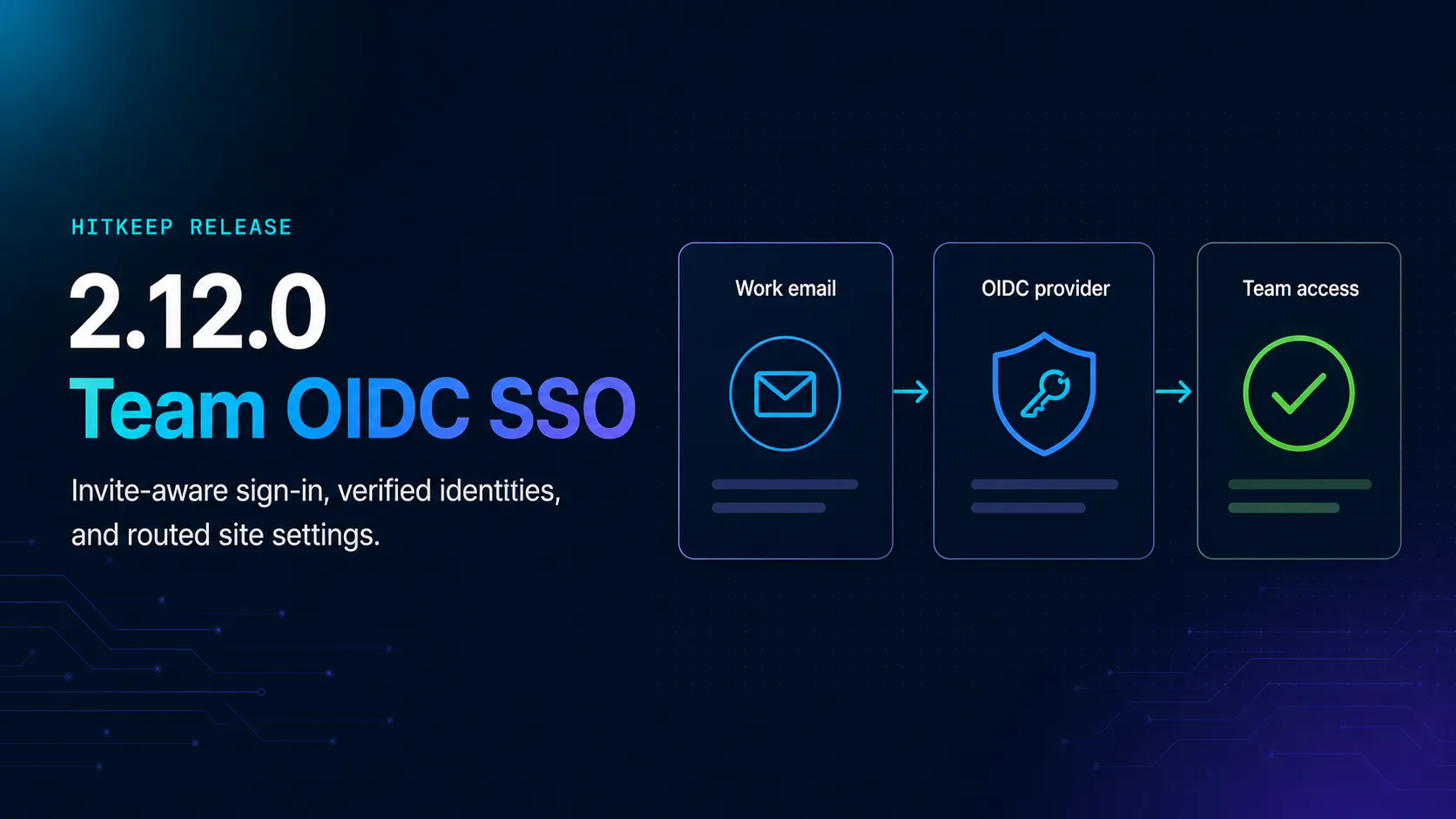
HitKeep 2.12.0 added team-scoped OpenID Connect single sign-on, carried invitations safely through the provider flow, and gave owners a controlled path from connection testing to rollout without turning analytics access into another disconnected account lifecycle.
The release also gives site settings real routes, brings password, passkey, and SSO choices into one consistent sign-in surface, and fixes two less visible but important boundaries: QR campaign data now survives site changes correctly, and cross-origin request checks use the standard browser security contract.
What Shipped
- Team OIDC SSO: connect one OpenID Connect provider to a team, route allowed email domains to it, and keep the configuration within the team’s administration area.
- Invite-aware access: carry a pending team invitation through the provider redirect, verify the returned email, preserve the invited role, and consume only that invitation after successful authentication.
- Optional trusted-domain provisioning: owners and admins can let a verified user from an allowed domain join as a Member without an invitation; the option is off by default.
- Stronger OIDC verification: use Authorization Code flow with PKCE S256, exact issuer and audience checks, nonce validation, one-time state, and a required boolean
email_verified: trueclaim. - One authentication surface: password, passkey, and SSO entry points now share the same card, feedback, loading, and error patterns across login, signup, setup, password recovery, and invitation acceptance.
- Routed site settings: general, tracking, filtering, retention, access, and danger-zone settings have stable URLs and route-level permission checks.
- Addressable invitations: team administrators can link directly to the invite flow instead of relying on page-local dialog state.
- Data and request-boundary fixes: site changes preserve QR campaign data, while state-changing cross-origin requests are checked with a standard origin policy.
Configure SSO Per Team
Owners and admins configure SSO under Administration → Team → SSO. The page keeps the callback URL, issuer, client credentials, allowed domains, claim mapping, connection test, and enable switch together. One team connects to one OIDC provider, and one email domain can belong to only one SSO configuration in a HitKeep instance, keeping email-based provider discovery unambiguous.
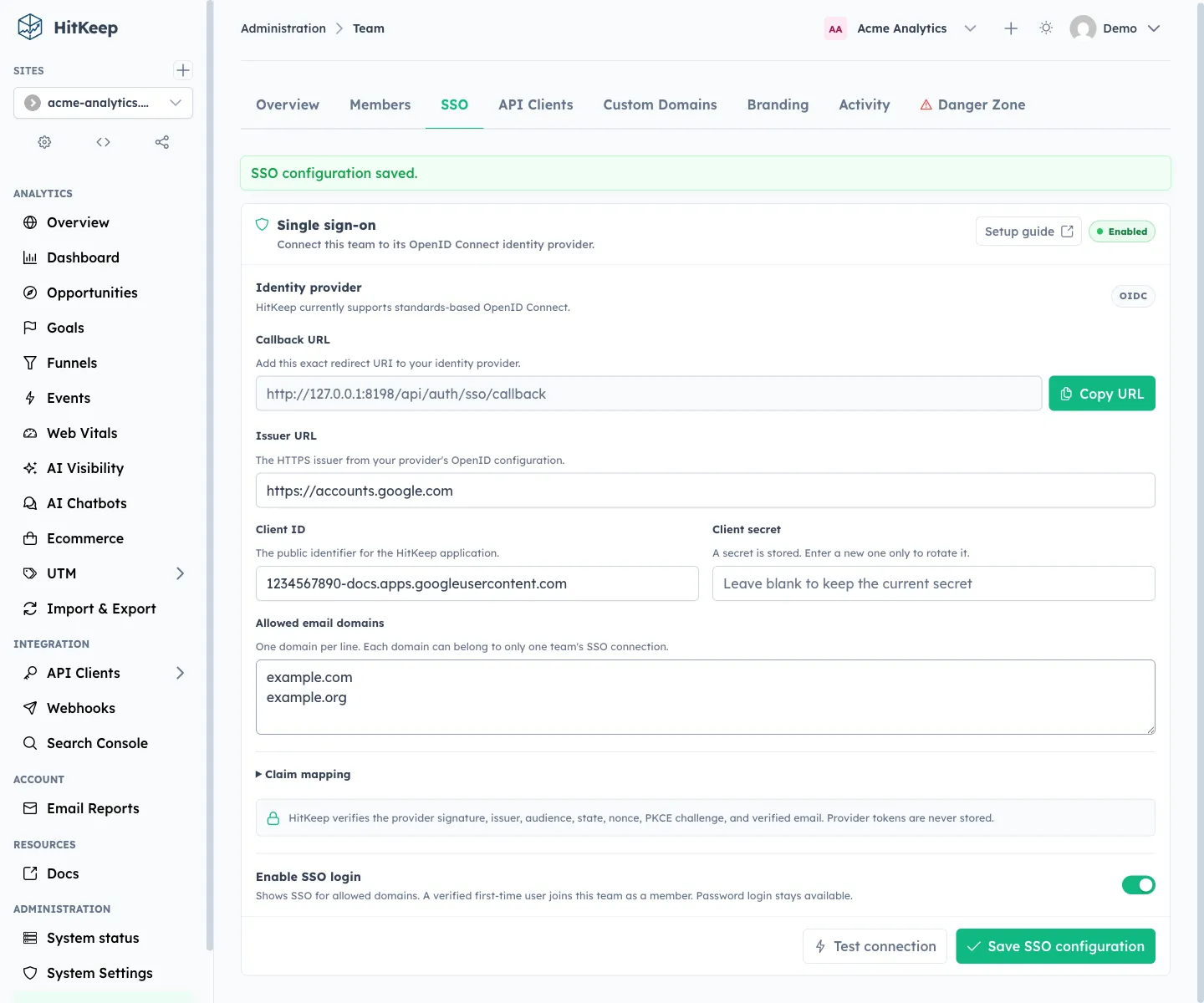
HitKeep stores the client secret encrypted and never returns it to the dashboard. Leaving the field blank keeps the current secret; entering another value rotates it. The callback URL comes from the configured public URL, including any deployment path prefix, so the identity-provider registration can match the real installation exactly.
The connection test validates discovery metadata before rollout. It checks that the issuer is reachable and advertises usable authorization, token, and key endpoints. A real browser sign-in is still required before announcing the integration because provider assignment, the client secret, callback matching, and ID-token claims can only be proven end to end.
On HitKeep Cloud, SSO is included with the Business plan. Self-hosted HitKeep includes the feature without a plan gate. Password and passkey sign-in remain available: this release adds OIDC as an authentication method; it does not force a domain to use SSO or replace the existing recovery path.
Verified Identity Is Not Automatic Access
An allowed email domain tells HitKeep which identity provider to use. It does not grant membership by itself. After the provider returns a verified identity, one of these authorization paths must apply:
- the person is already a member of the routed team;
- the person has a live invitation for that team; or
- an owner or admin has explicitly enabled trusted-domain auto-provisioning.
Invitation acceptance stays scoped to the invitation that started the flow. HitKeep carries the one-time token through OIDC state, requires the provider to return the same verified email address, preserves the requested team role, and does not accept other pending invitations for that address.
Automatic provisioning is deliberately off by default. When enabled, a verified trusted-domain user joins as a Member. Managed-cloud seat and team limits still apply, and team membership does not silently create site permissions; those remain a separate assignment.
This keeps identity verification and product authorization distinct. The identity provider proves who signed in. HitKeep still decides which team and sites that identity can access.
A Clearer Sign-In Flow
The normal login page now presents password, passkey, and SSO methods through the same interaction pattern. Choosing SSO asks for a work email first, then routes the user to the configured provider for that domain. The page can also open directly in SSO mode with a prefilled email, which makes invitation and organization-managed entry points less repetitive.
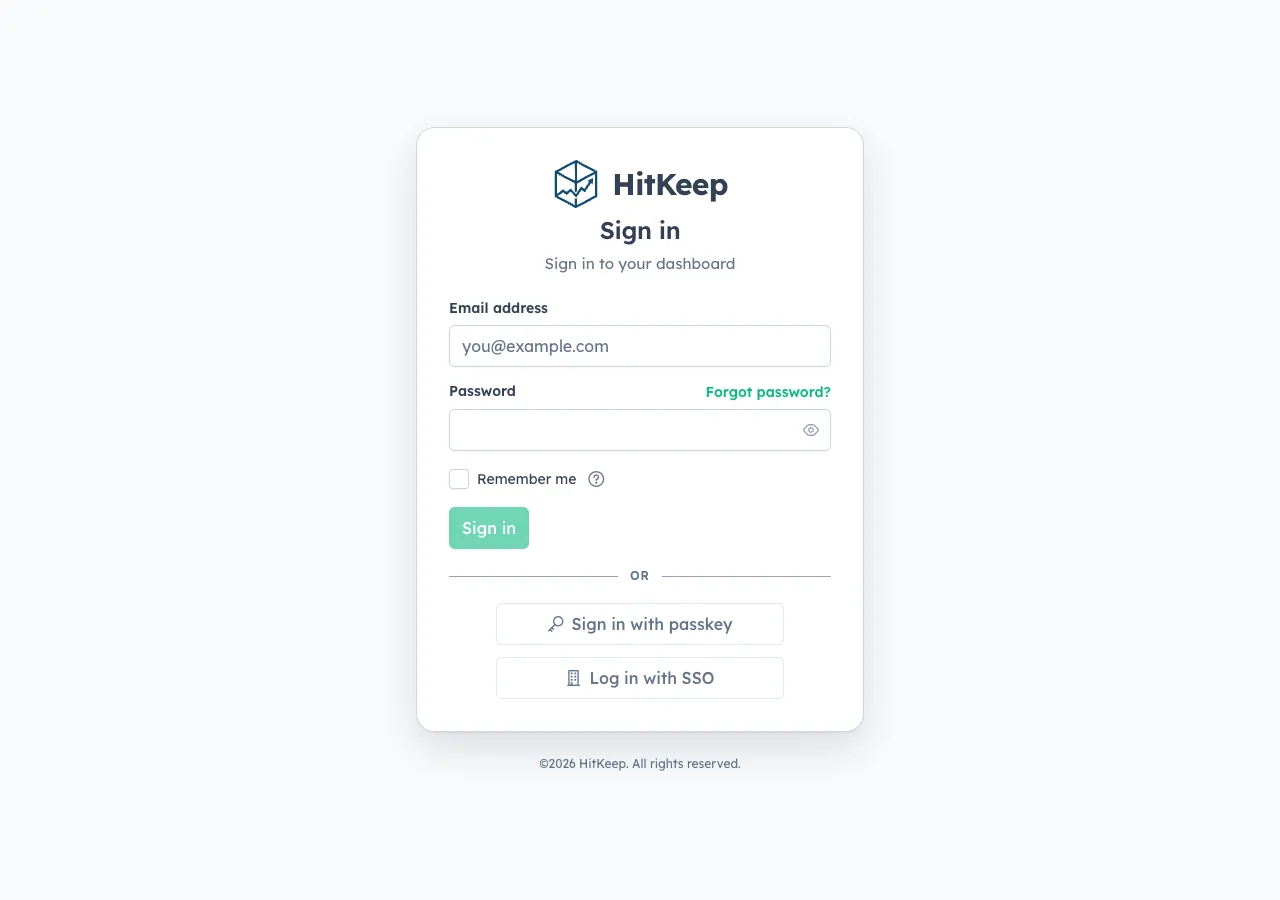
The same auth components now appear across invitation acceptance, setup, signup, forgotten-password, and reset-password pages. Loading belongs to the action that is running, provider failures return to the right surface, and an access-denied result is distinct from a discovery or token-exchange failure.
Invited users do not need to leave the invitation page to discover whether SSO is available. If the invited team has an enabled and entitled connection, the page offers Continue with SSO and carries the invitation through the redirect. Existing password-based invitation acceptance continues to work.
OIDC Security Boundaries
HitKeep’s OIDC relying party validates more than a successful redirect. The flow uses:
- Authorization Code flow with PKCE S256;
- exact issuer and audience validation on the ID token;
- nonce validation and short-lived, one-time state;
- a required native boolean
email_verified: trueclaim; - encrypted storage for the provider client secret;
- no storage of provider access or ID tokens; and
- team audit events for configuration changes, tests, and login outcomes.
Managed HitKeep Cloud also requires HTTPS provider endpoints, rejects private and other non-public network targets, and checks redirects before following them. Self-hosted installations can reach an internal identity provider when the HitKeep host can resolve it and trusts its TLS certificate.
The boundary is intentionally narrower than a full identity-governance product. Version 2.12.0 does not add SAML, SCIM, identity-provider-initiated login, group-to-role mapping, forced SSO, or continuous provider-to-HitKeep account synchronization. Removing a user at the provider prevents future SSO authentication, but operators must still remove the HitKeep membership and review any other enabled login methods.
Site Settings Become Addressable Pages
Site settings are no longer a drawer whose state disappears when the page closes. Each section now has a stable route under the selected site:
- general
- tracking
- filtering
- retention
- access
- danger zone
Deep links open the requested section, browser titles describe the active page, and route guards apply the same site capabilities that control which tabs are visible. Someone without permission to manage exclusions, retention, team access, or deletion cannot bypass that boundary by typing a URL.
This also removes a layer of layout state from the analytics dashboard. Settings use the same page frame, breadcrumbs, and routed-tab pattern as team administration, making the interface more predictable on reload and easier to link from support or operational documentation.
The team members area received the same treatment for invitations: Administration → Team → Members → Invite is now an addressable state, so an owner can return directly to the task without reopening a local dialog.
Reliability And Security Fixes
Two fixes sit below the visible product changes.
Changing a site’s domain or moving site data relies on a careful shadow-row sequence because DuckDB rewrites indexed rows and does not provide cascading or deferred foreign-key behavior. Version 2.12.0 relaxes the QR parent constraints involved in that workflow and preserves QR campaigns, codes, visits, and related analytics during supported site changes.
The server also replaces a custom fetch-metadata implementation with a standard cross-origin protection policy for state-changing requests. Same-origin dashboard requests keep working, approved cross-origin API behavior remains explicit, and requests that do not satisfy the browser-origin contract are rejected before reaching protected handlers.
What Is Not Changing
HitKeep 2.12.0 keeps the same operating model:
- one Go binary
- embedded DuckDB data stores
- embedded NSQ queueing
- no required PostgreSQL, Redis, Kafka, ClickHouse, or separate identity service
- cookie-free browser tracking by default
- open export paths
- self-hosted and managed cloud built from the same product foundation
OIDC adds an optional outbound connection to a team’s chosen identity provider. It does not change tracking, analytics retention, or the data collected from website visitors.
Upgrade Guidance
Upgrade to 2.12.0 when a team wants to use its existing OpenID Connect provider or when operators need stable links to site settings and invitation workflows.
For an SSO rollout:
- upgrade HitKeep and keep at least two owner login paths available;
- open Administration → Team → SSO and copy the exact callback URL;
- create a confidential OIDC web application using Authorization Code flow;
- enter the issuer, client ID, client secret, domains, and claim mappings;
- save with SSO disabled, run the connection test, then enable it;
- test a real invited or existing member in a private browser window; and
- review the team activity log before expanding access or enabling automatic provisioning.
If a self-hosted installation changes HITKEEP_PUBLIC_URL, update the provider callback registration. If HITKEEP_JWT_SECRET changes, enter and save the OIDC client secret again because the previous encrypted value was derived from the old secret.
Read More
- Configure OIDC Single Sign-On
- Teams and data isolation
- Permissions and roles
- Two-factor authentication and passkeys
- HitKeep security model
- Runtime configuration
- HitKeep Cloud pricing
Self-hosted HitKeep includes team OIDC SSO in the same binary as the dashboard, queue, and database. If you want managed upgrades, backups, and regional hosting alongside SSO, start a managed HitKeep Cloud deployment.