
AI Traffic Analytics Alternative to GA4
Section titled “AI Traffic Analytics Alternative to GA4”GA4 can show referral traffic from AI assistants when those visits arrive in the browser and expose a referrer. It does not give SEO teams a first-class report for server-side AI crawler fetches and fetch-to-visit correlation.
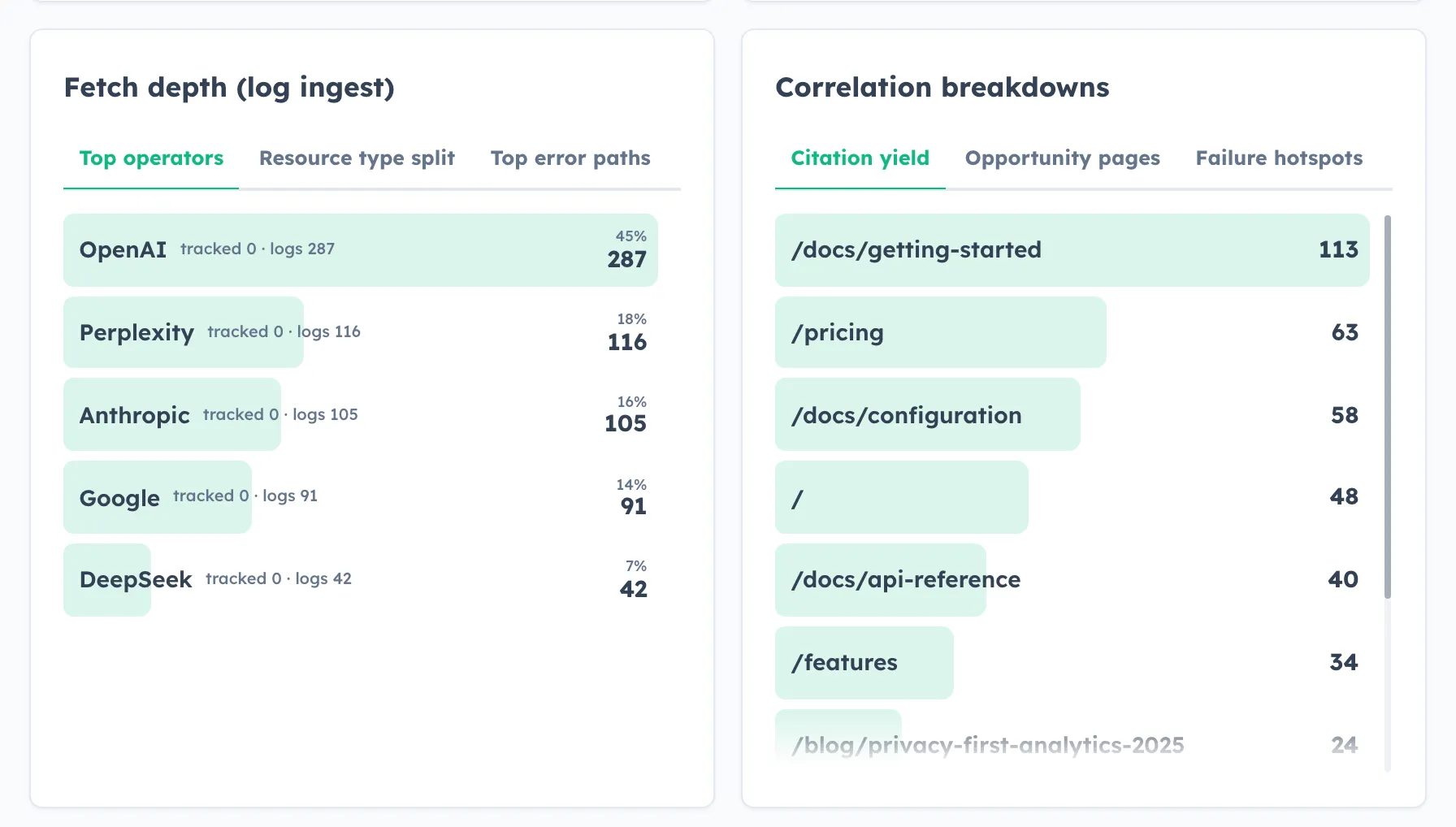
HitKeep is a better fit when the question is not just how many visits came from ChatGPT, but also which pages AI systems fetched before those visits appeared.
When HitKeep is the better fit
Section titled “When HitKeep is the better fit”Use HitKeep when the reporting question includes server-side AI crawler behavior, not only browser sessions. GA4 reports data collected from tagged websites and apps. Its documented traffic-source and referrer dimensions can describe visits that arrive from another URL, but those browser and app signals are not the same as edge or origin fetch logs.
- AI crawler fetch records from CloudFront, nginx, Caddy, app servers, or edge logs.
- AI-referred human visits from browser tracking.
- Correlation between fetched paths and later AI-referred visits.
- Opportunity pages for SEO work.
- Failure hotspots for 4xx and 5xx crawler requests.
- EU or US managed cloud for a quick client pilot.
When GA4 is still needed
Section titled “When GA4 is still needed”- Google Ads integration.
- Query-to-session attribution beyond aggregate Search Console rows.
- BigQuery export workflows.
- App analytics.
- Predictive audiences.
- GA4 exploration reports.
You can run HitKeep beside GA4 during a pilot. Use HitKeep for AI crawler visibility and GA4 for established Google ecosystem reporting until the client decides what should stay.
What each tool can see
Section titled “What each tool can see”| Signal | GA4 | HitKeep |
|---|---|---|
| AI-referred browser visit | Yes, when the referrer is visible | Yes, through hk.js |
| GPTBot, ClaudeBot, or PerplexityBot fetch | No first-class crawler report | Yes, through AI fetch ingest |
| Custom tracker hostnames | Depends on the tag and proxy setup | Team-level custom domains for hk.js and browser ingest |
| Crawler 4xx and 5xx errors | No server-log crawler report | Yes, from forwarded server-side records |
| Fetch-to-visit overlap | No dedicated report | Yes, in AI Visibility correlation |
| Google Ads workflows | Yes | No |
What the setup requires
Section titled “What the setup requires”- hk.js on the site for browser pageviews, AI-referred visits, goals, and automatic events.
- Optional custom tracking domains when the team wants the browser tracker served from customer-owned tracker hostnames.
- Server-side AI fetch ingest for crawler requests.
For CloudFront-hosted sites, use CloudFront AI crawler tracking. For dashboard behavior, use the AI Visibility Dashboard Reference.
Pilot measurement plan
Section titled “Pilot measurement plan”Run both tools for the same site for at least 14 days. Keep GA4 for its existing acquisition and advertising workflows, then use HitKeep to answer the crawler questions GA4 does not cover.
- Confirm hk.js records normal visits and AI-referred visits.
- Forward AI crawler fetches from the edge or origin layer.
- Review fetched paths, crawler families, status codes, and response times.
- Compare correlation pages with GA4 landing pages and Search Console queries.
- Turn crawler errors, high-fetch low-visit pages, and weak conversion paths into the next work list.
Operational integration boundary
Section titled “Operational integration boundary”HitKeep can send signed site, goal, import, team, and user lifecycle events to external systems with bounded retries and delivery history. This webhook surface is separate from AI fetch ingest and does not send raw traffic or AI crawler records.
Sources
Section titled “Sources”- Google Analytics page referrer dimension
- Google Analytics traffic-source dimensions
- Google Analytics reporting surfaces comparison
- Google Analytics BigQuery Export setup